
How to Receive Money from Remitly Philippines (GCash, Bank, Cash Pickup)
Learn how to receive money from Remitly in the Philippines using bank deposit, GCash or cash pickup. Step-by-step guide and delivery times explained.





You can transfer money from GCash to ShopeePay, either to top up your balance or to repay a loan, or to cover an SPayLater bill. This can be a handy way to manage your money between the two platforms, but it’s worth knowing about the GCash to Shopee Pay transfer fee before you decide to use this service.
This guide walks through how to send GCash to ShopeePay, whether you’re cashing in ShopeePay, or repaying for purchases or a loan. It’ll cover how to load ShopeePay from GCash step by step, what it costs, and why you might want to use this service. We'll also introduce the Wise account, a handy companion to make your money go further with low, transparent fees.
| Table of contents |
|---|
Sign up for a free account now
Yes. You can make a GCash to Shopee Pay transfer either by initiating the payment as a cash in on the ShopeePay app¹, or by loading the GCash app and arranging an outward transfer to ShopeePay². We’ll look at how to transfer money from GCash to Shopee Pay in both ways in this guide.
It’s helpful to know that there’s a GCash to Shopee Pay transfer fee in either case - this is levied by GCash. While ShopeePay used to reimburse the charge, this policy has changed and you’ll need to cover the fee yourself from your GCash account.
GCash to ShopeePay transfers are made using Instapay, and the money should arrive very quickly in the ShopeePay account.
Before we look at how to cash in GCash to Shopee Pay it’s worth exploring the eligibility criteria on both sides.
The first thing you’ll need to do is to make sure you have a fully verified GCash account. Only verified accounts can make outward payments - but getting verified is pretty easy and also unlocks a whole range of other handy features³. To get verified with GCash you’ll need to upload an image of a government issued ID document like your passport⁴. The process is slightly different depending on whether you’re a Filipino or foreigner, and whether you’re under 18 or over - but there are full details on the GCash website, and you’re guided through the process by onscreen prompts to make it as easy as possible.
Once you’ve completed this it may also be worth making sure your ShopeePay account is fully verified too⁵. While you can cash in from GCash with an unverified ShopeePay account, you’re limited to 10,000 PHP per month, while verified accounts can load 100,000 PHP a month. Verify your account by adding an image of a suitable government ID, and some information about yourself.
Here’s how to transfer GCash to Shopee Pay by initiating the payment in the ShopeePay app:
- Log into your ShopeePay account and select ShopeePay wallet
- Tap **Cash In **and select GCash as your preferred payment option
- Follow the prompts to enter the Cash In amount or select a cash value
- Tap Pay Now and follow the instructions to complete payment
You can also choose to arrange the payment in the GCash account as an outward transfer if you’d prefer. Here’s how to move money from GCash to ShopeePay in the GCash app.
- Log into your GCash app, and tap Transfer, then Local
- Select ShopeePay from the dropdown list
- Enter the amount to send, the account name, and the account number
- Tap Send Money and then tap Confirm
There is a GCash to ShopeePay transfer fee of 15 PHP every time you send a payment through Instapay to ShopeePay.
Unfortunately if you’re wondering how to transfer GCash to Shopee Pay without a fee you’re out of luck. Previously ShopeePay would reimburse the fee you pay to wallets like GCash, but this promotion has now ended and you’ll need to pay the GCash 15 PHP fee every time.
Aside from topping up your account from GCash, you can also use GCash to repay credit and loans taken with ShopeePay. If you have a loan - known as an SLoan - you can set up your repayments through Gcash⁶.
The payment is processed through Instapay and so is pretty much instant to arrive, but you’ll likely still need to pay the GCash fee of 15 PHP. ShopeePay does not charge their own incoming payment fee when you repay your Sloan with GCash though, making this a relatively economical and convenient option.
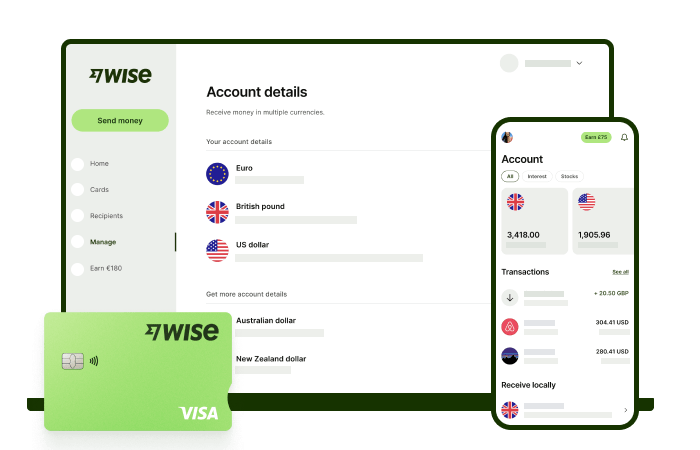
Receive foreign currency and exchange it directly to pesos at the mid-market rate with Wise.
With Wise, you'll get 8+ local account details including PHP, USD, GBP, AUD, and more. This way, you can receive money directly, in a cheap and convenient manner. All you need to get started is to sign up for a free account, and you'll be able to manage your money with just a few taps of your phone.
After getting your money, you can easily convert it to 40+ currencies, with low fees, and the mid-market rate - also known as the rate you see on Google. This includes exchanging to PHP with a one-time conversion fee from 0.57% that's shown upfront, and no markups or additional fees.
Receive, exchange, and move your funds to your local bank account in PHP in a cheap and convenient manner with Wise.
It’s simple and stress free - and lets you keep on top of your finances no matter what you’re up to.
*Please see terms of use and product availability for your region or visit Wise fees and pricing for the most up to date pricing and fee information.
This publication is provided for general information purposes and does not constitute legal, tax or other professional advice from Wise Payments Limited or its subsidiaries and its affiliates, and it is not intended as a substitute for obtaining advice from a financial advisor or any other professional.
We make no representations, warranties or guarantees, whether expressed or implied, that the content in the publication is accurate, complete or up to date.

Learn how to receive money from Remitly in the Philippines using bank deposit, GCash or cash pickup. Step-by-step guide and delivery times explained.

Compare the best international money transfer apps in the Philippines. See fees, exchange rates, speed and payout options to find the right app for you.

Wondering how to pay for your Atome bill using GCash? Learn more about how to make payments for your Atome card and more.

Need to send money from Paypal to GoTyme? Our 2025 guide covers the step-by-step online transfer process, fees, and processing times.
Learn how to transfer money from GCash to Wise with our detailed guide. We cover fees, processing times, verification steps, and account requirements.

Sending money from Japan to the Philippines? Learn how to transfer from SBI Remit to GCash with our guide, covering fees, exchange rates, and transfer times.











