
How to Apply for a BPI Credit Card in: Online, In-App and Branch Guide
Learn how to apply for a BPI credit card online, through the BPI app or at a branch. Compare requirements, documents and fees before you apply.




GCash¹ is a popular option for Filipinos, with services covering sending money, spending, borrowing and saving. PayPal² is another convenient tool for transfers to friends and family, and secure online shopping. But how do PayPal and GCash integrate? Can you make a direct GCash to PayPal transfer, and is there any GCash to PayPal transfer fee?
We’ll walk through how to send money from GCash to PayPal and also touch on an alternative - Wise - for sending payments across currencies cheaply and safely.
Plus if you’re looking to move money in the opposite direction there’s also this guide on how to send money from PayPal to GCash. Let’s dive right in.
| Table of Contents |
|---|
Sign up for a free account now
Yes. You can send money from GCash to PayPal.
You can’t make a transfer from your GCash VISA Card to PayPal, but you can still arrange a GCash to PayPal cash in by linking your accounts.
To do this you’ll need to link your PayPal to GCash digitally, and convert the PayPal balance you want to send to PHP in your PayPal account - a fee of 3% will apply for this service³.
Here’s how to send money from GCash to PayPal once you’ve linked your PayPal and GCash accounts⁴:
It’s important to note that it may take 24-48 hours for the money to reach your PayPal balance. You’ll get a message when the money is available to use.
We’ll cover how to send GCash to PayPal in detail in a moment, but before you do there are a few steps to take. Firstly, you must make sure your GCash is fully verified⁵.
You’ll have to remember to do this in advance. Getting your verification sorted may take as long as three days as the GCash team needs to check your documents⁶.
Verifying your GCash account is straightforward but you’ll need to provide an ID document. Documents vary depending on your age and nationality, but for an adult Filipino you can usually use an image of any of the following documents for verification⁷:
There are also a few other requirements to know about which we’ll cover next.
As we’ve seen, your GCash account must be fully verified to allow you to link it to PayPal to make a GCash to PayPal transfer. There are also a few other requirements:
Here’s how to link GCash to PayPal:
You’re now ready to make a transfer from PayPal to GCash.
The alternatives to sending money from GCash to PayPal depend on why you need to add money to your PayPal balance.
If you’re planning on using PayPal for online shopping in the Philippines, for example, you may find that simply linking a bank account or PHP debit card is the easiest alternative. Or if you want to shop overseas or send a payment in a foreign currency, using an alternative provider like Wise may be more cost effective.
PayPal Philippines supports a few methods to add a balance to your own account, receive money, or spend securely:
It’s helpful to check out the PayPal fees for different services before you get started. While spending online or sending money within the Philippines with a linked card or bank in PHP has no extra fee, costs can apply for cross currency transactions.
Specifically if you spend online in a foreign currency, or send a payment to someone else in a foreign currency you’ll pay 4% in conversion charges. International personal transfers also have variable fees depending on how you pay, of up to 4.99 USD plus 3.4% if you fund with a card³.
If you’re sending money overseas, Wise could be a convenient alternative to moving funds through PayPal and GCash.
With Wise, you can send payments directly to bank accounts and selected mobile wallets in many countries, with onversion fees from just 0.57%.
You can also use Wise to convert money to PHP first before adding funds to PayPal. This may reduce overall currency conversion costs compared to relying on PayPal’s exchange rates alone.
Looking for something different? Learn about how to send money from Wise to PayPal here.
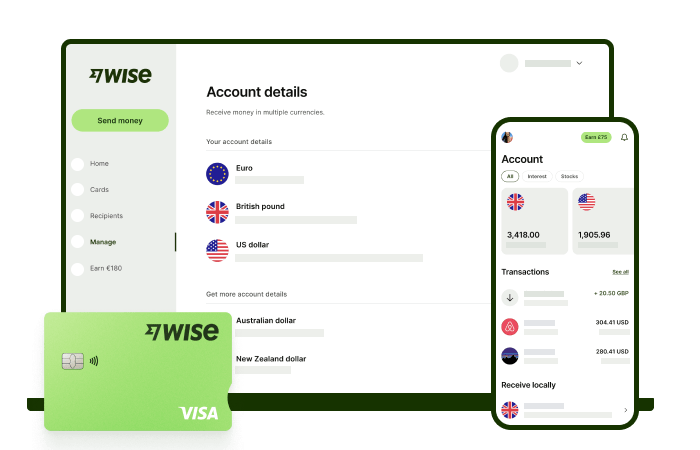
If your goal is to send money overseas, Wise could be an alternative to topping up PayPal through GCash.
Wise international money transfers can be set up online or within the Wise app with low fees from 0.57% and the mid-market rate, to over 140+ countries. There’s no markup added to the exchange rate that’s used to convert your currency, which makes it easier to see exactly what you're paying for a transfer, and what the recipient will get in the end. Just transfer the amount indicated in PHP and let Wise do the rest.
To make sending foreign currency even easier, create a free Wise account, and you'll be able to manage and convert your money in PHP and 40+ other currencies. You'll get the same great rates, and be able to track your transfers all from one place. You can also get 8+ local account details to be able to receive money in PHP, USD, GBP, and more.
*Please see terms of use and product availability for your region or visit Wise fees and pricing for the most up to date pricing and fee information.
This publication is provided for general information purposes and does not constitute legal, tax or other professional advice from Wise Payments Limited or its subsidiaries and its affiliates, and it is not intended as a substitute for obtaining advice from a financial advisor or any other professional.
We make no representations, warranties or guarantees, whether expressed or implied, that the content in the publication is accurate, complete or up to date.

Learn how to apply for a BPI credit card online, through the BPI app or at a branch. Compare requirements, documents and fees before you apply.
Learn how to use your RCBC credit card abroad, including foreign transaction fees, exchange rates, overseas cash withdrawals and travel perks.

Learn the PhilHealth contribution for OFWs, including current rates, payment options, how to pay from abroad and how to check your status.

How much is Pag-IBIG contribution for OFWs? Learn rates, benefits, and how to pay your Pag-IBIG contributions online from abroad.

Applying for a BPI credit card as an OFW? Learn the requirements, documents, income rules, and how to apply online from abroad step by step.
Looking for your first credit card? Compare UnionBank credit cards for beginners, including fees, requirements, and how to apply.











