
Merchantrade vs Wise: Which is Cheaper for Malaysians in 2026?
Merchantrade vs Wise: which is cheaper for Malaysians? Compare 2026 fees, rates, and real costs to see which option fits your needs.


Maybank¹ is one of the most popular banks in the region, and offers an excellent range of ways to send payments digitally to others locally and internationally². If you’re planning on sending a payment with Maybank you’ll need to know how to set up a transfer, and how much it will cost you.
This guide outlines everything you should know, including how to change the transfer limit at Maybank to suit the amount you need to send. We'll also introduce the Wise account, a handy companion to make your money go further with low, transparent fees.
| Table of contents |
|---|
Maybank offers ways to send payments locally including³:
The delivery times and fees, as well as the Maybank transfer limit per day may vary depending on the type of payment you choose to make.
There are also ways to send a payment with Maybank to accounts based abroad. Here your options include⁴:
This very large range of transfer types also comes with a large variation in the fees and delivery times you can expect. When deciding which payment type to make you’ll need to weigh up the costs, convenience and speed of different options to decide which works best for your recipient.
To make a Maybank online transfer you’ll need an eligible Maybank account and access to Maybank2U online and mobile banking. If you already have a Maybank account but have not registered for digital banking as yet you will need to take the following steps⁶:
The Maybank IBG transfer time depends on when you submit your online request. IBG payments are processed at various times throughout the day so your money will be sent when the next batch is sent out. Here are the processing times and delivery speeds for different cut off times:
| Payment requested by | Payment received by⁷ |
|---|---|
| Monday - Friday, before 5 am | 11 am, same business day |
| Monday - Friday, after 5 am but before 8am | 2 pm, same business day |
| Monday - Friday, after 8 am but before 11am | 5 pm, same business day |
| Monday - Friday, after 11 am but before 2pm | 8.20 pm, same business day |
| Monday - Friday, after 2 pm but before 5 pm | 11 pm, same business day |
| Monday - Friday, after 5 pm | 11 am, next business day |
| Weekends and holidays | 11 am, next business day |
If you’ve sent a payment but it’s not been received yet you may want to know how to check an IBG transfer status with Maybank. This is pretty easy to do by logging into your Maybank2U app and looking for the transaction history. You’ll see the payment has gone through if the deduction can be seen moving the money out from your account.
If you’re looking for proof of a payment you can also get your Maybank transfer receipt by taking these steps⁷:
There are various different Maybank transfer limits which apply depending on your transfer type. If you need to send a high value payment you may need to check your limit and change it - or reach out to the bank for advice - before you can process your transfer.
Here are the main Maybank transfer limits for different payment types:
Local payments sent through both IBG and DuitNow have a combined daily limit, so if you have already sent a large DuitNow payment you may not be able to send a further high value IBG.
If you need to send a payment overseas, there are also combined limits on all online international transfer types - but there’s no limit on a foreign telegraphic transfer with Maybank, sent in a branch⁸.
Maybank states that there is no option to increase your Maybank IBG limit. If you need to send a higher value payment you may need to split the transfer and send it over several days, or use a different payment method which has a higher limit.
If you’re sending a foreign payment with Maybank and run into an online limit you can overcome this by arranging your payment in a branch instead of digitally. There is no limit for foreign transfers made in a branch⁹.
If you would like to set a lower limit on your payments, or adjust your limits upwards within the daily limits set by the bank, you can do so using Maybank2U¹⁰:
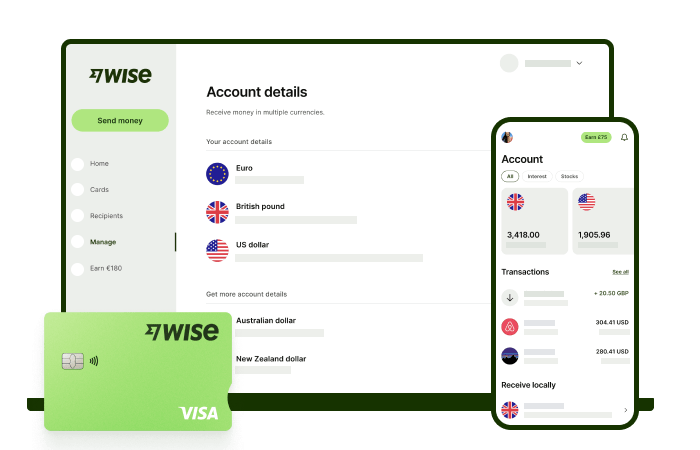
Make seamless foreign currency payments and transactions with low fees and the mid-market rate with Wise.
The Wise account is an easy way to hold and exchange 40+ currencies, including MYR, USD, GBP, and more. All you need to do is create a free account to get started.
With Wise, you can exchange currencies at the mid-market rate each time, with low, transparent conversion fees from 0.77% and absolutely no markups. Plus, you can order a linked Wise card for convenient spending without any foreign transaction fees, and up to 2 free ATM withdrawals to the value of 1,000 MYR when you're overseas. You'll even get 8+ local account details to get paid conveniently to your Wise account in MYR and a selection of other major global currencies.
Sending money or making payments abroad? Wise also offers fast, low cost transfers to 140+ countries - you can track your transfer in your account and your recipient will also be notified when a transfer reaches them.
Get the most out of every ringgit and save more when you use Wise.
Sources:
*Please see terms of use and product availability for your region or visit Wise fees and pricing for the most up to date pricing and fee information.
This publication is provided for general information purposes and does not constitute legal, tax or other professional advice from Wise Payments Limited or its subsidiaries and its affiliates, and it is not intended as a substitute for obtaining advice from a financial advisor or any other professional.
We make no representations, warranties or guarantees, whether expressed or implied, that the content in the publication is accurate, complete or up to date.

Merchantrade vs Wise: which is cheaper for Malaysians? Compare 2026 fees, rates, and real costs to see which option fits your needs.

Transferring money from Malaysia? Compare Wise vs Western Union fees and exchange rates for 2026. See which provider is cheaper for your next transfer now.

Learn more about Bank Islam transfer limits as well as how to set, increase and change them.

Learn more about how to make an Bank Islam online transfer including limits, transfer time, and fees.

Learn more about how to make an Affin Bank online transfer including limits, transfer time, and fees.

Learn more about how to use Lulu Money in Malaysia, as well as benefits, fees, and more.











