
Best Business Accounts for Freelancers in Germany
Learn about the best business accounts for freelancers in Germany. Our guide covers features and fees of each provider to help you make an informed decision.



Running a business means getting paid on time — and having a reliable invoicing tool can make that a lot easier. If you're already using Revolut Business, or thinking about it, you'll want to know exactly what the invoicing feature offers, what it costs, and where it falls short.
This guide covers everything you need to know about Revolut Business invoices, including features, supported currencies, fees, and integrations. We'll also look at how Wise Business handles invoicing and international payments, so you can weigh up your options.
💡 Learn more about Wise Business
Yes. You can create invoices with any Revolut Business plan. But payment options depend on whether you also have an active Merchant account, which is a separate sub-account inside Revolut Business for accepting card payments. Without a Merchant account, customers can only pay invoices by bank transfer. With one, you can also enable card payments, Apple Pay, Google Pay and Revolut Pay.¹ This distinction affects both the payment methods and currencies available on your invoices.
This guide focuses on Revolut Business invoicing specifically. If you're not sure which Revolut account type suits you?
Creating an invoice with Revolut Business is straightforward. You can do it from the mobile app or the web dashboard in a few steps²:
Your customer receives an email with a link to a hosted payment page, where they can view the invoice and pay using whichever method you've enabled.³ Invoices can only be created in English, but you can specify the currency you'd like to be paid in².You can also schedule invoices to send later, or set them as recurring for regular clients.
Revolut Business includes the following invoicing features:⁴
Funds from card payments typically arrive in your Revolut Business account within 24 hours.³
The currencies available depend on your payment method and whether you have a Merchant account. Here's how it breaks down:⁷
| Payment method | Merchant account required? | Currencies |
|---|---|---|
| Bank transfer | Yes | AED, AUD, CAD, CHF, CZK, DKK, EUR, GBP, HKD, HUF, ILS, JPY, MXN, NOK, NZD, PLN, QAR, RON, RUB, SAR, SEK, SGD, THB, TRY, USD, ZAR |
| Card payment | Yes | AUD, CAD, CHF, CZK, DKK, EUR, GBP, HKD, HUF, ILS, JPY, MXN, NOK, NZD, PLN, RON, SEK, SGD, THB, TRY, USD, ZAR |
| Revolut Pay | Yes | AED, AUD, CAD, CHF, CZK, DKK, EUR, GBP, HKD, HUF, ILS, JPY, MXN, NOK, NZD, PLN, QAR, RON, RUB, SAR, SEK, SGD, THB, TRY, USD, ZAR |
| Bank transfer (no Merchant) | No | EUR, GBP, USD, CAD, CHF, JPY, AUD, HKD, SEK, DKK, NOK, NZD, PLN, ZAR |
With a Merchant account, you can issue invoices in up to 26 currencies across bank transfer and Revolut Pay, or 22 currencies for card payments. Without one, you're limited to 14 currencies via bank transfer only.
There's no extra charge for using the invoicing tool itself. However, you may pay a monthly plan fee, and there are processing fees when customers pay by card or Revolut Pay.
| Fee type | Basic⁸ | Grow⁹ | Scale¹⁰ |
|---|---|---|---|
| Monthly fee | £10/month | £35/month or £30/month on an annual billing cycle | £125/month or £90/month when paid annually |
| UK-issued card (Visa/Mastercard) | 1% + £ 0.20 fixed fee | 1% + £ 0.20 fixed fee | 1% + £ 0.20 fixed fee |
| UK-issued card (Amex) | 1.7% + £ 0.20 fixed fee | 1.7% + £ 0.20 fixed fee | 1.7% + £ 0.20 fixed fee |
| Foreign-issued card | 2.8% + £ 0.20 fixed fee | 2.8% + £ 0.20 fixed fee | 2.8% + £ 0.20 fixed fee |
| Revolut Pay | 1% | 1% | 1% |
The Enterprise plan offers custom pricing, which could suit larger businesses with higher invoice volumes.¹¹ Bank transfer payments don't incur processing fees, though standard Revolut account fees still apply.
One area where Revolut Business adds value is its integrations with third-party tools. You can connect your account with popular accounting software to sync transactions, categories, and tax rates automatically.
Key accounting integrations include:¹²
Revolut Business also integrates with eCommerce platforms like Shopify, WooCommerce, PrestaShop, and BigCommerce, which is useful if you're invoicing alongside online sales.¹² For businesses that want more control, the Revolut Business API is available on Grow, Scale, and Enterprise plans, allowing custom integrations beyond the standard options.
Revolut BillPay is a separate but related feature that handles incoming bills and supplier payments, with two-way sync to your accounting software.¹³
If you're looking for a way to invoice clients and manage international payments, Wise Business is worth the look.
You can create and send invoices with any Wise Business account, including the free Essentials plan. To receive payments directly into your Wise account through those invoices, you'll need the Advanced plan. The Advanced plan also gives you access to payment links, QuickPay QR codes, and account details in 8+ currencies to receive payments from clients around the world. There are no monthly fees, just a one-time £50 (Advanced plan) or for free (Essential plan) set up fee for the Advanced plan.
When you need to convert currencies or pay suppliers abroad, Wise uses the mid-market rate with no markup and low conversion fees.
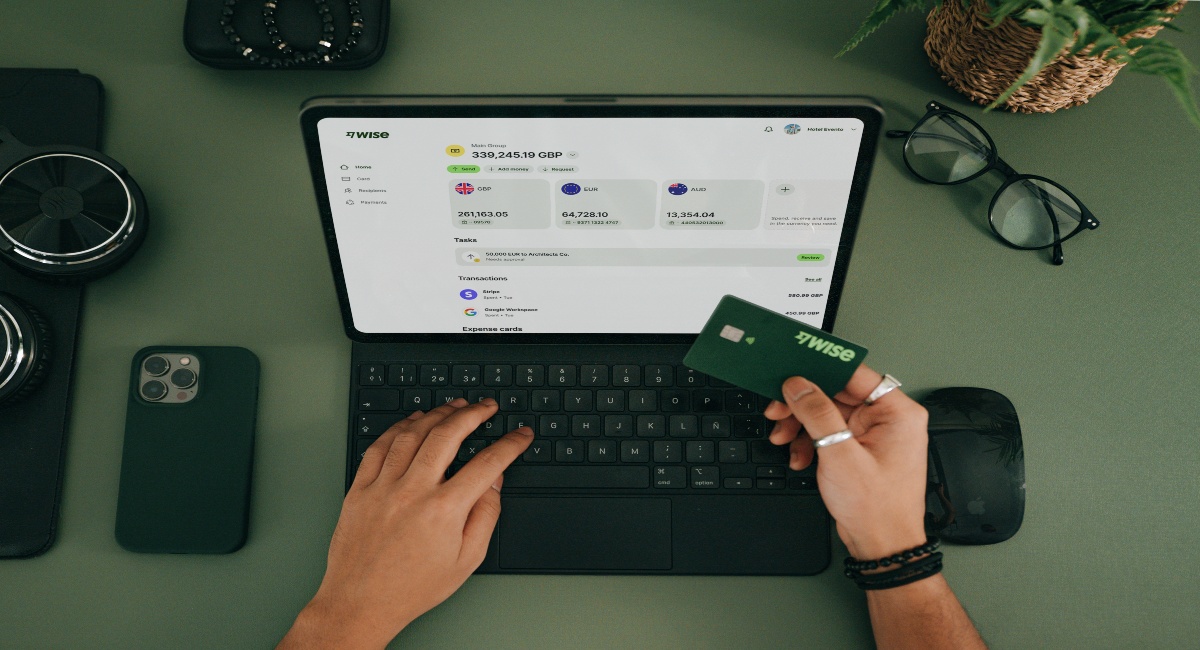
With Wise Business, you can:
Make the wise choice when selecting a business account for all your domestic and global needs.
Be Smart, Get Wise.
Investments can fluctuate, and your capital is at risk. Interest is offered by Wise Assets UK Ltd, a subsidiary of Wise Payments Ltd. Wise Assets UK Ltd is authorised and regulated by the Financial Conduct Authority with registration number 839689. When facilitating access to Wise investment products, Wise Payments Ltd acts as an Introducer Appointed Representative of Wise Assets UK Ltd. Please be aware that we do not offer investment advice, and you may be liable for taxes on any earnings. If you're uncertain, we urge you to seek professional advice. To find out more about the Funds, visit our website.
No. Revolut automatically assigns a sequential invoice number to each invoice. These numbers can't be changed, and the sequence continues even if you delete an unsent invoice⁵.
Yes. When you create an invoice, you select how you'd like to be paid. Revolut Business automatically adds the relevant payment details to your invoice, so you don't need to enter them manually⁵.
Log into Revolut Business, go to the Invoices tab, and follow the prompts to download any invoice as a PDF⁷.
Sources used in this article:
Sources checked 4 March 2026.
*Disclaimer: The UK Wise Business pricing structure is changing with effect from 26/11/2025 date. Receiving money, direct debits and getting paid features are not available with the Essential Plan which you can open for free. Pay a one-time set up fee of £50 to unlock Advanced features including account details to receive payments in 22+ currencies or 8+ currencies for non-swift payments. You’ll also get access to our invoice generating tool, payment links, QuickPay QR codes and the ability to set up direct debits all within one account. Please check our website for the latest pricing information.
*Please see terms of use and product availability for your region or visit Wise fees and pricing for the most up to date pricing and fee information.
This publication is provided for general information purposes and does not constitute legal, tax or other professional advice from Wise Payments Limited or its subsidiaries and its affiliates, and it is not intended as a substitute for obtaining advice from a financial advisor or any other professional.
We make no representations, warranties or guarantees, whether expressed or implied, that the content in the publication is accurate, complete or up to date.

Learn about the best business accounts for freelancers in Germany. Our guide covers features and fees of each provider to help you make an informed decision.

A comprehensive guide to employee relocation, including how relocation packages work, UK costs, tax considerations and best practices for staff support.

Learn a few quick tips to improve and maintain accounting accuracy, from choosing the right software, managing FX and more.

Learn how to structure and manage relocation packages, including costs, policies, implementation steps and global considerations for employers in the UK.

An essential guide to sending bulk payments internationally as a UK business, including best providers, fees, and steps to send your first bulk transfer.
Learn how invoicing management works, how to optimise it, and how Wise Business can help you streamline international payments.











