
Understanding Stripe Transfer and Transaction Limits (2026)
Discover everything you need to know about Stripe transfer and transaction limits. Maximize your payments with our easy-to-understand guide



Meta Pay is a digital wallet from Meta that lets customers pay on Facebook and Instagram without typing in their card details. For US businesses that sell through social platforms, it could enhance their customer's checkout experience.
In this guide, we’ll explain how Meta Pay works, where it fits into your US business’s payment stack, and when it makes sense to use it. We'll also discuss the Wise Business account. The global account that can help your company with all things cross-border.
Do you send and receive global payments?
Wise Trustpilot Score: 4.3 stars on 230,000+ reviews
No minimum balance requirement and no monthly fees
Integrates with QuickBooks, Xero, Sage, and more
Meta Pay is a digital wallet that lets people store their payment details and use them to pay across Meta’s apps. Instead of typing in a card number every time, customers can check out using information they’ve already saved.
The payment service used to be called Facebook Pay, until Meta rebranded it to Meta Pay as it expanded beyond Facebook and rolled it out across more of its apps.
For US users, Meta Pay is widely available across Facebook and Instagram, but its use is still mostly limited to Meta’s own platforms rather than the wider web.
For customers in the US, Meta Pay can be used to:
From a business perspective, this means customers can move from browsing to paying in fewer steps, especially when sales happen directly within social apps.
Meta Pay works mainly inside Meta’s own apps, which is where most US businesses encounter it. It’s designed for social commerce and in-app payments, not as a universal checkout option across the web.
Within Meta’s ecosystem, Meta Pay can be used on:
Outside of Meta’s apps, availability is much more limited. Unlike Apple Pay or Google Pay, Meta Pay isn’t widely supported on third-party websites or e-commerce platforms.
For US merchants, whether Meta Pay works on a website depends on the payment processor and the e-commerce platform being used. Meta has also scaled back some external integrations in recent years, so most new use cases are focused on Facebook and Instagram rather than standalone online stores.
For US businesses, Meta Pay is set up through Meta’s existing commerce tools rather than as a standalone payment service. If you already sell on Facebook or Instagram, most of the groundwork may already be in place.¹
You’ll need a Meta Business account to access shops, payments, and payouts. US businesses are typically asked to provide basic company details and complete business verification, which helps Meta confirm your identity and reduce fraud.
Meta Pay becomes available once your shop is live and approved. Customers will see Meta Pay as a payment option at checkout when buying directly through Facebook or Instagram.
To receive funds, link a US bank account or connect PayPal to your Meta Business account. Using PayPal can be helpful if you already rely on it for payouts or prefer keeping funds in a PayPal balance.
Once everything is connected, you can begin accepting payments through Meta Pay. Payout timing varies, but many US companies see funds deposited quickly. You can manage transactions, payouts, and settings through Meta Business Suite.
If you run a small business, you'll know how important saving time and money can be. With that in mind, it's worth considering where the money will land once it's gone through the payment gateway. Especially if you have an international business payment to make.
With the Wise Business account, you can save on international payments. Receiving money from overseas is a breeze, and payments are secure.
Wise is not a bank, but a Money Services Business (MSB) provider and a smart alternative to banks. The Wise Business account is designed with international business in mind, and makes it easy to send, hold, and manage business funds in multiple currencies. You can get major currency account details for a one-off fee to receive overseas payments like a local. You can also Send money to 140+ countries.
You can also connect your Wise Business account to receive payments from eCommerce platforms such as Amazon or via Stripe.
10,000 businesses join Wise every month. You can create your account online in just a few clicks.
Open a Wise Business account
to receive international payments 🚀
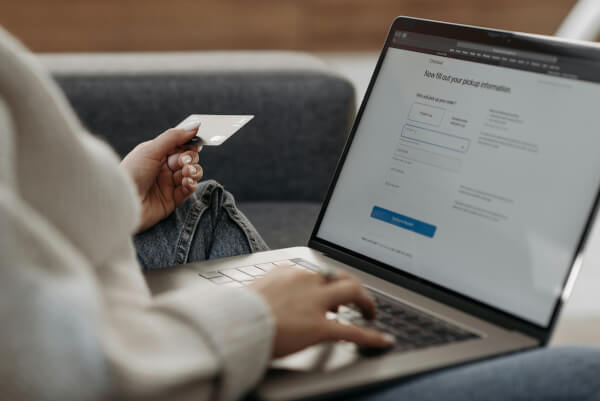
When a customer checks out using Meta Pay, they’ll see it as a payment option inside Facebook or Instagram checkout. Selecting it pulls up the payment and shipping details they’ve already saved, so there’s less to fill in.
To confirm the purchase, customers authenticate with a Meta Pay PIN or their device’s biometric security, such as Face ID or fingerprint recognition. This adds a layer of protection without slowing things down.
Because customers don’t need to re-enter card numbers or addresses, Meta Pay can reduce checkout friction. For businesses, that often means fewer abandoned checkouts when sales happen inside social apps.
Common questions customers ask include whether Meta Pay is safe, whether it stores card details, and if it costs extra to use. Having clear answers ready can help build trust at checkout.
Meta Pay is often described as “free,” but that can be misleading if you don’t understand how payments actually work behind the scenes. While Meta doesn’t charge a separate wallet fee, US businesses pay a fee to process the transaction.
Here’s how the costs break down in practice.
Meta Pay doesn’t charge businesses an extra fee just for offering it at checkout. There’s no Meta Pay-specific percentage or per-transaction cost added on, and customers don’t pay more for choosing it.
This puts Meta Pay in the same category as other major digital wallets. Like Apple Pay or Google Pay, it’s free at the wallet level. Any fees you pay are tied to payment processing, not the wallet.
When a customer pays with Meta Pay, the transaction still runs through the card networks and your payment processor. That’s where costs apply.
For most US businesses, online card payments typically cost around 1.3% to 3.5% per transaction, depending on the card type, processor, and pricing model.² Many processors advertise rates close to 2.9% + $0.30 for card-not-present transactions.³
Meta Pay doesn’t reduce or increase those fees. A Visa or Mastercard payment made through Meta Pay usually costs about the same as entering card details manually.
The same is true when you compare Meta Pay with other digital wallets. Apple Pay and Google Pay also rely on card networks and processors, and they don’t add their own merchant fees either.
In short, Meta Pay doesn’t eliminate payment costs, but it doesn’t add new ones. For US businesses, its value comes from smoother checkout and fewer abandoned purchases, not lower processing fees.


Meta Pay and PayPal both let customers check out without re-entering their card details, but they’re built for very different use cases. For US businesses, the choice often comes down to where you sell and how customers prefer to pay.
Here’s how they compare at a high level:⁴
| Feature | Meta Pay | PayPal |
|---|---|---|
| Where it works | Facebook, Instagram, Messenger | Most websites and platforms |
| Fees | No extra wallet fee | Transaction fees apply |
| Customer reach | Meta app users | Global user base |
| Best for | Social commerce | Broad ecommerce and online payments |
Meta Pay works best for US businesses that sell directly inside Meta’s apps. If a large share of your sales comes from Facebook Shops or Instagram Shops, Meta Pay can reduce friction for customers who already have payment details saved.
It’s especially useful when purchases happen quickly or impulsively, such as through social posts, ads, or in-app browsing.
PayPal makes more sense if you sell across multiple channels or rely on a traditional online checkout. It’s widely accepted, familiar to customers, and works on nearly any e-commerce site.
For businesses with an international customer base or sales beyond social platforms, PayPal usually offers broader coverage than Meta Pay.
Many businesses don’t treat it as an either-or decision. Meta Pay and PayPal often serve different roles.
Meta Pay can support in-app social commerce, while PayPal covers website checkouts and non-Meta channels. Using both gives customers more choice and helps businesses meet people where they already prefer to pay.
Meta Pay uses many of the same security features found in other major digital wallets. Payment details are encrypted, and Meta monitors transactions to help detect unusual or unauthorized activity.
Customers are notified when payments are made and must approve purchases using a Meta Pay PIN or biometric authentication, such as Face ID or fingerprint recognition. This helps add a layer of protection without slowing down checkout.
Meta also says payment information is stored separately from social profile data, and businesses never see a customer’s full card details.
While no payment method is risk-free, Meta Pay’s security is generally comparable to that of other digital wallets used by US businesses.
Meta Pay can be useful in the right context, but it isn’t a fit for every business. Its strengths and limitations are closely tied to how much selling happens inside Meta’s platforms.
| Pros | Cons |
|---|---|
| Faster checkout for customers already shopping on Facebook or Instagram | Works well for businesses that focus on social-first selling |
| Can help reduce abandoned carts by removing extra checkout steps | Smaller market share compared to wallets like Apple Pay |
| No separate Meta Pay fees beyond standard processing costs | Not ideal as a standalone payment method for most businesses |
| Works well for businesses that focus on social-first selling | Dependent on changes to Meta’s commerce tools and policies |
Meta Pay is most useful for businesses that sell directly inside Meta’s apps. If your customers already discover, browse, and buy products on Facebook or Instagram, offering Meta Pay can help remove friction at checkout.
It’s a good fit for social commerce brands, Instagram-first sellers, and businesses that rely on Facebook Marketplace for sales. In these cases, Meta Pay supports faster in-app purchases without asking customers to leave the platform.
On the other hand, Meta Pay may not be worth prioritizing if most of your sales happen on a standalone website or outside Meta’s ecosystem. Its limited acceptance means it won’t replace more widely supported payment options.
For many US businesses, the best approach is to treat Meta Pay as a supplement rather than a core strategy. It can support social selling, while other payment methods handle website, marketplace, and broader e-commerce transactions.
If you’re considering Meta Pay for your business, these are some of the most common questions US merchants and customers tend to ask.
Yes. Meta Pay is available in the United States and can be used across Facebook, Instagram, and Messenger. Availability may vary by feature, but US customers can use Meta Pay to make purchases, send money, and donate to fundraisers within Meta’s apps.
In most cases, no. Meta Pay is primarily designed for in-app checkout within Meta’s platforms. While some older integrations exist, new website support is limited and depends on your e-commerce platform and payment processor. Most US businesses use Meta Pay only for Facebook and Instagram sales.
No. Meta Pay is a digital wallet, not a payment processor or bank. It doesn’t move money on its own or set processing rates. Payments still go through your existing processor and card networks, which handle authorization, settlement, and fees behind the scenes.
Payout timing varies by business and transaction type. Many US businesses see payouts deposited within a short timeframe, but some payments may be delayed for review. You can track payout status and manage deposit settings through Meta Business Suite.
Yes. Customers can store eligible debit and credit cards in Meta Pay and use them for purchases, peer-to-peer payments, and donations. Card details are saved securely, allowing customers to check out faster without re-entering payment information each time.
Meta Pay can make sense for some US businesses, but it’s not essential for everyone. Its main advantage is reducing friction when customers buy directly through Facebook or Instagram. Its biggest limitation is that it mostly works within Meta’s apps.
For social-first sellers, Meta Pay can be a helpful add-on that doesn’t introduce extra wallet fees. For businesses focused on website sales or multiple channels, it’s less impactful.
The key is balance. Look at where your sales happen, how your customers prefer to pay, and how clear your payment costs are. Meta Pay often works best as a supplement, not a replacement.
Wise is not a bank, but a Money Services Business (MSB) provider and a smart alternative to banks. Wise makes it easy to send, hold, and manage business funds in 40+ currencies. You can get major currency account details for a one-off fee to receive overseas payments like a local. Simply add the local account details when billing international customers to receive international payments with no fees.
Account opening is 100% online, with no need to visit a branch or book appointments.
Once you’re set up, you can connect to software such as Wave, FreshBooks, and more. You can also withdraw funds from Stripe without currency conversion fees.
Open a Wise Business account online
| Some key benefits of Wise Business include: |
|---|
|
Sources:
*Please see terms of use and product availability for your region or visit Wise fees and pricing for the most up to date pricing and fee information.
This publication is provided for general information purposes and does not constitute legal, tax or other professional advice from Wise Payments Limited or its subsidiaries and its affiliates, and it is not intended as a substitute for obtaining advice from a financial advisor or any other professional.
We make no representations, warranties or guarantees, whether expressed or implied, that the content in the publication is accurate, complete or up to date.

Discover everything you need to know about Stripe transfer and transaction limits. Maximize your payments with our easy-to-understand guide

Discover the key differences between Klarna and PayPal for businesses. Explore features, fees, and benefits to choose the best payment option for your needs.

Compare Klarna and Sezzle to find the best BNPL option for your business. Explore features, benefits, and pricing to enhance your customer experience

Compare Klarna vs. Affirm to help you decide which is a better fit for your business. Explore fees, features, products, and more.

Get a comprehensive review of Shopify Plus for global expansion, including key features, pricing, and best practices
Explore embedded payments and how integrating payment functionality directly into your software can enhance user experience and streamline transactions.











