
PhilHealth contribution for OFWs: how much to pay, how to pay and check status
Learn the PhilHealth contribution for OFWs, including current rates, payment options, how to pay from abroad and how to check your status.



Maya Bank is a digital bank in the Philippines offering a range of financial services, including savings accounts, loans and credit cards¹. One of its premium offerings is the Maya Black Credit Card, which lets cardholders earn rewards on everyday spending through the Maya Miles programme.
In this review, we’ll look at how the Maya Black Credit Card works, including its fees, eligibility requirements, rewards and key features, to help you decide whether it suits your spending habits and lifestyle. We'll also introduce the Wise card, a handy travel companion to make seamless card payments when you're overseas.
| Table of contents |
|---|

The Maya Black Credit Card is Maya Bank’s premium rewards card, designed to earn Maya Miles on everyday spending. Miles can be redeemed for discounts with selected merchants and, in future, converted to airline miles.
As a fully digital product, the card is managed entirely through the Maya app, with no need to visit a physical branch. Before applying, it’s important to understand the card’s eligibility requirements and fees.
If you’re new to Maya, it may help to see how its products work together. Our guide to Maya Bank vs Maya Wallet explains how the credit card fits into the wider Maya ecosystem.
To be eligible for a Maya Black Credit Card, you’ll need to meet the following criteria²:
You’ll also need an upgraded Maya account, which is free to set up and requires one to two valid IDs.
As part of the application, Maya Bank may ask for additional information, such as:
All applications are subject to credit evaluation. Maya Bank will consider factors such as your income, credit history and overall financial profile when making a decision. While approval isn’t guaranteed, having a good credit score and stable income may improve your chances.
If you’re still building your credit history, Maya Bank may instead offer Maya Black Express. This option lets you access the same card perks by placing an express deposit, and may help you improve your credit profile over time.
You can apply for the Maya Black Credit Card directly in the Maya app, with the process typically taking under five minutes.
If approved, you’ll get a digital card immediately for online use. The physical card is delivered to your address, usually within four working days in Metro Manila and up to ten working days elsewhere in the Philippines.
For step-by-step instructions, see our guide on how to order a Maya card, including delivery timelines and tracking.
As with most credit cards, there are certain fees and charges associated with the Maya Black Credit Card³. Whilst some of these are fixed, many vary depending on the type and number of transactions you make, meaning the overall fee you pay will depend on how you plan on using your card. It’s important to consider each of these fees when deciding if this is the card for you. Some fees may accumulate rapidly, so make sure you understand how they might apply to you.
Fees include, but are not limited to:
| Service | Fee |
|---|---|
| Annual fee | None |
| Retail monthly interest rate | 3%, charged against the unpaid balance after the due date |
| Cash advance monthly interest | 3%, charged monthly from the date of the advance |
| Cash advance fee | 200 PHP |
| Late payment fee | 1,000 PHP, or the unpaid minimum monthly amount, whichever is lower |
| Processing fee for foreign currency transactions | 2% processing fee, applied to the converted amount using the prevailing rate by Visa and Maya Bank |
All fees and charges are correct at the time of research - 27th December 2025
On top of allowing you to earn Maya Miles, the Maya Black card also comes with a range of security and account management features⁴, including a numberless card and the ability to freeze or unfreeze your card instantly through the Maya app. If your card is ever lost or stolen, you can quickly protect your money and prevent unauthorized purchases.
In addition to these security features, the Maya app lets you manage other aspects of your credit card in one place, including:
This fully digital setup may appeal if you prefer to manage your finances online, without needing to contact customer support or visit a physical branch.
While you’ll receive a physical card, you’ll also get access to a digital card as soon as your application is approved. This allows you to start making online payments straight away, without needing to wait for your card to arrive.
If you don’t meet the credit requirements for the Maya Black Credit Card, Maya Bank may instead offer Maya Black Express.
This option lets you access similar card features and rewards by placing a minimum deposit of 20,000 PHP, which acts as collateral. Your deposit earns interest while the account is active and is returned when you stop using the card.
However, you won’t be able to access this deposit while your Express card is in use. For this reason, Maya Black Express may be better suited to those who are still building a credit history and don’t expect to need immediate access to their deposited funds.
With the Maya Black Credit Card, you earn Maya Miles on most purchases made with the card. For standard transactions, you’ll receive 1 Maya Mile for every 40 PHP spent.
You can earn miles faster when shopping with Maya Preferred brands, where selected merchants offer up to 10x miles per transaction⁵. These include well-known retailers such as Lazada and Zara, which may allow you to earn more rewards without changing your usual spending habits.
However, bill payments don’t earn Maya Miles⁶, which is worth keeping in mind if you plan to use the card mainly for recurring expenses.
You can track your miles and view current earning opportunities in the Maya app. To do this, open the app, tap Cards, select your Maya Black Credit Card, and choose Rewards. As Maya Bank continues to update its rewards programme, the app is the best place to check for the most up-to-date earning options⁷.
Currently, there are very limited ways to redeem your Maya Miles. Once available, you’ll be able to use your Miles to pay at select merchants, by tapping your card on a Maya terminal⁹. For every Maya Mile spent, you’ll receive a discount of 0.16 PHP. In the future, you’ll also be able to convert your Maya Miles to Mabuhay Miles¹⁰.
You can track the Maya Miles you have earned and spent through the Maya app¹¹. After logging in, tap cards, and select your Maya Black Credit Card. Select Rewards at the bottom of the screen and then Miles history.
Even though redemption options are limited, you can earn miles now which can be spent in the future. However, it’s worth noting that Maya Bank has not announced when these features will become available.
The card works well for online spending, as you can use the digital card straight after approval and manage transactions in the app.
For overseas use, note that foreign currency transactions incur a 2% processing fee³, which can add up if you travel or shop internationally. Some travellers may prefer a dedicated travel card with lower foreign exchange fees.
See our guide on using a Maya card abroad for details on exchange rates, fees, and overseas usage tips.
The Maya Black Credit Card is convenient for online spending and everyday purchases, but foreign currency transactions incur a 2% processing fee. Over multiple overseas purchases, these fees can add up.
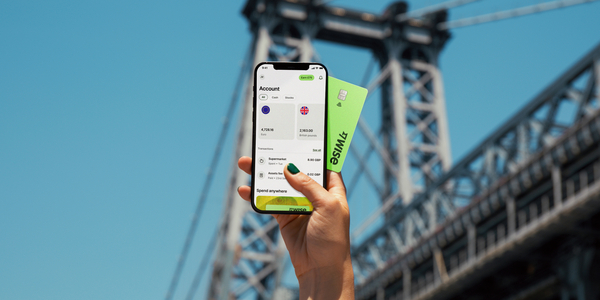
The Wise card lets you spend in 40+ currencies at the mid-market rate including USD, SGD, GBP, and JPY so you know you'll be getting a great deal in over 150+ countries. Simply create a free Wise account, order a card and top-up PHP to get started.
A physical Wise card can be ordered for a low fee of 369.60 PHP. Having a physical Wise card allows you to make chip and pin payments, as well as 2 free ATM withdrawals to the value of 12,000 PHP each month, before low fees start.
In supported countries, Wise also lets you pay with QR codes, giving you another easy way to pay when cards or cash aren't your first choice. That means you can use Wise for card payments, cash withdrawals, and QR payments, all from the same account.
While abroad, you can choose to spend directly in PHP and let auto-conversion do the trick, or convert to your desired currency with your Wise account. Either way, you’ll get the exchange rate you see on Google, with low, transparent fees from 0.57%.
Save while you spend, and make overseas spending seamless with a Wise card.
*Please see terms of use and product availability for your region or visit Wise fees and pricing for the most up to date pricing and fee information.
This publication is provided for general information purposes and does not constitute legal, tax or other professional advice from Wise Payments Limited or its subsidiaries and its affiliates, and it is not intended as a substitute for obtaining advice from a financial advisor or any other professional.
We make no representations, warranties or guarantees, whether expressed or implied, that the content in the publication is accurate, complete or up to date.

Learn the PhilHealth contribution for OFWs, including current rates, payment options, how to pay from abroad and how to check your status.

How much is Pag-IBIG contribution for OFWs? Learn rates, benefits, and how to pay your Pag-IBIG contributions online from abroad.

Applying for a BPI credit card as an OFW? Learn the requirements, documents, income rules, and how to apply online from abroad step by step.
Looking for your first credit card? Compare UnionBank credit cards for beginners, including fees, requirements, and how to apply.

Compare OFW savings accounts in 2026, including BPI, Metrobank, and PNB. Learn fees, requirements, and smarter ways to manage money abroad.
Learn how to open an RCBC OFW savings account, including requirements, fees, benefits, and how to send money to the Philippines.











