
The Ultimate Guide to BSN Interbank GIRO Transfers in Malaysia
Here’s your 2026 guide to BSN IBG transfers. Learn about processing times, fees, and step-by-step instructions to ensure your money arrives safely.



Yes, you can open a CIMB account online. Gone are the days of needing to queue at a bank branch just to get started – CIMB provides a fully digital account opening experience for anyone who wants to skip the queues and manage their finances from home¹.
This guide covers the eligibility criteria, the documents you'll need, and a step-by-step walkthrough to open and fund your CIMB account – all without setting foot in a branch. We'll also introduce the Wise account, a handy companion to make your money go further with low, transparent fees.
| Table of Contents |
|---|
Before you begin, there are a few eligibility boxes to tick. The most important one? You must be a "New-to-CIMB" customer. That means the online portal is strictly for people who don't currently hold any existing CIMB account/-i¹.
To qualify for the fully online account opening, you must be:
- A Malaysian aged 18 and above, with the latest MyKad (the version featuring both a large and small photo).
- A new customer with no existing CIMB accounts.
- In possession of valid contact details – a Malaysia-registered mobile number, a mailing address in Malaysia, and an active email address.
- Able to make an FPX transfer from a Current or Savings Account/-i with internet banking, held in your own name, at another Malaysian bank – this is used as the initial deposit for your new CIMB account.
It helps to know which account you want before you start. The good news is that CIMB allows you to open several of its savings and current accounts entirely online.
Here's a quick overview to help you choose:
| Account Type | Key Feature | Islamic / Conventional |
|---|---|---|
| Basic Savings Account-i² | Simple, hassle-free everyday banking with a minimum opening deposit of RM20. | Islamic |
| EcoSave Savings Account-i³ | Eco-friendly account with a RM5 monthly cash incentive and a 0.2% yearly contribution to green activities. | Islamic |
| AirAsia Savers Account⁴ | Earn AirAsia Points on a quarterly basis, plus a RM5 monthly cash rebate. | Conventional |
| Daily Unrestricted Investment Account-i (DURIAN-i)⁵ | Flexibility of a savings account-i with the opportunity to grow funds through ethical investments in Shariah-compliant sustainable assets. | Islamic |
| Prime Account⁶ | Interest rate of up to 0.75% per annum, PRIME Privileges, and a RM5 waiver on monthly maintenance fees. | Conventional |
| Current Account-i⁷ | Profit-bearing account with a chequebook facility and optional debit card. | Islamic |
| Basic Current Account-i⁸ | Basic current account with a choice of chequebook and/or debit card, with a minimum opening deposit of RM100. | Islamic |
| Want to hold foreign currencies with CIMB? Here’s what you need to know |
|---|
Have these ready before you start – it'll save you from delays or mid-application timeouts:
- Your MyKad/NRIC: You'll need this throughout the process – first to enter your IC number, then to photograph both the front and back for identity verification⁹.
- An active Malaysia-registered mobile number: An OTP will be sent to your number via SMS at the start of your application, so make sure it's on hand and receiving messages.
- A device with a camera: The application requires you to complete facial recognition verification. You may also be prompted to answer simple personal credit-related questions as part of the identity check.
- An active bank account at another Malaysian financial institution: This account must be held in your sole name and support FPX (or another method available on the platform), as you'll use it to transfer your initial deposit.
Do take note: if you open a Savings Account/-i or DURIAN-i but don't fund it with the minimum initial deposit, the account will be automatically closed after 90 calendar days. For a Current Account/-i, the closure period is 150 calendar days. In either case, if your account is required to be closed following CIMB's further verification, the initial deposit transferred will not earn any interest or profit.
The process is entirely digital. CIMB's online account opening journey lets you apply, verify your identity, fund your account, and get started without visiting a branch.
Head to the official CIMB website and click "Apply Now". From there, select your preferred account type and choose "Online Account Opening" as your application method.
To verify your identity, scan your MyKad and record a selfie video. Once that's done, complete the online account opening form with the required details.
To complete the application, make your initial deposit by transferring funds via FPX from another bank account.
Once you receive your debit card, activate it to start using your account and access debit card benefits. You can then register for a CIMB Clicks ID and log in to the CIMB OCTO app to manage your account digitally.
Unfortunately, no. The fully online account opening process is currently restricted to Malaysian citizens holding a valid MyKad. Foreign residents and expatriates will need to visit a branch in person instead, bringing their passport and relevant supporting documents – such as a work permit or student visa – to open an account.
Not keen on making a branch trip just yet? A Wise account is worth considering in the meantime. You can sign up entirely online in minutes, hold and exchange 40+ currencies including MYR, and get a linked debit card for everyday spending – all without needing to set foot in a branch.
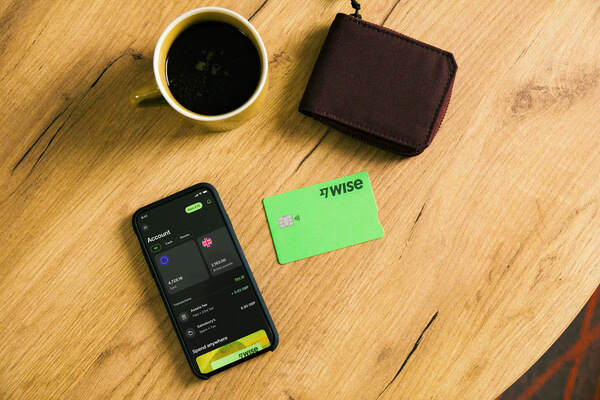
Your CIMB account takes care of your everyday local banking. But if you also need to send money abroad, receive payments in foreign currencies, or spend in other currencies while travelling, it's worth having a dedicated tool for that.
A Wise account lets you hold and exchange 40+ currencies – including MYR, USD, GBP, and EUR – using the mid-market rate (the same rate you'd see on Google), with low, transparent fees from 0.77% and no hidden markups. You can also order a linked Wise card for overseas spending without foreign transaction fees, and get 8+ local account details to receive payments in major currencies directly to your account.
Think of it as a practical complement to your CIMB account: one handles your local day-to-day, the other covers everything that crosses a border.
Want to check the mid-market rate for yourself? Take a look below:
| Want to maximise your travel rewards? Read our guide to CIMB’s best travel cards |
|---|
Glare on your MyKad or poor lighting during the selfie video can sometimes cause the e-KYC step to fail. If the system can't verify your identity digitally, you'll be directed to visit the nearest CIMB branch with your MyKad to complete the account opening in person.
Sources

*Please see terms of use and product availability for your region or visit Wise fees and pricing for the most up to date pricing and fee information.
This publication is provided for general information purposes and does not constitute legal, tax or other professional advice from Wise Payments Limited or its subsidiaries and its affiliates, and it is not intended as a substitute for obtaining advice from a financial advisor or any other professional.
We make no representations, warranties or guarantees, whether expressed or implied, that the content in the publication is accurate, complete or up to date.

Here’s your 2026 guide to BSN IBG transfers. Learn about processing times, fees, and step-by-step instructions to ensure your money arrives safely.

Need to check your RHB GIRO transfer time? Learn about daily cut-offs, batch processing schedules, and how to ensure your money arrives on the same day.

Comparing IBG vs DuitNow in Malaysia? Learn about transfer speeds, daily limits, and fees to choose the right method for your next payment.

Need to send money from Maybank to RHB? Follow our 2026 guide for GIRO transfers, including tips, processing times, and faster alternatives.

Need to make a GIRO transfer with Maybank? Check the latest IBG transfer schedule, daily limits, and step-by-step instructions for Maybank2u and ATMs.

Can you open a BSN account online in 2026? Learn about minimum deposits, age requirements, and how to complete your application at a BSN branch.











