
The Ultimate Guide to BSN Interbank GIRO Transfers in Malaysia
Here’s your 2026 guide to BSN IBG transfers. Learn about processing times, fees, and step-by-step instructions to ensure your money arrives safely.



Interbank GIRO¹, often called IBG, is a system in Malaysia for transferring money between accounts at different banks. Think of it as the standard, dependable way to move funds electronically.
If you need to pay a bill, send money to a friend, or settle a loan with RHB using your Maybank account, an IBG transfer is a secure and reliable option. It is not instant like DuitNow², but it is widely used for payments that are not time-sensitive.
We’ll talk about how you can make a GIRO transfer from Maybank to RHB online. But not only that. We'll also introduce the Wise account, a handy companion to make your money go further with low, transparent fees.
| Table of Contents |
|---|

Sending money using GIRO from Maybank to an RHB account is straightforward. You can do this using the Maybank2u website or an ATM. Here’s the process, broken down into simple steps.
If you feel more comfortable using your computer, you can set up your transfer via the Maybank2u website³. Here’s how to do so:
- Enter your username and click Next, then verify your security image, type in your password, and click Login.
- Go to Accounts and Banking, select Transfer, choose New interbank fund transfer, and pick RHB Bank as your recipient.
- Enter the amount you wish to send and select Giro Interbank Fund Transfer as your transfer mode.
- Provide the recipient's name and account number, choose the Transaction Type, and select YES or NO to validate their ID at the receiving bank.
- Fill in the mandatory recipient reference field and click Continue to review your transaction details on the next screen.
- Request a Transaction Authorization Code (TAC) via SMS, enter it, and click Confirm. Once the successful message appears, you can click Print Receipt for your records.
- Insert your debit card into the ATM and key in your PIN⁴.
- From the main menu, choose 'Other Transaction' and then tap 'Transfer'.
- Pick the 'InterBank GIRO(IBG) Transfer/Payment Menu' option and press 'YES'.
- When asked to select the destination bank, look for and select RHB Bank.
- Type in the RHB recipient's account number and press 'Yes'. Next, enter the exact amount you want to transfer and hit 'YES' to confirm.
- Review the transaction details on the screen to ensure the RHB account number and amount are correct, then select 'YES'.
- Choose the Maybank account you want the funds deducted from.
- Press 'YES' to finalise the payment.
- Hit 'NO' to finish the session, and remember to take your receipt and debit card.
When setting up your transfer, keep in mind that standard RHB Bank account numbers are generally 14 digits long for savings and current accounts⁵. It is always a good idea to count the digits before hitting send, as missing just one number will cause your transaction to fail.
Also, take note of how you move your money once it lands in RHB. If you plan to forward those funds from RHB to a digital bank like Ryt or GXBank, or an e-Wallet like Touch ‘n Go (TnG), you cannot use the IBG network. RHB doesn’t support GIRO transfers to digital banks and e-Wallets⁶, so you will need to use DuitNow for those specific onward payments.
If you’re using your smartphone, DuitNow Transfer⁷ and MAE app makes the process pretty simple:
Also, fees⁵ are usually waived when you use the MAE app or Maybank2u web with DuitNow Transfers, though a small RM 0.50 fee may apply for Maybank2u Biz transfers above RM 5,000.
DuitNow is an instant transfer service.
The money arrives in the recipient's RHB account immediately, even on weekends and public holidays. IBG, on the other hand, follows a batch processing schedule, which we’ll talk about more below.
DuitNow is ideal for urgent payments, while IBG remains a standard option for sending money to your own or a third party’s account, monthly allowances, vendor disbursements, and payroll.
Unlike instant transfers, Interbank GIRO payments are processed in batches according to a fixed schedule set by Payments Network Malaysia (PayNet). While the IBG service is available seven days a week from 4:30 am until midnight, the exact time your money arrives at RHB depends entirely on when you submit the transfer.
Maybank processes IBG transfers on business days (Monday to Friday). If you submit your transfer before the 5pm cut-off on a working day, the money will reach the recipient on the same day.
Here is a general guide based on Maybank's processing times:
| If you make the transfer on a business day... | The recipient should receive the funds... |
|---|---|
| Before 5am | By 11am the same day |
| Between 5am and 8am | By 2pm the same day |
| Between 8:01am and 11am | By 5pm the same day |
| Between 11:01am and 2pm | By 8:20pm the same day |
| Between 2:01pm and 5pm | By 11pm the same day |
| After 5pm | By 11am the next business day |
*Details correct at time of research - 29th March 2026
Transfers made on non-business days – Saturdays, Sundays, and Federal Territory public holidays – are processed on the following business day. For example, a transfer made on a Saturday will arrive by 11am on Monday.
Just take note that if your IBG transaction is unsuccessful but was made before 5pm on a business day, the funds will normally be returned to your account by 11am on the next business day.
Not sure if the money actually reached the RHB account? You can check your IBG transfer status by logging into the MAE app or Maybank2u to view your recent transactions.
Alternatively, you can simply check directly with the RHB account holder. If the transfer fails, the amount will automatically be refunded.
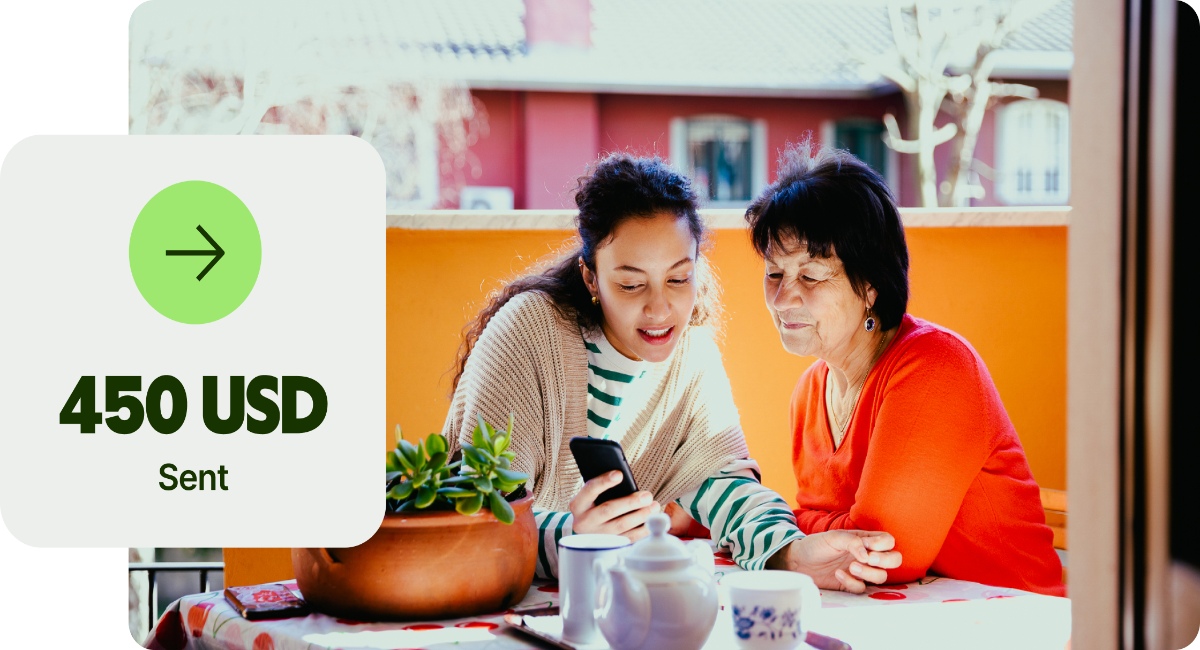
While GIRO is an efficient system for transfers within Malaysia, sending money to family or businesses abroad comes with other considerations, such as currency exchange rates and international fees. Traditional bank transfers often hide an admin markup inside the exchange rate used to convert your money.
For international transfers, a service like Wise can be a helpful alternative.
Wise international money transfers can be set up online or within the Wise app with low fees from 0.77% and the mid-market rate, to over 140+ countries. There’s no markup added to the exchange rate that’s used to convert your currency, which makes it easier to see exactly what you're paying for a transfer, and what the recipient will get in the end. Just transfer the amount indicated in MYR and let Wise do the rest.
Track your transfers easily when you create a free Wise account, and manage, hold, and convert your money in MYR and 40+ other currencies. You'll get the same great rates, and be able to track your transfers all from one place. As a bonus, you can also get 8+ local account details to be able to receive money in MYR, USD, GBP, and more.
✍️ Sign up for a free account now
The standard daily transfer limit for third-party accounts via Maybank2u is typically set by default, but it is customisable. You can adjust this limit yourself within your Maybank2u settings up to a maximum of 50,000 MYR per day.
Yes, Maybank2u allows you to set up future or recurring GIRO transfers⁸. This feature is useful for scheduling monthly bill payments or regular allowances, ensuring you do not miss a payment.
*Please see terms of use and product availability for your region or visit Wise fees and pricing for the most up to date pricing and fee information.
This publication is provided for general information purposes and does not constitute legal, tax or other professional advice from Wise Payments Limited or its subsidiaries and its affiliates, and it is not intended as a substitute for obtaining advice from a financial advisor or any other professional.
We make no representations, warranties or guarantees, whether expressed or implied, that the content in the publication is accurate, complete or up to date.

Here’s your 2026 guide to BSN IBG transfers. Learn about processing times, fees, and step-by-step instructions to ensure your money arrives safely.

Need to check your RHB GIRO transfer time? Learn about daily cut-offs, batch processing schedules, and how to ensure your money arrives on the same day.

Comparing IBG vs DuitNow in Malaysia? Learn about transfer speeds, daily limits, and fees to choose the right method for your next payment.

Need to make a GIRO transfer with Maybank? Check the latest IBG transfer schedule, daily limits, and step-by-step instructions for Maybank2u and ATMs.

Can you open a BSN account online in 2026? Learn about minimum deposits, age requirements, and how to complete your application at a BSN branch.
Learn how Maybank cardless withdrawal works and how to use it step by step. Find out how to withdraw cash without your card quickly and safely.











