
Best Zero Forex Credit Cards in India: Features, Charges, and More
Compare India's best zero forex markup credit cards and discover a more transparent debit alternative for your next trip.



If you bank with ICICI¹ and have a debit card linked to your account, you’ll need to activate it for overseas use before you spend in a foreign currency. This applies for travel spending and withdrawals, and also if you plan to buy something online from a retailer based in another country.
This guide looks at how to activate an ICICI debit card for international transactions, and the ICICI debit card international transaction charges which apply when you spend. We'll also introduce you to the Wise Travel card, which allows you to hold 40+ currencies in on card and spend without any forex markups or hidden fees.
| Table of Contents |
|---|

ICICI debit cards can be used internationally², subject to a few exclusions.
While you can use your ICICI debit card in most countries, you’ll need to double check the specific card terms and conditions to see if there are any individual countries which aren’t supported. To give an example, the ICICI Sapphiro debit card terms specifically exclude payments in foreign exchange made in Nepal and Bhutan³.
Once you’ve double checked your card can be used in your specific destination you’ll also need to take steps to activate your ICICI debit card for overseas use, and to check the card limits suit your needs.
Being overseas and discovering your card can’t be used for transactions and withdrawals is a very quick way to ruin a trip. Before you head abroad you’ll need to make sure your ICICI debit card has been activated for overseas use. As a default cards can not be used for all services overseas - so this step is mandatory to ensure you can spend normally when you travel.
You can activate your ICICI debit card for international transactions using the ICICI mobile banking service. Here are the steps you need to take:
If you’d prefer to set your ICICI debit card up for international usage online, you can do so by logging into your ICICI digital banking service with your laptop:
Finally if you have questions or need help with activating your ICICI debit card for spending when you travel or shop online with international retailers, you can also get in touch with the ICICI customer support team⁴. Your options include:
Bear in mind that calling the bank from overseas may mean paying high call charges to your telco - if possible complete this step before you travel to avoid unnecessary costs.
Before you use your ICICI debit card overseas, or for foreign currency digital spending, you’ll need to understand the fees which may apply. Costs can include the following:
- Mark up fee - a percentage charge added whenever you spend in a foreign currency - either when you are physically overseas, or when you spend in a foreign currency online
- Dynamic Currency Conversion (DCC) fee - a percentage charge which applies when you allow the merchant to convert your foreign currency payment back to INR for billing (more on that below)
- ATM cash withdrawal fee - costs for using an ATM overseas may not be the same as taking money from a terminal in India, and can involve several different charges
- ATM balance enquiry - checking your account balance at an overseas ATmM can come with a cost - use your digital banking service instead if you can
Here’s a summary of the ICICI debit card international transaction charges for standard debit cards. You can also check your own card’s terms and conditions with the bank or by logging into your mobile or digital banking service:
| Fee type | ICICI debit card international transaction charges |
|---|---|
| Mark up fee | 3.5% + GST |
| Dynamic Currency Conversion (DCC) Fee | 1% + GST |
| ATM cash withdrawal Fee abroad | 125 INR + 3.5% Currency Conversion Charges + GST |
| ATM balance enquiry abroad | 25 INR + GST |
*Details correct at time of research - 23rd February 2026
You’ll see in the table that ICICI has a 1% fee for DCC. But what exactly is Dynamic Currency Conversion? DCC applies when you’re billed in INR for a payment made in a foreign currency. You may be asked by a merchant, or at an ATM, if you’d prefer to pay in INR instead of the local currency wherever in the world you are. This sounds convenient because you can instantly see the costs of your purchase in rupees - but it actually normally means you pay more.
The merchant or ATM will set the exchange rate if you use DCC, rather than ICICI. This often means you get a worse conversion rate - plus ICICI will also charge you an extra fee of 1% of the transaction value. If you’re asked if you’d prefer to pay in your home currency, say no to avoid higher costs in the end.
The rate you get when you use an ICICI debit card overseas is not necessarily the same as the interbank rate. Plus, you’ll also be charged 3.5% of your transaction value by ICICI in the form of a mark up fee. This can quickly push up the overall costs of spending in foreign currencies.
To understand the true cost of a transaction, you will need to compare the rate you receive with the interbank rate (the rate you see on Google), which you can see below.
The Wise Travel card, on the other hand, always uses the interbank rate with a transparent fee for every conversion. This means there are no hidden costs you need to look for.
With no hidden markups, the Wise Travel card is a smart way to spend abroad. You'll always get the real interbank exchange rate for conversions across 40+ currencies. Wise's transparent, low pricing, plus no foreign transaction fees or forex markups, usually means you are getting the best value for your money.

The fully digital account opening and vKYC process allows you to sign up from the comfort of your home, and there are no annual or monthly fees either. Simply order your card, show proof of your travels, load your funds, and you're all set. Plus - card orders are currently free to Indian addresses (limited time launch offer, while stocks last)! A physical Wise card enables you to make secure chip and PIN payments and get some free ATM withdrawals while you're overseas. You can also instantly freeze or unfreeze your card in the app anytime for peace of mind.
Wherever your travels take you, the Wise Travel card is the only forex card you'll need to make spending internationally simpler and cheaper.
Sources:
*Please see terms of use and product availability for your region or visit Wise fees and pricing for the most up to date pricing and fee information.
This publication is provided for general information purposes and does not constitute legal, tax or other professional advice from Wise Payments Limited or its subsidiaries and its affiliates, and it is not intended as a substitute for obtaining advice from a financial advisor or any other professional.
We make no representations, warranties or guarantees, whether expressed or implied, that the content in the publication is accurate, complete or up to date.

Compare India's best zero forex markup credit cards and discover a more transparent debit alternative for your next trip.
Planning a trip abroad? Learn everything about forex cards for international travel. We cover what they are, how they work, how to get one.
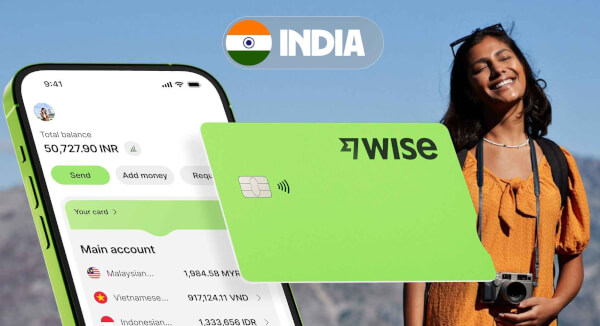
Everything Indian residents need to know about the Wise Travel Card: See the features, transparent fees, and simple process for how you can get one.

The Wise Travel card lets you hold 40+ currencies and spend at the interbank exchange rate with no forex markups or hidden fees - now free to order for a...











