
How to Use Wise Card in Taiwan: Guide for Aussies
Can you use your Wise card in Taiwan? Guide on ordering your card, withdrawing cash, and using the Wise Travel Hub to find fee-free ATMs and more.




*Pricing claim based on comparative data for select airports and passes. Live pricing is subject to exchange rate fluctuations.
📱Find out how to get lounge access
Whether you’re pooling points for a group holiday or helping a relative bridge the gap for a business class upgrade, knowing how to transfer Qantas points is a game-changer. Qantas makes it relatively simple to do transfers, provided you follow specific rules regarding who can receive them and how many you can send.
In this guide, we’ll walk you through the transfer process, along with the limits and fees you need to know. You can also learn more about the Wise card, an easy way to stretch your dollars when paying in foreign currencies.
While you can transfer your points to another person, there is a catch: the recipient must be an eligible family member.1 Unlike some other loyalty programs, Qantas does not currently allow point transfers to friends, colleagues, or businesses.
Qantas defines family quite broadly, making it easy to pool points with a wide range of relatives. You can transfer points to:
- Partners: Husbands, wives, de facto, and domestic partners.
- Direct Descendants: Children, step-children, and grandchildren.
- Parents & Grandparents: Including step-parents and grandparents.
- Siblings: Both full siblings and half-siblings.
- Extended Family: Aunts, uncles, nephews, nieces, and first cousins.
- In-laws: Sons, daughters, fathers, mothers, brothers, and sisters-in-law.
While Qantas doesn’t usually request documentation at the time of transfer, they reserve the right to audit accounts and request proof of relationship at their discretion.4
You can move your points instantly using the Qantas website. While many users look for a way to transfer Qantas points on the app, the current version of the Qantas app typically redirects you to a mobile browser version of the website to complete the form.2
While transferring points online is free, there are some limits and potential fees to note:
| Feature | Limit / Fee |
|---|---|
| Minimum Transfer | 1,500 points |
| Maximum Transfer | 600,000 points (per 12-month period) |
| Online Transfer Fee | $0 (Free) |
| Phone Transfer Fee | $35 (Reward Assistance Fee) |
| Transfer Frequency | Unlimited (up to the 600k annual cap) |
Before you hit send, keep in mind that sending or receiving a family transfer does not count as an "eligible activity" for either person. This means the transfer will not reset the 18-month clock or stop your points (or their points) from expiring. If you are looking for ways to keep your points active, check out our guide on Do Qantas Points Expire?.
Plus, once a transfer is confirmed, it cannot be reversed. So double check the recipient's member number before clicking send!
While you might be collecting points using your credit cards, these often come with high foreign transaction fees for overseas spending. The Wise card is a simple way to save up to 4x when you're spending internationally. You can spend in 150+ countries at mid-market rate — basically the rate you see on Google. With no foreign transaction fees and low, transparent pricing, Wise usually gives you the best value for your money.
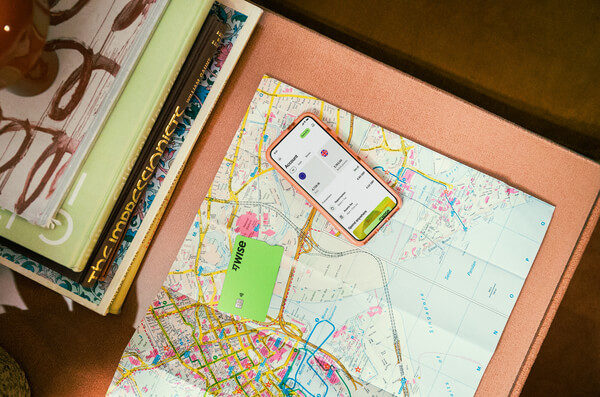
Simply create a Wise account for free, order a card and top-up AUD to get started. Having a physical Wise card allows you to make chip and pin payments, as well as make some free ATM withdrawals each month for when you're abroad. You can get digital cards and add to your Google or Apple Pay wallet for instant use. Spend directly with the Wise account in AUD and let auto-conversion do the trick or convert in advance to your desired currency. You can hold and exchange 40+ currencies in your Wise account and spend the currencies you hold for free.
Wherever your travel takes you, the Wise card makes spending money abroad cheaper and easier.
This general advice does not take into account your objectives, financial circumstances or needs and you should consider if it is appropriate for you. Savings claim based on our rates vs. selected Australian banks and other similar providers in Jan 2026. To learn more please visit https://payout-surge.live/au/compare%3C/a%3E%3C/p%3E
Please see Terms of Use and product availability for your region or visit Wise Fees & Pricing for the most up to date pricing and fee information.
Sources:
*Please see terms of use and product availability for your region or visit Wise fees and pricing for the most up to date pricing and fee information.
This publication is provided for general information purposes and does not constitute legal, tax or other professional advice from Wise Payments Limited or its subsidiaries and its affiliates, and it is not intended as a substitute for obtaining advice from a financial advisor or any other professional.
We make no representations, warranties or guarantees, whether expressed or implied, that the content in the publication is accurate, complete or up to date.

Can you use your Wise card in Taiwan? Guide on ordering your card, withdrawing cash, and using the Wise Travel Hub to find fee-free ATMs and more.

Can you use your Wise card in Vietnam? Guide on ordering your card, withdrawing cash, and using the Wise Travel Hub to find fee-free ATMs and more.

Can you use your Wise card in Fiji? Guide on ordering your card, withdrawing cash, and using the Wise Travel Hub to find fee-free ATMs and more.
Our Qantas travel insurance review breaks down the available policies, what they cover, and who underwrites them.

Discover the cost for Qantas lounge passes, membership fees, and how to get complimentary access through credit cards or points.

Planning a trip with your American Express card? Learn how to activate your complimentary AMEX travel insurance and check your eligibility.











