
How to Connect Your Shopify Store to Etsy: Step-by-Step Guide
Learn how to connect your Shopify store to Etsy. Explore top integration tools and step-by-step methods to sync products and manage your multi-channel sales.


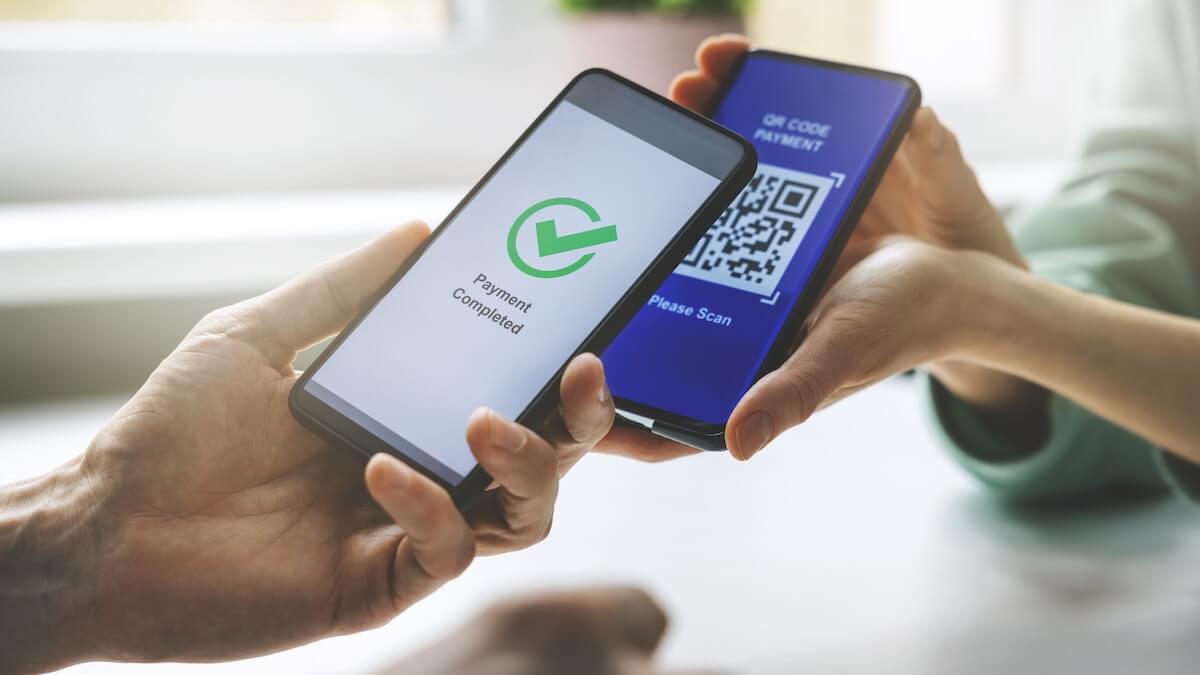
QR codes have become an increasingly popular payment method for many consumers.
According to a study by Juniper Research, the total value of the QR code market will grow by 50% by 2029.¹
There are many options out there for small businesses to consider if they want to offer QR code payments. For example, you can use a PayPal QR code to receive money.
This article will walk you through the process of receiving money on PayPal with a QR code.
| Small businesses that want to take advantage of low fee and convenient payment options should check out Wise Business. With Wise, you can easily receive international payments using the Quick Pay feature. Simply share your QR code with customers, and get paid in seconds. |
|---|
Small businesses can use the PayPal app to create a free PayPal QR code to receive money.²
You can follow these steps to generate a QR code for buyers:
Buyers who want to send a payment can follow these steps:
The fees that customers pay with PayPal depend on their payment type. You can typically expect to spend more if you use a credit card or make international payments.
Once the process is complete, you can check your PayPal account to verify that the transaction was successful. Once it is complete, you will be able to instantly access the funds.
It is very easy for all small businesses to create a free PayPal QR code to receive money. All you need to do is download the PayPal application and follow the steps to create the QR code. This process is generally free for small businesses, and they can receive the funds instantly.
When the buyer uses the QR code to pay, they will have to pay a fee if they use a credit card or make an international payment.⁴ PayPal currently charges 2.29% plus a flat fee for QR code transactions.⁵
PayPal does not charge fees for personal use when you send money through your PayPal balance or linked bank account.
There are many factors that small businesses need to consider when using a PayPal QR code to receive money.
If you plan to use a PayPal QR code, both parties will need a PayPal account. PayPal QR codes do not work if you use another application, like Venmo, or if a non-PayPal user wants to make a bank transfer.
If you are making international payments, it is very important to consider the exchange rate fees. PayPal charges a fee for this, and the exchange rate can be less favorable. The currency markup6 at PayPal can sometimes be 3-4%.
Using PayPal to send or receive money via a QR code is safe and reliable, but you do need to take several precautions.
Don’t share your QR Code: It is important that you share the QR code in a secure manner and ensure nobody else can access the code.
Verifying the amount and seller: Be sure to verify that the amount sent and the seller information are correct. You can use the PayPal app to organize all of your payment receipts.
Beware of Scams: Some scammers will alter QR codes and pretend to be your business. You can use branded codes and take other measures to ensure that your business and customers are safe.
These steps can help your small business avoid any headaches if you decide to offer QR code payment options.
Businesses that use QR codes, especially for international payments, can benefit from using Wise’s services.
While PayPal is a convenient option, you can only use the QR code option if both users have a PayPal account.⁷ On the other hand, Wise provides users with more flexibility if they want to use their bank or other payment apps.
The most important benefit of using Wise is the mid-market exchange rate, this means you'll get the same exchange rate as you'll see on Google. Wise offers transparent and low fees on a variety of payment options. You can also manage over 40 currencies in your account.
For example, you could add a QR code on an invoice for your client in Europe to make a payment in Euros. Your client can choose how they want to make the payment after receiving the QR code. After receiving this money, you can then convert it back to USD at a favorable exchange rate. All within one account. If your client prefers not to use a QR code, there are plenty of other payment options with Wise.
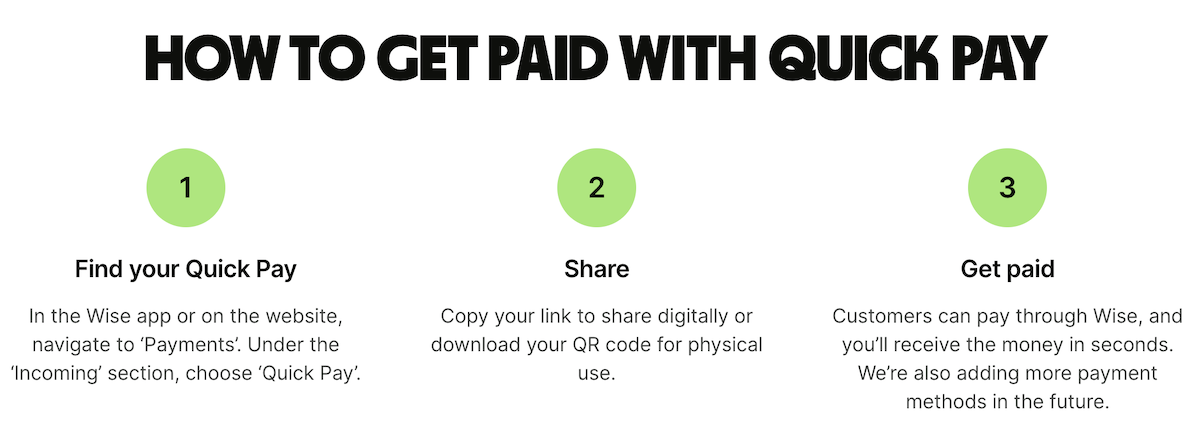
Wise Business customers can get a payment QR code when they set up Quick Pay.
Quick Pay is available to all Wise Business accounts that have:
Once your Wise account is set up, you can get your Quick Pay link or QR code by:
You can now share your link or QR code with anyone. When they click the link or scan the QR code, customers will be directed to log into Wise and pay you — even if they don't have your account details.
Is it safe to give someone my PayPal QR code to receive money?
Yes, it is normally safe to display your PayPal QR code to someone if you want to receive money from them. To avoid scams or other issues, it is best to never share this code online or with other people. Once you share the code, it is also important to verify the sender and the amount sent.
Can I receive money from any app using my PayPal QR code?
No. PayPal QR codes only work if both the sender and receiver have a PayPal account. It will not work with other payment options like Venmo.
Using a PayPal QR code to receive money is a convenient option for many small businesses. This step is a suitable option for both the buyer and sender, especially for simple, domestic transfers between two PayPal accounts.
However, this option can be more limiting in many cases. If a user does not have a PayPal account, they will have to create one to send and receive QR codes with PayPal. The fees are also much higher for international payments.
If your business is looking to offer QR payment options, Wise can help simplify the process and save you money on exchange rates. You can use Wise with other payment apps, like Venmo, or use traditional payment methods like credit cards. Most importantly, Wise helps you get local account numbers, meaning you can provide your international customers with local payment options.
Offering your customers quick and convenient payment options is a must in 2026. Popular options such as mobile payments and QR codes have become more popular in recent years. Moreover, many businesses are also beginning to increasingly send and receive international payments.
Wise is a powerful solution that can help companies offer their customers the best payment options available. Customers can make quick and convenient payments and your business can avoid costly currency conversion fees on international payments.
Receive payments with Wise Business
Wise is not a bank, but a Money Services Business (MSB) provider and a smart alternative to banks. The Wise Business account is designed with international business in mind, and makes it easy to send, hold, and manage business funds in multiple currencies. You can get major currency account details for a one-off fee to receive overseas payments like a local. You can also send money to 140+ countries.
Sources
*Please see terms of use and product availability for your region or visit Wise fees and pricing for the most up to date pricing and fee information.
This publication is provided for general information purposes and does not constitute legal, tax or other professional advice from Wise Payments Limited or its subsidiaries and its affiliates, and it is not intended as a substitute for obtaining advice from a financial advisor or any other professional.
We make no representations, warranties or guarantees, whether expressed or implied, that the content in the publication is accurate, complete or up to date.

Learn how to connect your Shopify store to Etsy. Explore top integration tools and step-by-step methods to sync products and manage your multi-channel sales.

Discover the best passive income ideas to build wealth and achieve financial freedom. Learn how to earn money through investments, digital products, and more.
Learn if it is safe to send or share a payment QR code. Discover how they work, potential security risks, and best practices.

Discover profitable online business ideas without investment to start your digital journey today.

Learn how to start dropshipping with our step-by-step guide. Discover how to find suppliers, choose a niche, and launch your online store.

Read our honest Sokin review to discover features, fees, and exchange rates. Learn if this global currency account is the best choice for your money transfers.











