
How to Expand Your Business Internationally: A US Guide
Discover actionable steps for US businesses to expand internationally; research markets, plan effectively, and manage finances to achieve global growth.


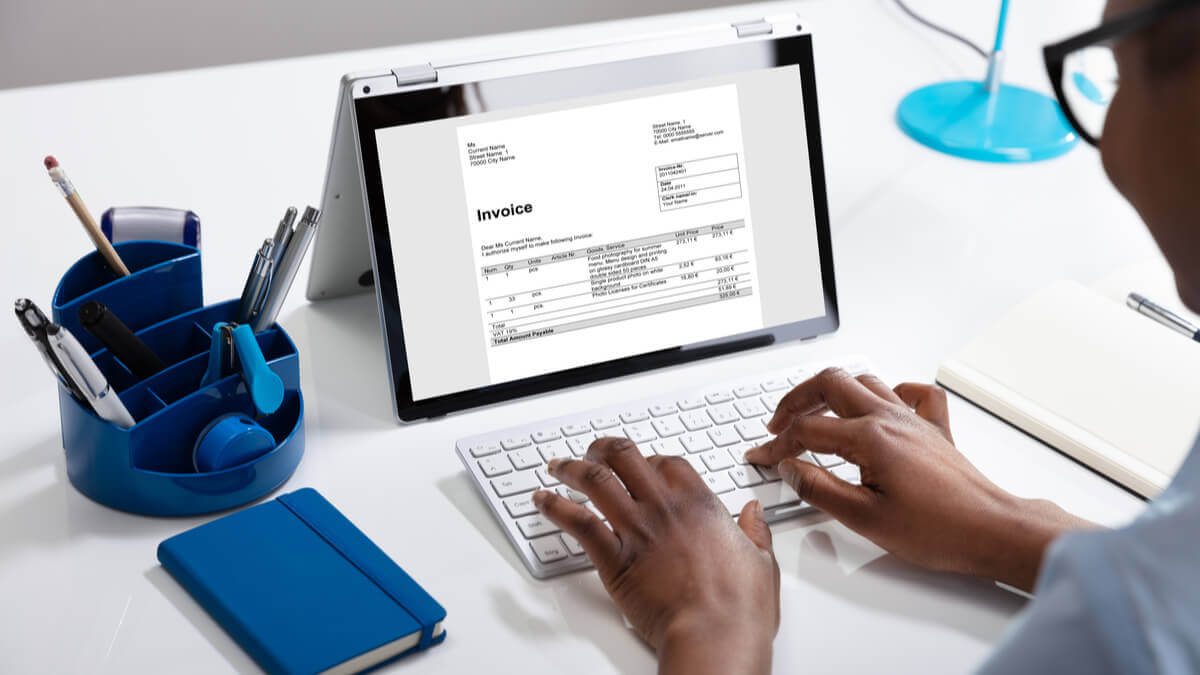
PayPal invoicing can be a quick and easy way to issue invoices, and receive payments from customers. However, this service comes at a cost - especially if you work in a global marketplace.
This handy PayPal invoice guide will help you get started and cover the costs involved.

You can also create and send your invoices by using our downloadable free invoice templates or invoice generator.
A PayPal invoice is a customizable payment request you send to a client or customer. It's designed for merchants — selling goods or services — and includes full details like item descriptions, quantities, amounts, and tax.
Here's the basic flow:
Each invoice gets a unique invoice number automatically. You can customize it if you prefer your own numbering system.
Free invoicing tool from Wise:
Generate and send international invoices
These two features look similar but serve different purposes. PayPal request money is intended for personal use — splitting a dinner bill or collecting rent from a roommate. PayPal invoicing is built for merchants and businesses.
Here's how they compare:
| Intended use | Business (goods and services) | Personal (friends and family) |
|---|---|---|
| Customization | Logo, line items, tax, discounts, notes | Basic amount and message |
| Recurring option | ✅ Yes | ❌ No |
| Buyer protection | ✅ Yes | Limited |
| Seller protection | ✅ Yes (if eligible) | ❌ No |
| Fee structure | Commercial transaction rates | Personal transaction rates |
If you're billing a client for work, use an invoice. It gives you access to seller protections and creates a professional paper trail. Request money is fine for casual, personal payments — but it's not meant for business.
To create an invoice using the PayPal business website, you’ll need to take the following steps1:
|
|---|
Each invoice is assigned an invoice number automatically. You can alter this number if you prefer - but it can be a useful way to keep track of which invoices you have sent to which customers.
If you prefer a mobile experience, you can download the PayPal business app and send your PayPal invoices from there:
|
|---|
In both cases, templates are preloaded and can be customized however you’d like. You can add your logo, a delivery message, or a thank-you note, for example.¹
If you bill clients on a regular schedule, PayPal lets you set invoices to repeat weekly, monthly, yearly, or at a custom interval. The first invoice sends immediately (or on a future date you choose), and subsequent invoices follow your set frequency.
Quick invoices are a mobile-only feature that streamlines the creation process. They let you send a professional payment request in seconds — useful for on-the-go billing.2
Beyond email, you can share a PayPal invoice through:
A complete invoice helps you get paid on time and reduces the chance of disputes. Here's what to include5:
PayPal's invoice tool auto-populates several of these fields based on your account information. You can also save templates for repeat use.
Once you send the invoice, your customer receives an e-invoice notification by email. They click through to view the invoice and choose how to pay.
Payment options include:

No. Customers without a PayPal account can pay using a credit or debit card directly from the invoice. If your customer pays outside of PayPal entirely, you can still mark the invoice as paid within your account to keep your records accurate4.
There's no fee to create, send, or cancel a PayPal invoice. The fees kick in when your customer pays. How much you're charged depends on the payment method they use.
Domestic invoicing transaction rates (US)3:
| Payment Method | Fee |
|---|---|
| PayPal Checkout, Venmo, or PayPal Guest Checkout | 3.49% + $0.49 |
| Credit/debit cards, Apple Pay, or other wallets | 2.99% + $0.49 |
| PayPal Pay Later options | 4.99% + $0.49 |
| Pay by Bank (ACH) | 1% (capped at $10 per transaction) |
Anything involving foreign currencies can get expensive. It’s hard to figure out how much you’re paying unless you look at independent research. These can show the real cost of PayPal business international transfers
| 🔍 Read more about PayPal invoice fees. |
|---|
It's best to make sure you understand the costs involved before you choose the invoicing platform that’s right for your business.
If PayPal carries out a currency conversion for you, you can expect to pay fees for the service.
In most cases, the seller can decide whether they or the buyer will pick up the costs involved with the international transfer.
Doing business overseas can help scale operations, but FX rates and hidden fees in cross-border payments can eat into profit margins and impact cash flow.

If you do business across borders, it's worth understanding the full cost before choosing an invoicing platform.
| 🔍 You can check out this handy article, which covers PayPal’s international fees - and how you can avoid paying more than you need to. |
|---|
For a US PayPal account, international invoicing transactions cost 1.50% on top of the domestic fee, plus a fixed fee depending on the currency received.
If you decide to make an international payment from your PayPal account, the exchange rate used by PayPal includes a markup added to the wholesale exchange rate.
The wholesale rate - also known as the interbank rate, or the mid-market rate - is the rate that PayPal gets from a third party when they convert currencies. This will apply in any circumstance in which PayPal exchanges currency on your behalf.
PayPal takes the wholesale rate and adds a currency spread. This is an extra charge of 3-4%, depending on what type of transaction you’re carrying out.⁵
You can check if you’re happy with the exchange rate by comparing it to the mid-market rate using a currency converter online. This will help you get an idea of how much extra you’re being charged through the PayPal currency conversion spread.
You can also look at a case study showing what real businesses were charged for PayPal international transactions.
Banks and money transfer providers often add a markup to the exchange rate to make extra profits.
Wise is different. Its smart new technology skips hefty international transfer fees by connecting local bank accounts all around the world. Wise is not a bank, but a Money Services Business (MSB) provider and a smart alternative to banks. The Wise Business account is designed with international business in mind, and makes it easy to send, hold, and manage business funds in 40+ currencies.
You can create professional invoices using the free invoice generator, or invoice templates from Wise.
With the Wise Business account, you can get major account details for a one-off fee, to receive invoice payments like a local. For example, you can get UK account details, even as a US citizen. This means your customers can pay directly in their own currency. You can then keep, convert, and manage your currencies - all from the same account. This can help you receive international invoice payments faster.
If you use invoicing software, such as QuickBooks, you can also add your Wise account details to the invoice to get paid with ease. Your bill payments and any other Wise transactions will be synced, matched and categorized in QuickBooks for simple reconciliation.
|
|---|
PayPal offers protection to both buyers and sellers, depending on the circumstances of the transaction. The PayPal dispute resolution center is the first point of call if you have a problem.
PayPal will help resolve the issue if possible and, if not, may issue a refund. As a seller, it's important to be aware of some fairly common scams from buyers.
A buyer can open a dispute with PayPal, claiming that an item never arrived, wasn't as described, or was damaged. PayPal then investigates and decides whether the buyer or seller was at fault6. Buyer protections are often considered to be stronger, and some sellers report having money deducted from their account to refund the buyer.
A few things you can do to protect yourself7:

The PayPal invoice service is quick and convenient, but it’s worth comparing the costs against other options.
Nobody wants to pay more than they have to - and the fees involved in receiving invoice payments through PayPal invoicing can add up quickly.
If you do international business, you may consider using an alternative option - such as Wise Business to receive invoice payments.
Register with Wise Business online
| 💡 For all you need to know about invoices, don't forget to read and bookmark the ultimate guide to invoicing from Wise! |
|---|
You create an invoice in your PayPal account, add your client's email and the payment details, and send it. Your client receives an email with a link to view and pay the invoice. Payments go directly into your PayPal business account.
There's no fee to create or send an invoice. Fees apply when your customer pays. Rates range from 1% (ACH) to 4.99% + $0.49 (Pay Later), depending on the payment method. International transactions incur an additional 1.50%.
If you're billing a client for goods or services, use an invoice. It provides seller protections, customization options, and a professional record. Request money is designed for personal payments between friends and family.
At minimum: your business name and contact info, client details, invoice number, date, due date, description of goods or services, amounts, applicable tax, total due, and payment terms.
Yes. Your customer can pay using a credit or debit card directly from the invoice email, without needing a PayPal account.
Yes. You can schedule invoices to repeat weekly, monthly, yearly, or at a custom interval. The first invoice sends immediately or on a future date you choose.
*. 3.14% Annual Percentage Yield (APY) on USD main accounts is current as of 25/2/2026 and is subject to change see Program Agreement for details
**. Feature not available to residents of New York or Alaska at this time. Please see eligibility criteria.
***. The current Program Bank is JPMorgan Chase Bank, N.A., see Appendix 1 of the Program Agreement for the most updated list of Program Bank(s). Eligible customers must opt in to the interest feature. Participants will have the balance of their USD funds held in their Wise Account "swept" into a Federal Deposit Insurance Corporation ("FDIC") insured interest-bearing account at one or more participating banks (each, a "Program Bank") that will hold and pay interest on the deposit funds. For more information on FDIC insurance coverage, please visit FDIC.gov. Customers are responsible for monitoring their total assets at each of the Program Bank(s) to determine the extent of available FDIC insurance coverage in accordance with FDIC rules. The Program is not intended to be a long-term investment option, checking or savings account, investment contract or security.
Sources:
All sources checked March, 2026.
*Please see terms of use and product availability for your region or visit Wise fees and pricing for the most up to date pricing and fee information.
This publication is provided for general information purposes and does not constitute legal, tax or other professional advice from Wise Payments Limited or its subsidiaries and its affiliates, and it is not intended as a substitute for obtaining advice from a financial advisor or any other professional.
We make no representations, warranties or guarantees, whether expressed or implied, that the content in the publication is accurate, complete or up to date.

Discover actionable steps for US businesses to expand internationally; research markets, plan effectively, and manage finances to achieve global growth.

Looking for a Philippines Business Visa? Our guide for US citizens covers requirements, fees, and processing steps for a smooth trip.

Learn how to register a US business in Australia. Navigate legal requirements, foreign company registration with ASIC, and the Australian tax system.

Understand Australia's corporate tax rates for 2025-26: a base rate of 25% for small businesses and a standard 30% for all other entities.

Learn how to register a business in India from the US. Our guide details steps, documents, and key financial considerations for aspiring entrepreneurs.

Learn how to get your India business visa. A step-by-step guide for US professionals on requirements, applications, and costs.











