
How to Use Your Wise Card in Japan
Yes, you can use Wise in Japan for card payments, ATM withdrawals and supported QR codes. Learn how Singaporeans can spend JPY with Wise when travelling.


Japan’s efficient public transport system can be a lifesaver for tourists, but buying individual train tickets can quickly become a hassle. Luckily, with the Suica Card, you can skip this. Simply tap in and out, and your fares will be deducted automatically.
Travellers can choose between the Suica card, the Welcome Suica card, and the Suica app. Each has slightly different features and benefits, and which you choose is likely to depend on whether you’d like to top up by card or cash, and the type of phone you have. We’ll go through everything you need to know about Suica in this article. We'll also introduce the Wise card, a handy travel companion to make seamless card payments when you're overseas.
| Table of Contents |
|---|


The Suica card is a prepaid Integrated Circuit (IC) card, which can be used in valid areas on JR East railway lines and other transportation systems in Japan¹. You can tap your card on the ticket barrier when you enter and exit the station, and your fare will be automatically deducted. This means you can simply top up your card when needed, rather than buying a separate ticket for each journey. The Suica card can be used for:
The Suica card is also accepted in certain shops.
With the Welcome Suica app, you can access a digital Suica card, allowing you to pay for public transport with your phone. You can also use it to²:
From some countries, you can download the Welcome Suica app before your trip and set up your Suica before you arrive. Once it’s been issued, it’s valid for 180 days. However, the Welcome Suica app is only available for download on iOS phones.
You can use your Suica card in the Tokyo Metropolitan area, as well as in:
However, you cannot use a Suica card to travel between these areas. In this case, you’ll need to purchase a ticket in advance.
Suica is an accepted payment method in many shops, restaurants and taxi firms - you can use it anywhere you see the Suica logo³. Whilst you can see a full list on the JR Railway Company website, popular brands include 7-11, McDonalds and KFC.
The Suica app is simple to download and set up. Users from some countries - including Singapore⁴ - can download the app and get their digital Suica card before they leave, so they can start using it as soon as they land.
If you’ve got an iPhone or Apple Watch with iOS 17.2⁵ or later, you can download the Suica app. Once you’ve downloaded the app, setting up your digital Suica is easy:
You’ll need to share your location as you can’t top up your Suica from some countries. If this is the case, you won’t be able to set up your Suica before your trip, but don’t worry: you can still do so when you land.
The Suica app is currently only available for iOS users. This means that if you have an android, you won’t be able to download it. However, you can still get a physical Suica or Welcome Suica card from a station once you arrive in Japan.
The Welcome Suica card is a version of the Suica card designed for tourists for use in a variety of areas, including but not limited to the Tokyo Metropolitan Area. It is accepted on subways, buses and the monorail connecting Haneda airport with Tokyo.
As with the Suica card, you can tap your card on entry and exit of the station, and your fare will be automatically deducted.
If you’re travelling as a family, you can also buy the Welcome Suica for Children. This is designed for children up to the age of 12, and charges a child’s fare⁶. You’ll need to show ID for your child when buying the card.
With several different options available, it might not be obvious which is the one for you. Below is a summary table of the features unique to each type of Suica, to help you decide which will work best in your situation.
| Suica Card | Welcome Suica Card | Welcome Suica App | |
|---|---|---|---|
| Best for | Long term residents | Tourists | Tourists with compatible apple phones |
| Deposit | 500 JPY | None⁷ | None |
| Validity period | Invalid when not used for 10 years | 28 days, including the date of purchase | 180 days from the date the Suica is issued |
| Refunds | Deposit and remaining balance is refunded when the card is returned, minus a 220 JPY handling fee | None - but you do not need to return the card | None⁸ |
If you have a compatible phone and plan on staying in Japan for less than 180 days, the Welcome Suica app is likely to be the best choice for you, especially if you can get your Suica before you leave home. In this case, you can use the Tokyo Monorail to get from the airport into Tokyo.
However, if you don’t have a compatible phone, you’ll probably want to get the Welcome Suica card. You can use this in conjunction with some passes, such as the 1 day Tokyo pass, adding convenience to using public transport during your trip. Whilst it is only valid for 28 days, you can keep your card after your trip as a memento - and as there is no deposit, you don’t need to find a train station to return your card before going home.
The Suica card is generally designed for long term residents in Japan, but is still available for tourists. It is the only pass with which you can get a refund of any unused balance, minus a handling fee, when you return the card.
You can top up your Suica card using cash at a ticket vending machine, or in some stores. If using a ticket vending machine⁹:
To top up your card in-store:
You can top up your card from stores like 7-11 and Family Mart, and in the Narita Airport.
Topping up the Welcome Suica app is also easy¹⁰:
By using the app rather than a physical card, you can top up without needing cash.
It’s easy to top up your Welcome Suica app from your Wise Account, allowing you to make the most of low fees and the mid-market exchange rate for your trip. First, you’ll need to set up your Wise card on Apple Wallet, if you haven’t already¹¹:
Once your card is added, you’ll be able to use it for purchases anywhere where Apple Wallet is accepted. You can also now use it to top up your Welcome Suica app:
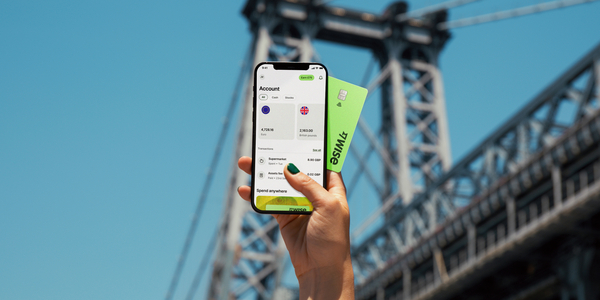
The Wise card lets you spend in 40+ currencies at the mid-market rate including MYR, JPY, CNY, and USD so you know you'll be getting a great deal in over 150+ countries. Simply create a free Wise account, order a card and top-up SGD to get started.
Virtual cards are free and can be added to your Google or Apple Pay wallet, while a physical Wise card can be ordered for a low fee of 8.50 SGD. Having a physical Wise card allows you to make chip and pin payments, as well as free ATM withdrawals up to the value of 100 SGD each month, before low fees start.
While abroad, you can choose to spend with directly in SGD and let auto-conversion do the trick, or convert to your desired currency with your Wise account. Either way, you’ll get the exchange rate you see on Google, with low, transparent fees from 0.26%.
Plus, you can activate Wise Interest to earn returns* on your SGD and other currencies, meaning your travel money could be growing right up until you spend it.
*Growth is not guaranteed. Capital at risk.
*Please see terms of use and product availability for your region or visit Wise fees and pricing for the most up to date pricing and fee information.
This publication is provided for general information purposes and does not constitute legal, tax or other professional advice from Wise Payments Limited or its subsidiaries and its affiliates, and it is not intended as a substitute for obtaining advice from a financial advisor or any other professional.
We make no representations, warranties or guarantees, whether expressed or implied, that the content in the publication is accurate, complete or up to date.

Yes, you can use Wise in Japan for card payments, ATM withdrawals and supported QR codes. Learn how Singaporeans can spend JPY with Wise when travelling.

Ultra Japan tickets, dates and lineup. Plan your trip to Tokyo with key info on prices, travel and how to manage your budget.

Fuji Rock Festival tickets, lineup, dates and camping guide. Plan your trip to Naeba with travel tips, costs and how to pay in JPY.

Compare the fastest and cheapest ways to travel from Osaka to Kyoto, including trains, costs, travel time, and tips for visitors to Japan.

Planning a trip to Universal Studios Japan? Our guide covers opening times, tips, and a plan.

Planning a trip to Japan? Discover popular brands that are cheaper there and learn how to save even more on your shopping.











