
Remitly vs Wise in Singapore: fees, rates and transfer speed
Pricing claim based on comparative data for select airports and passes. Live pricing is subject to exchange rate fluctuations. 📱Find out how to get lounge...




Pricing claim based on comparative data for select airports and passes. Live pricing is subject to exchange rate fluctuations.
📱Find out how to get lounge access
Panda Remit¹ is a remittance provider which offers digital international payments to customers in Singapore and other countries worldwide.
If you’re looking for ways to make your next international transfer, this Panda Remit review is for you. We’ll look at how Panda Remit keeps your money safe, the fees you pay and what the exchange rate is like.
We'll also introduce the Wise account, a handy companion to make your money go further with low, transparent fees.We’ll also compare Panda Remit vs Wise to help you decide which service best suits your needs.
| Table of Contents |
|---|
Panda Remit is a digital remittance provider offering payments you can arrange in an app, with transfers available to 40+ countries.
Panda Remit serves over 3 million customers and supports transfers across Asia, Europe, North America and other regions.
From Singapore, you can send money to a broad range of destinations, with different payout methods depending on the country selected.
Panda Remit is generally considered safe to use, provided normal precautions are taken.
In Singapore, Panda Remit is licensed as a Major Payment Institution by the Monetary Authority of Singapore (MAS). It also holds licences in other jurisdictions, including the US and Australia.
To maintain these licenses, money transfer services must comply with strict rules which are designed to keep customers and their money safe.
When signing up, you can expect identity verification checks. Transfers are also subject to compliance and security screening.
As with any financial service, you should only send money to people you know and trust, keep your login details secure and be cautious of scams or unusual payment requests.
If you're deciding between Panda Remit and Wise, here's a quick overview of some key differences:
| Feature | Panda Remit | Wise |
|---|---|---|
| Transfer fees | Variable by route | Low, transparent fee |
| Exchange rates | Vary by route and customer promotions | Mid-market exchange rate |
| Payment methods | PayNow, bank transfer, ATM | Supported local payment methods |
| Receiving options | Bank accounts and selected wallets | Bank accounts and supported account details |
| Transfer limits | Route dependent | Route dependent |
| Multi-currency account | No | Yes |
If you're deciding between Panda Remit and Wise, the biggest differences are pricing transparency, exchange rates and recipient payout options. We'll explore these in more detail below.
From Singapore, you can use Panda Remit to send money internationally to 40+ countries.
You can pay using:
There are also different receiving methods depending on the destination country.
Here’s an overview of your options for arranging a Panda Remit money transfer in Singapore.
To send money with Panda Remit, you’ll first need to download the app and register an account.
You’ll need an ID (passport or NRIC), proof of address and contact details
You’ll also complete a facial recognition step as part of registration.
Once you’re ready to send a payment with Panda Remit you can take the following steps²:
From Singapore you can fund your transfer with Panda Remit using a bank transfer, ATM payment, PayNow or a balance transfer from your Panda Remit account.
The time each payment method takes can vary. Sending from your Panda Remit balance, or using PayNow is usually the fastest, while using an ATM may take a day or so for the money to be received by Panda Remit.
Receiving options depends on the country you’re sending money to. Depending on the destination, recipients may be able to receive funds to
For example if you’re sending a payment to China your recipient can get their money through Alipay or Weixin.
If someone is sending you money through Panda remit you’ll need to discuss the receive method you prefer and give them your details so the payment can be processed securely.
In Singapore you can receive payments to your bank or using PayNow. With PayNow you’ll need to give the sender your registered mobile number, or your NRIC/FIN number.
If you’re receiving money from a wallet, you may need to provide your full name as registered with the wallet provider, along with your wallet ID (often a mobile number or email address).
For payments received to a bank you’ll need to give the sender your banking information, including your name as shown on the account, the bank name, your account number and the bank’s SWIFT/BIC code.
Before you send a payment overseas with Panda Remit you’ll want to compare the costs, rates and limits to make sure the service is a good fit for your specific needs.
Here are some of the key fees and limits to know about - you can also get more details in the Panda Remit app:
| Service fee or limit type | Panda Remit transfer fees and limits |
|---|---|
| Account registration | Free |
| Transfer fee |
|
| Receiving fee | No fee from Panda Remit (recipient bank may charge) |
| Maximum transfer |
|
*Details correct at time of research - 23rd February 2026
The Panda Remit exchange rate depends on the currency you’re sending. New customers may benefit from preferential rates and lower costs - which means that to see the exact rates and fees involved with your transfer, you’ll need to register an account and log in to model your payment.
To give an example, let’s look at how a transfer works when sending a payment of 1,000 SGD to MYR, to be received into a bank account in Malaysia, with Panda and another provider - Wise:
| Panda Remit | Wise | |
|---|---|---|
| Exchange rate | 1 SGD = 3.0834 MYR | 1 SGD = 3.0744 MYR |
| Transfer fee | 15 SGD (waived for first transfer - promo) | 3.95 SGD |
| Receive amount (without promo) | 3037.15 MYR | 3,062.29 MYR |
Details correct at time of research - 23rd February 2026
Here’s a look at the same comparison when sending 1,000 SGD to INR to be received to a bank in India:
| Panda Remit | Wise | |
|---|---|---|
| Exchange rate | 1 SGD = 71.9459 INR | 1 SGD = 71.8057 INR |
| Transfer fee | 15 SGD (waived for first transfer - promo) | 5.10 SGD |
| Receive amount (without promo) | 70,866.7 INR | 71,439.49 INR |
*Details correct at time of research - 23rd February 2026
The waived 15 SGD fee applies only to the introductory transfer. After the promotion ends, standard fees apply, which may change the comparison.
Wise applies its mid-market exchange rate and low, transparent fee to every transfer.
Want to see how much your transfer would cost with Wise?
Use the pricing calculator below to estimate your transfer fees and exchange rate in real time.
Both Panda Remit and Wise display transfer costs before you send money, but the pricing models work differently.
Panda Remit may offer route-specific promotions and introductory pricing for new customers, which can affect the total transfer cost.
Wise applies the mid-market exchange rate and shows its fee separately, making it easier to see exactly what you're paying for each transfer.
When comparing providers, it's worth looking at both the transfer fee and the exchange rate, as these together determine how much money your recipient ultimately receives.
Choose Panda Remit if:
Choose Wise if:
While Panda Remit and Wise both support international transfers, they take different approaches to pricing and currency conversion. If you're looking for transparent fees and the mid-market exchange rate, Wise may be worth considering.
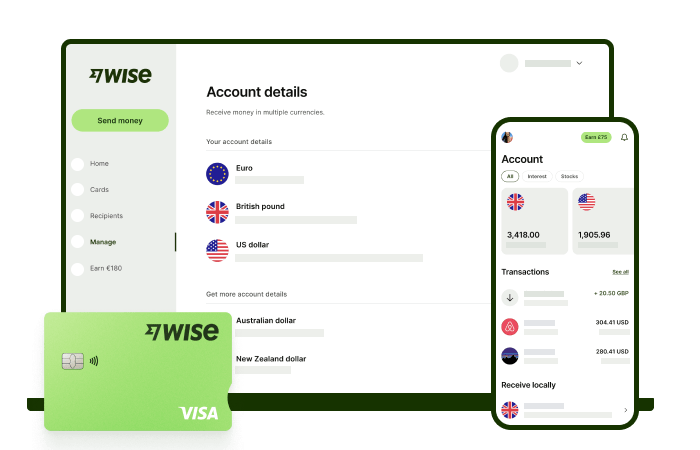
Wise international money transfers can be set up online or within the Wise app with low fees from 0.26% and the mid-market rate, to over 140+ countries. There’s no markup added to the exchange rate that’s used to convert your currency, which makes it easier to see exactly what you're paying for a transfer, and what the recipient will get in the end. Just transfer the amount indicated in SGD and let Wise do the rest.
Track your transfers easily when you create a free Wise account, and manage, hold, and convert your money in SGD and 40+ other currencies. You'll get the same great rates, and be able to track your transfers all from one place. As a bonus, you can also get 8+ local account details to be able to receive money in SGD, USD, GBP, and more.
✍️ Sign up for a free account now
*Please see terms of use and product availability for your region or visit Wise fees and pricing for the most up to date pricing and fee information.
This publication is provided for general information purposes and does not constitute legal, tax or other professional advice from Wise Payments Limited or its subsidiaries and its affiliates, and it is not intended as a substitute for obtaining advice from a financial advisor or any other professional.
We make no representations, warranties or guarantees, whether expressed or implied, that the content in the publication is accurate, complete or up to date.

Pricing claim based on comparative data for select airports and passes. Live pricing is subject to exchange rate fluctuations. 📱Find out how to get lounge...

Learn everything you need to know about sending an e-ang bao with DBS eGift.

Learn how to send an e-hongbao or digital ang bao to loved ones near and far.

Looking for the best online brokerage in Singapore? Compare platforms like IBKR, Saxo and Moomoo on fees, features and more to find the right account.

Planning a Trust Bank overseas transfer? We reveal if the service is available and compare it to a transparent, fast, and low-cost alternative

Find the best late-night money changers in Singapore with our guide. Compare rates and find out how to save on your next exchange.











