
Guide to business insurance types and providers in the Philippines
Learn about the types of business insurance in the Philippines, from property to liability cover, and discover how to find the right policy for your company.



Small business owners in the Philippines have more POS options today than ever before. The hard part is figuring out what each one actually costs once you get past the signup page. This article breaks down the most popular POS systems for small businesses, what they include, and what they charge.
| Table of Contents |
|---|


A POS system, or point-of-sale system, is the software businesses use to process sales and collect payments. Some systems also include hardware like receipt printers, barcode scanners, and cash drawers. Beyond payments, many POS systems can track inventory, generate sales reports, and support digital payments like GCash, Maya, and QR Ph.
For small businesses in the Philippines, digital payment support matters more now than it did a few years ago. The Bangko Sentral ng Pilipinas reports that digital payments account for more than 57.4% of retail transactions by volume1. A POS system that cannot support GCash or QR Ph may limit how some customers pay.
A POS system also helps business owners keep track of stock movement and daily sales in one place. Instead of checking notebooks or separate spreadsheets, inventory and transaction records stay updated inside the same system. Some platforms also show which products sell the most and which hours bring the highest sales volume.
Different types of POS systems serve different business needs. Here are three main categories:
Mobile POS (mPOS): Runs on a smartphone or tablet. Low setup cost, easy to carry, and well-suited for sari-sari stores, food stalls, and sellers who also operate online. Peddlr and UTAK fall here.
Cloud-based POS: Stores data online so you can check your numbers from anywhere. Usually comes with a monthly subscription. StoreHub is a widely used example in the Philippines.
Traditional/legacy POS: Standalone systems that store data locally on a machine. Higher upfront cost, more maintenance. Most small businesses in the Philippines have moved away from these.
These are the features worth checking before you sign up for any POS system for your small business.
QR Ph and e-wallet support
Many customers in the Philippines now pay through GCash, Maya, and QR Ph. POS systems that support these payment methods can handle both cash and digital transactions in one place.
Offline mode
Some POS systems continue recording transactions even without internet access and sync the data once the connection returns.
Inventory tracking
Real-time inventory tracking helps businesses monitor stock levels and reduce manual counting.
Sales reports
Daily and weekly sales reports help businesses track revenue patterns, busy hours, and product performance.
Hardware compatibility
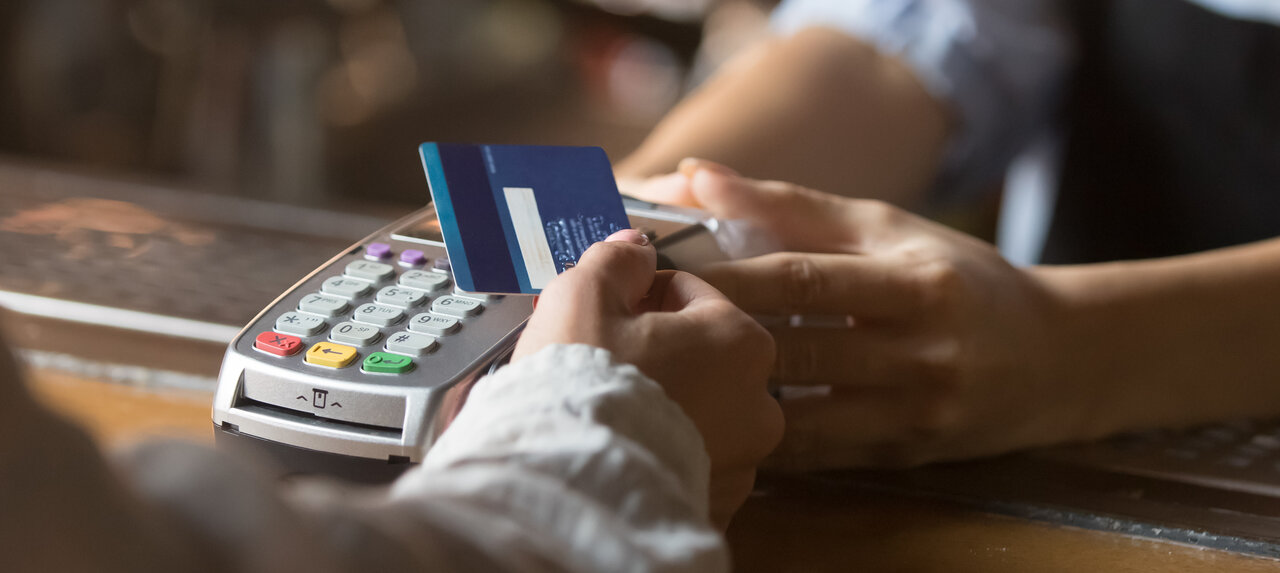
Some POS systems support third-party receipt printers, barcode scanners, and cash drawers, while others require provider-specific hardware.
BIR compliance
Some businesses in the Philippines may need a BIR-accredited POS system. Registration and compliance costs may vary between providers.
Customer support
Support channels differ across providers and may include phone, live chat, email, or in-app support.
Peddlr is a mobile POS app made in the Philippines and available on Android and iOS devices2. It is free to download and free to use.
Key features include:
Pricing: Free. Peddlr does not charge monthly subscription fees either2. The app includes load selling and bills payment services as additional features.
Best suited for: Sari-sari stores, food stalls, Shopee and Lazada sellers, and other micro-businesses that want a mobile-based POS system without upfront software costs. Its offline mode also makes it usable in areas with unstable internet connectivity.
Worth noting: Peddlr is registered with the Bangko Sentral ng Pilipinas as an Operator of Payment Systems3. Businesses that need BIR-compliant receipts should check accreditation details directly with Peddlr.
Maya POS
Maya is a well-known payment brand in the Philippines. The Maya Terminal is a physical POS device that accepts cards, QR Ph payments, e-wallets, and other online payment methods.
Key features include5:
Since the terminal is portable, it serves as a practical option for table-side payments in restaurants and mobile retail setups.
Pricing: PHP 949 per month for Maya Business account holders5.
Best suited for: Small retail shops, restaurants, and cafés that already use or plan to use Maya's payment ecosystem and want a compact card terminal without a large upfront hardware cost.
Worth noting: The PHP 949 fee covers the terminal subscription only. Transaction fees apply separately and vary depending on the payment method. Total monthly costs depend on transaction volume and payment mix.
UTAK is a cloud-based POS system built for small and medium businesses in the Philippines6. It runs on tablets and includes staff and expense management tools alongside standard sales and inventory functions.
Key features include6:
Pricing: Free trial available. Paid plans start at PHP 1,500 per month6.
Best suited for: Small retail and food businesses with a few staff members that need inventory tracking, attendance logging, and remote access to sales data.
Worth noting: Hardware and software are priced separately. If you already have a compatible tablet, you do not need to purchase the hardware bundle. Confirm current hardware costs with UTAK before budgeting your total setup.
StoreHub is a cloud-based POS platform used by businesses across Southeast Asia, including the Philippines.
Key features include7:
Pricing: StoreHub plans start at around PHP 2,249 per month for the Starter plan and go up to PHP 8,999 per month for the Pro plan. Enterprise pricing is custom-based, and a free trial is available for selected plans8.
Best suited for: Small and medium-sized restaurants, cafés, retail stores, and salons that want POS, inventory management, loyalty features, and marketplace integrations within one platform.
Worth noting: StoreHub is priced higher than some other POS systems in this comparison. The pricing includes features like BIR accreditation support, loyalty tools, multi-location management, and local customer support.
Loyverse is a cloud-based POS system used by small retail and F&B businesses in many countries, including the Philippines. The core POS software is free, while additional features are available through paid add-ons.
Key features include10:
Pricing11: Loyverse POS, Loyverse Dashboard, Kitchen Display, and Customer Display apps are available for free. Paid add-ons start at USD 5 per month for features like unlimited sales history and employee management, while Advanced Inventory starts at USD 25 per month per store. A 14-day free trial is available for paid add-ons.
Best suited for: Small cafés, restaurants, and retail stores that want a free POS system with the option to add more features over time.
Worth noting: Loyverse has not prominently advertised BIR accreditation on its platform. Businesses that need to issue official receipts should confirm compliance status directly with Loyverse before signing up.

A low monthly price does not always reflect the total cost of running a POS system. Some costs only appear after setup or once the business starts processing more transactions.
Many POS systems charge a percentage fee on card, QR, or e-wallet payments. Even small fees can add up over time. For example, a 1% fee on PHP 50,000 in monthly sales equals PHP 6,000 per year.
Some providers require businesses to buy hardware directly from them, including receipt printers, tablets, barcode scanners, and cash drawers. Costs may increase further if third-party hardware is not supported.
Features like advanced inventory management, loyalty programs, employee tracking, and multi-store access are not always included in base plans. These are often charged separately.
Some POS providers require yearly subscriptions instead of monthly billing. Cancellation fees or contract lock-ins may also apply.
Additional costs may include:
These fees are not always included in the advertised monthly price.
Before choosing a POS system, many businesses compare the total cost, including software fees, transaction charges, hardware costs, and paid add-ons.
Cloud-based POS systems depend on internet access. Systems without offline mode may stop processing transactions during connectivity issues.
Support quality also varies between providers. Some mainly offer email support, while others include phone or live chat support during business hours.
For businesses in the Philippines that pay overseas suppliers or receive international payments, exchange rate costs can add up over time.
Many banks and payment providers apply their own exchange rate margin instead of using the mid-market rate. These costs are often built into the conversion rate rather than shown as separate fees.
Choosing the right POS system helps solve your local checkout and inventory challenges, but if your small business deals with international suppliers, overseas software subscriptions, or global clients, you might face another hidden cost: expensive foreign exchange rates.


If you're a business in the Philippines trying to go global, you've probably hit a wall of confusing foreign exchange fees when collecting payments from international customers. Wise Business helps you cut through all that complexity—be it a local bank transfer or a wire transfer. By simplifying how you receive payments, you're free to pursue what matters—growing a local brand with global sights.
➡️Get started with Wise Business today
Wise Pilipinas Inc. is regulated by the Bangko Sentral ng Pilipinas. You may visit the BSP website for more information about its regulatory framework and consumer protection policies. To reach Wise, visit help center here.
Sources:
*Please see terms of use and product availability for your region or visit Wise fees and pricing for the most up to date pricing and fee information.
This publication is provided for general information purposes and does not constitute legal, tax or other professional advice from Wise Payments Limited or its subsidiaries and its affiliates, and it is not intended as a substitute for obtaining advice from a financial advisor or any other professional.
We make no representations, warranties or guarantees, whether expressed or implied, that the content in the publication is accurate, complete or up to date.

Learn about the types of business insurance in the Philippines, from property to liability cover, and discover how to find the right policy for your company.

Compare PayMongo vs Dragonpay features, fees, and payment methods to find the right gateway for your Filipino business, plus see how Wise Business can help.

Learn how to choose and open a business savings account in the Philippines. Explore requirements, and discover digital alternatives like Wise Business.

Compare the best payroll software for small business in the Philippines. Learn key features, pricing, compliance, and simplifying international payroll.

Compare the best small business accounting software in the Philippines. Explore features, pricing, bookkeeping tools, and more.

Learn how to create, send, and track international invoices with Wise Business. Streamline payments in multiple currencies with low fees and easy tracking.











