
Guide to business insurance types and providers in the Philippines
Learn about the types of business insurance in the Philippines, from property to liability cover, and discover how to find the right policy for your company.


When starting a business, bookkeeping is a task that can steal time away from revenue-generating activities. What starts as a few invoices and expenses can quickly turn into a sea of spreadsheets and missed payments, with no clarity on your business finances or how you’re performing.
That’s why many MSMEs use accounting tools to better track cash flow and stay on top of tax (and other obligations). This guide compares the best small business accounting software in the Philippines, outlining key features and pricing.
There’s also an intro to Wise Business – a multi-currency account you can use to manage your international payments by integrating with accounting tools.
| Table of Contents |
|---|

Small business accounting software is a digital platform that helps businesses record, organize, and manage all their financial transactions.
Instead of trying to manually track and tally a mismatch of individual spreadsheets, you can handle everything within one platform and automate critical tasks, such as tracking your expenses, creating and sending invoices, matching financial records with bank or credit card statements (reconciliation), and preparing taxes and financial reports.
For Philippine SMEs, accounting software brings all this together, providing better visibility, which supports better business decisions, while also saving time and reducing costly errors.

When comparing accounting tools, you want features that simplify your daily workflows and make key tasks like e-invoicing and record-keeping easier. Look for:
With these core features in mind, here’s an overview of the five top accounting tools for PH small businesses:
| Platform | Pricing | Key features | Best for |
|---|---|---|---|
| Xero | From USD $7 per month | E-invoicing, JAX AI agent, BIR-compliant payroll, Xero App Store | Strong automation and deep integrations |
| QuickBooks Online | From PHP 1,291 per month | Income/expense auto tracking, QuickBooks invoicing, inventory management, IRA tax filing | Day-to-day income and expense tracking |
| JuanTax | Free plan available, paid plans from PHP 2,000 per month | PH tax compliance, AI bookkeeping, multi-currency accounting, CAS registration | BIR compliance and local support |
| FreshBooks | From $23 per month | Simple invoicing, online payments, tax-time reports, 100+ integrations | Fast invoicing and quick client payments |
| Zoho Books | From USD $24 per month | Invoicing, expenses, vendor bills, inventory tools | Structured accounting at a low cost |
Now, let’s look at each one in more detail.
Xero is a hugely popular accounting platform with 4.9+ million users worldwide¹. Part of its tagline is “go paperless”, which it backs up with tools that automate lots of bookkeeping tasks and provide useful data and insights to support day-to-day financial decisions. It also has a new JAX financial ‘superagent’ for routine admin and support¹, plus a vast library of integrations through the Xero App Store².
For Philippine MSMEs, Xero has a few things that genuinely make tax season less painful. It supports e-invoicing and keeps your records tidy, which helps when you need to pull together documents for BIR reporting or VAT prep. And all your bank accounts can be linked, so transactions flow in automatically – great for reconciliation and tracking your current cash flow².
Xero has Lite and Starter plans, but the caps on bill tracking are likely to make the Standard plan (USD $10 per month) the best entry point³.
QuickBooks is built for Filipino business owners who want something simple to use but powerful enough to handle daily accounting. It automatically tracks income and expenses and takes care of routine admin like time tracking and bank reconciliation⁴. And because it’s cloud-based (like Xero), you can check your figures or send an invoice from any device – handy for owners on the move.
It’s very useful for VAT tracking and tax prep, too. QuickBooks sorts transactions into tax categories, lets you snap photos of receipts (via the mobile app) and attach them to the right entries so your records are ready for IRA/BIR filing. For MSMEs with stock, there are also real-time inventory updates – you can sync with ecommerce platforms like Shopify or Wix with ease⁴.
QuickBooks pricing is displayed in PHP but processed in USD⁵. There are four plans, with Essentials (PHP 1,907 per month) being the first, which includes the accounting and bill management features most MSMEs need.
Juan is one of the few accounting platforms designed specifically for Philippine businesses, with built-in support for PH tax requirements. Juan helps businesses prepare for BIR Computerised Accounting System (CAS) registration and offers compliance-focused features designed around meeting local regulations⁶.
The platform also includes AI-powered bookkeeping tools. These can automatically extract and categorise all your transaction data – less work if you have a small team. Juan also supports accounting in 170+ currencies and automatically calculates foreign exchange gains and losses, which is useful if you’re regularly making international transactions⁷.
Juan has a Free plan that lets you send invoices and track cash flow. But you’ll need to upgrade to at least Essentials (PHP 2,000 per month) to get PH tax compliance and a few other advanced features⁸.
ZohoBooks might be a good fit for Philippine SMEs that want structured accounting without a high price tag. It handles everyday work – invoicing, expense tracking, vendor bills, and bank feeds – within one tidy system. Tax is easier too, with automated tax rates and on-demand reports when preparing for BIR⁹.
Zoho has a free plan for ‘solopreneurs and micro businesses,’ plus three other options: Standard ($10 per month), Professional ($20 per month), and Premium ($30 per month), which are relatively affordable upgrades for when your business grows¹⁰.
FreshBooks is used by 30+ million small businesses in 160+ countries, including the Philippines¹¹. It focuses on fast, simple accounting, things like automating expense tracking, calculating sales tax, and sorting invoices, so less time is spent on admin.
There’s also support for online payments and recurring invoices, helping MSMEs to get paid faster and reduce late collections¹¹. With 100+ integrations and strong data security, it’s a practical option for service-based businesses that might not need the complexity of larger platforms.
There are three main pricing plans: Lite, Plus, and Premium, starting from USD $23 per month¹².
Even with a great platform, managing your books as a global business can bring extra challenges. You’ll likely run into:
Wise Business isn’t an accounting replacement – it simply sits alongside whichever platform you choose to address these challenges. For Philippine SMEs receiving payments from abroad or paying international suppliers, Wise provides local account details in major currencies like USD and EUR, helping you avoid the usual international bank fees. You also get the mid-market exchange rate, which protects your margins when converting back to PHP.
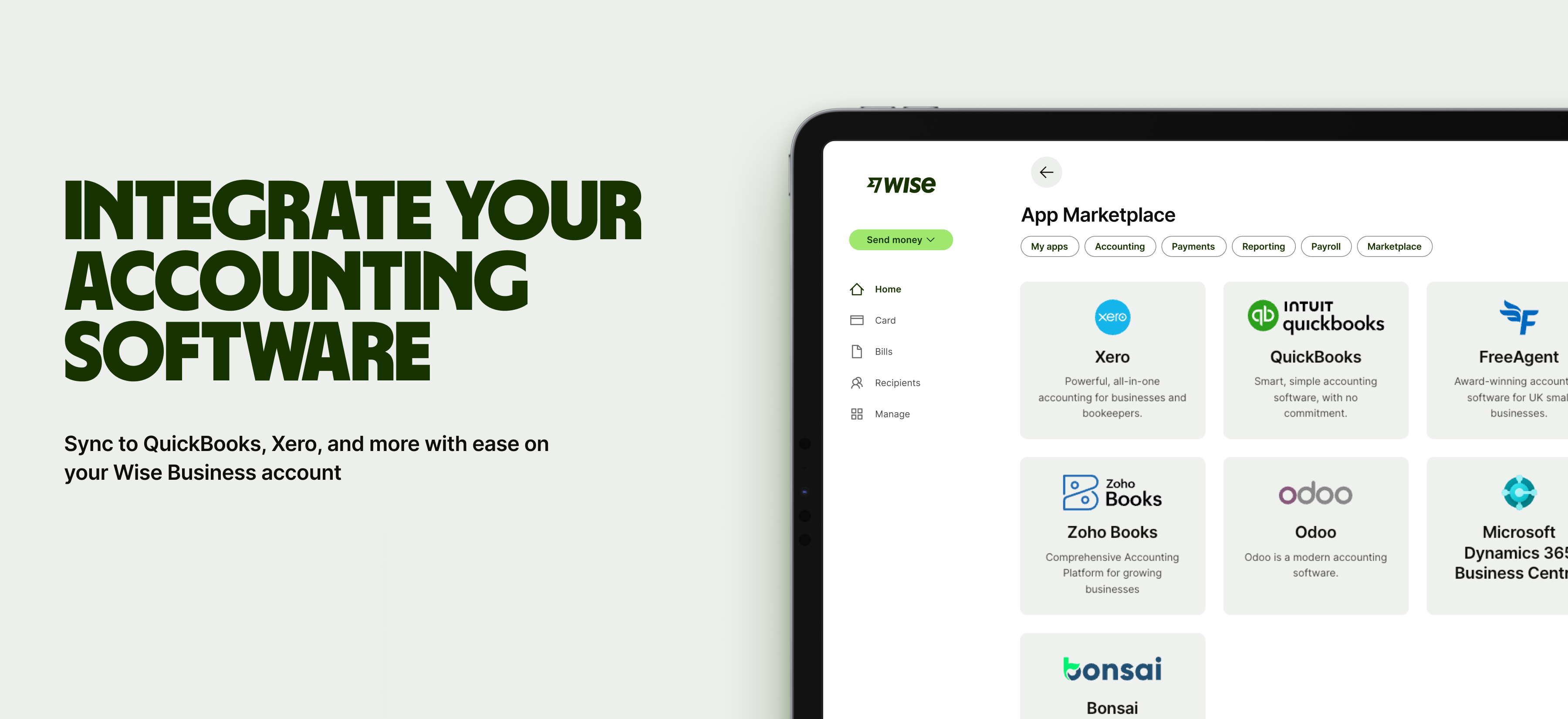
Wise integrates with tools like Xero and QuickBooks, automatically syncing transactions for cleaner, compliant books. With batch payments, multi-currency balances, and low-cost transfers, it makes for a practical companion for MSMEs managing cross-border cash flow.


With a Wise Business multi-currency account, you can access over 8+ local account details — far more currency options than the handful most banks offer. Plus, Wise makes it easy to hold, send, receive, and exchange 40+ currencies from a single account.
With the freedom to send and receive payments in more currencies globally, you can focus on what matters most: growing a local business that knows no borders. Here's what you get with a Wise Business account:
➡️Get started with Wise Business today
Wise Pilipinas Inc. is regulated by the Bangko Sentral ng Pilipinas. You may visit the BSP website for more information about its regulatory framework and consumer protection policies. To reach Wise, visit help center here.
1. Does accounting software help with BIR compliance and VAT filing in the Philippines?
Yes, it does. However, support for BIR in the Philippines can vary between providers, so double-check to see if a platform supports your compliance requirements or integrates with local tax solutions beforehand.
2. Can accounting software automatically calculate my foreign exchange gains and losses?
Yes, some platforms can calculate FX gains and losses, especially those with multi-currency accounting. However, others might require manual adjustments or an integration for an FX tool.
Sources:
*Please see terms of use and product availability for your region or visit Wise fees and pricing for the most up to date pricing and fee information.
This publication is provided for general information purposes and does not constitute legal, tax or other professional advice from Wise Payments Limited or its subsidiaries and its affiliates, and it is not intended as a substitute for obtaining advice from a financial advisor or any other professional.
We make no representations, warranties or guarantees, whether expressed or implied, that the content in the publication is accurate, complete or up to date.

Learn about the types of business insurance in the Philippines, from property to liability cover, and discover how to find the right policy for your company.

Compare the cheapest POS system for small business in the Philippines. Explore pricing, features, hidden costs, BIR compliance, and payment support.

Compare PayMongo vs Dragonpay features, fees, and payment methods to find the right gateway for your Filipino business, plus see how Wise Business can help.

Learn how to choose and open a business savings account in the Philippines. Explore requirements, and discover digital alternatives like Wise Business.

Compare the best payroll software for small business in the Philippines. Learn key features, pricing, compliance, and simplifying international payroll.

Learn how to create, send, and track international invoices with Wise Business. Streamline payments in multiple currencies with low fees and easy tracking.











