
Merchantrade vs Wise: Which is Cheaper for Malaysians in 2026?
Merchantrade vs Wise: which is cheaper for Malaysians? Compare 2026 fees, rates, and real costs to see which option fits your needs.


MAE1 is Maybank’s e-wallet - a popular way to manage your money on the move, with features for budgeting, saving, splitting bills, sending payments and more. As well as using MAE to keep on top of your day to day finances, you can get a linked MAE card2 for spending and withdrawals at home and abroad.
This Maybank MAE card review runs through all there is to know about the MAE card including the MAE virtual card option - and we’ll also compare it to a couple of other popular card options from BigPay and Wise to help you decide which suits you best.
| Table of contents |
|---|
Before we move on to how to use the MAE card, let’s take a look at the MAE card from Maybank’s benefits.
There’s a fee of RM8 to get your MAE debit card, and then an ongoing charge of RM8 a year3. There’s a default spending limit set to RM3,000 per transaction - but you can alter your limits within the MAE app, up to a maximum spend of RM10,000 per month.
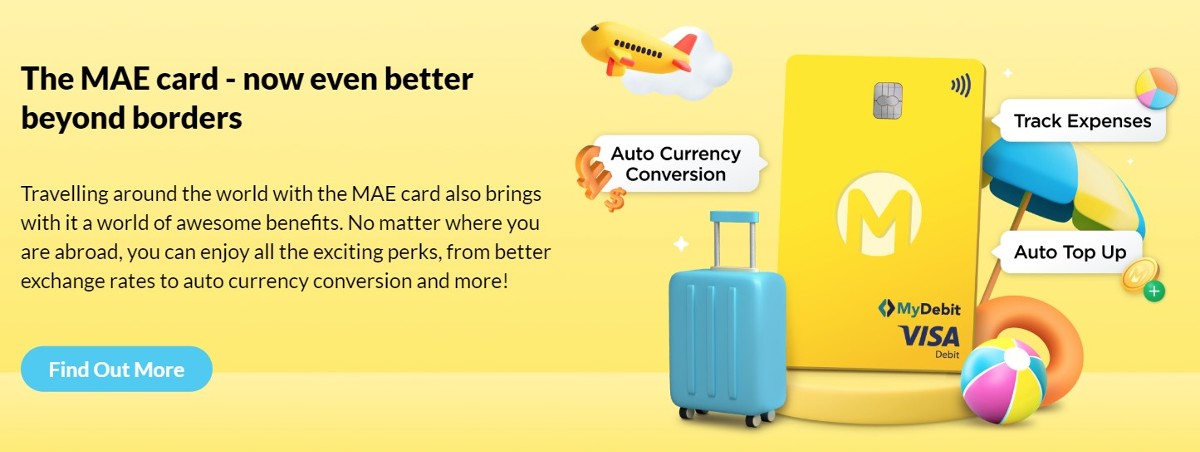
You can use your MAE card internationally, but it’s useful to know that you have to activate the card specifically for overseas use before you can make foreign currency payments. Enter the dates of your travel in the MAE app to make sure you can use your card overseas without any hassle.
The MAE card is linked specifically to the MAE e-wallet. However, Maybank also offers a selection of other debit and credit cards which may be attached to different account types.
MAE accounts can be opened by new and existing Maybank customers simply by downloading the MAE app, entering your personal details, and uploading an image of your ID documents. You’ll then be able to top up your account and order a MAE card for convenient spending and withdrawals.
While it’s free to get a MAE account, there are a couple of different charges you’ll want to be aware of. Here are the key costs to consider:
| Transaction | MAE fee4 |
|---|---|
| Open MAE account | No fee |
| Add funds to MAE account | No fee |
| Debit card annual fee | RM8 |
| Replacement card fee | RM12 |
| Over the counter top up fee | RM5 (waived until further notice) |
| Duplicate statement fee | RM10 - RM20 + RM1 per page |
| Send transfers | No fee for standard transfers to a bank account DuitNow transfers incur a fee of RM10 |
There are also MAE and MAE card limits you’ll need to consider.
| MAE account/transaction type | MAE limit |
|---|---|
| Maximum MAE account balance | RM4,999 for standard accounts - if you have a MAE card, your maximum balance is upgraded to RM10,000 |
| Maximum monthly transactions | RM5,000 for standard accounts - if you have a MAE card, your maximum monthly spending limit is upgraded to RM10,000 |
| Maximum annual transactions | RM60,000 - if you have a MAE card, your maximum annual spending limit is upgraded to RM120,000 |
| Top up limits | Minimum top up amount RM10 Mobile top up maximum RM500/day |
You can use your MAE card internationally for spending and withdrawals. However, as your MAE account is designed to hold MYR, your funds will need to be converted to the currency you need when you make international payments. The currency exchange rate will be determined by the card network - in this case, Visa. That means you won’t necessarily see the exact rate being used to switch your funds until after the purchase has already been completed.
While the foreign exchange rates used by Visa are generally pretty fair, they won’t necessarily be the very best out there. You may find there’s an extra fee added into the rate, which means your international purchases cost more than you expect.
It’s also worth noting that if you use the MAE scan and pay function to spend in a foreign currency, your money will be converted using the exchange rate set by Maybank’s partner organisation, plus a margin.
MAE by Maybank is a helpful tool for managing your money on the move - but it’s not the only option. Here’s a quick comparison of the MAE card against a couple of other popular e wallets and cards - BigPay and Wise.
| Feature | MAE Card | BigPay Card⁶ | Wise card |
|---|---|---|---|
| Eligibility | Malaysian citizen or foreigners | Malaysian citizen, residents, or foreigners | Wise accounts are available in many regions globally |
| Account service fee | Account is free to open, but there’s an annual card fee of RM8 | RM2.50/month for inactive accounts - fee waived at time of research7 | No fee |
| Currencies available | MYR | MYR | 40+ |
| Exchange rate | Exchange rate will be determined by Maybank, Visa or Maybank’s payment partner, and is likely to include a markup | Mastercard or Visa exchange rate | Mid-market exchange rate |
| Send international bank payments to | Availability depends on your account status - if you step up to a full Maybank account you’ll be able to send payments internationally via Maybank2u5 If you have a MAE account only you may only be able to make payments to Cambodia | 45+ countries, including the UK, the EU, China, Australia, Vietnam, Indonesia, Singapore, Malaysia, Thailand, the Philippines, India, Bangladesh, and Nepal | 80+ countries around the world |
| International bank payments - fees | Varies by payment type | RM0.5 - RM22 depending on market | Low, transparent fee based on destination |
| Local account details to get paid into account from abroad | No | No | Yes - bank details to get paid fee free from 30+ countries |
| ATM withdrawal charges | No fee for first 4 local Maybank ATMs | RM6 in Malaysia; RM10 overseas | Up to RM1,000/month fee free |
| Foreign transaction fee | Fees may apply depending on the payment type | Up to 0.5% + network charges | Free to spend any currency you hold in your account Currency conversion from 0.41% |
_Please see Terms of Use for your region or visit Wise Fees & Pricing: Only Pay for What You Use for the most up-to-date pricing and fee information.
The Maybank MAE account and card has some handy features, like an automatic top up option, and great ways to track and categorise spending. However, it’s not necessarily the best option for making international payments, and you won’t be able to hold any currency other than ringgit in your account.
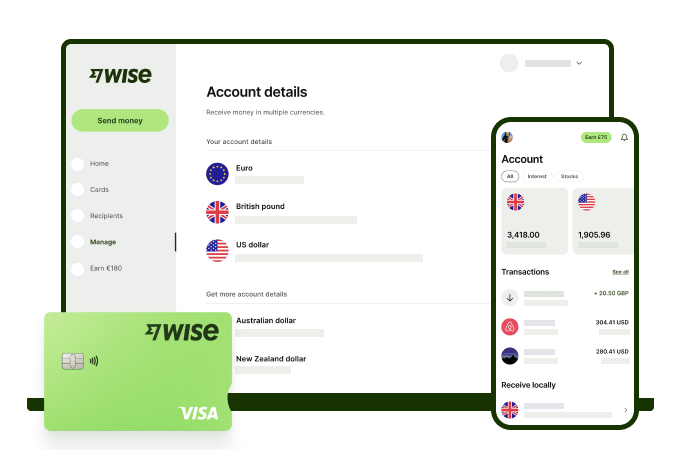
If you transact internationally often, you could be better off with the Wise Account and card, to spend in 150+ countries. Use your Wise account to hold and exchange 40+ currencies, and get paid fee free like a local from 30+ countries. You’ll get the mid-market exchange rate every time, with no ongoing charges or minimum balance to worry about.
Check out the Wise Account, to manage your money on the move in multiple currencies, and spend with your linked physical and virtual Wise card easily.
Here’s how to get your MAE card once you have the app all set up:
As well as a physical MAE card which is delivered to your home you can also get a MAE virtual card which you can use for online spending, and link to a mobile wallet like Samsung Pay.
If you’re wondering how long it’ll take for MAE card delivery you’ll be pleased to know cards usually arrive in about 7 working days. There’s no tracking facility once the card has been mailed out, so Maybank request customers get in touch if a card has not arrived within 7 working days of being requested.
Once you have a physical MAE debit card you’ll be able to activate it via the MAE app.
It’s also worth knowing that to use your MAE card internationally you’ll need to activate it for international use. You can do this in the MAE app by entering the dates you’ll be away.
MAE is a handy e-wallet for use within Malaysia, with the linked MAE card for in person spending and withdrawals. Get your MAE account for free in the MAE app, and order your linked debit card for 8 MYR. MAE will help you track, categorise and get an overview of all your spending - even when you’re out and about.
Compare the MAE card to a few other options, including the Wise Account and card, to see which e wallet works best for your needs.
Sources:
*Please see terms of use and product availability for your region or visit Wise fees and pricing for the most up to date pricing and fee information.
This publication is provided for general information purposes and does not constitute legal, tax or other professional advice from Wise Payments Limited or its subsidiaries and its affiliates, and it is not intended as a substitute for obtaining advice from a financial advisor or any other professional.
We make no representations, warranties or guarantees, whether expressed or implied, that the content in the publication is accurate, complete or up to date.

Merchantrade vs Wise: which is cheaper for Malaysians? Compare 2026 fees, rates, and real costs to see which option fits your needs.

Here’s your 2026 guide to BSN IBG transfers. Learn about processing times, fees, and step-by-step instructions to ensure your money arrives safely.

Need to check your RHB GIRO transfer time? Learn about daily cut-offs, batch processing schedules, and how to ensure your money arrives on the same day.

Comparing IBG vs DuitNow in Malaysia? Learn about transfer speeds, daily limits, and fees to choose the right method for your next payment.

Need to send money from Maybank to RHB? Follow our 2026 guide for GIRO transfers, including tips, processing times, and faster alternatives.

Need to make a GIRO transfer with Maybank? Check the latest IBG transfer schedule, daily limits, and step-by-step instructions for Maybank2u and ATMs.











