
Splitwise vs Wise: Everything you need to know
Find out more about the differences between Splitwise and Wise and how you can use both.



Placed an online order with Tesco? If you’ve changed your mind or found a better deal elsewhere, you’ll need to know how to cancel it.
Read on, as we’ve put together a helpful guide on how to cancel a Tesco order in the app and online. We’ll walk you through a step-by-step guide, and provide all the other info you need to know about refunds and Tesco’s cancellation policy.
And, if you need a safe, reliable way to pay for online orders and subscriptions in the UK or abroad, the Wise virtual card is the perfect choice.
Learn more about the Wise virtual card 💰
Please see the Terms of Use for your region or visit Wise fees & pricing for the most up-to-date information on pricing and fees.
If you’re completely sure you want to cancel your Tesco order, here’s a quick version of what you need to do.
We’ve included steps for cancelling your order both online at Tesco.com and in the mobile app - so you can choose your preferred method. The good news is that both are pretty quick and easy.
To cancel a Tesco order on the Android and iPhone app:¹
To cancel a Tesco order on desktop:¹
If you prefer using the Tesco app to do your shopping, you might find it easiest to use it to cancel your order too.
Here are the steps to follow, in a little more detail:
Open the Tesco Grocery & Clubcard app on your phone and make sure you’re signed in. If not, you’ll need to enter your username and password, or login however you normally do.
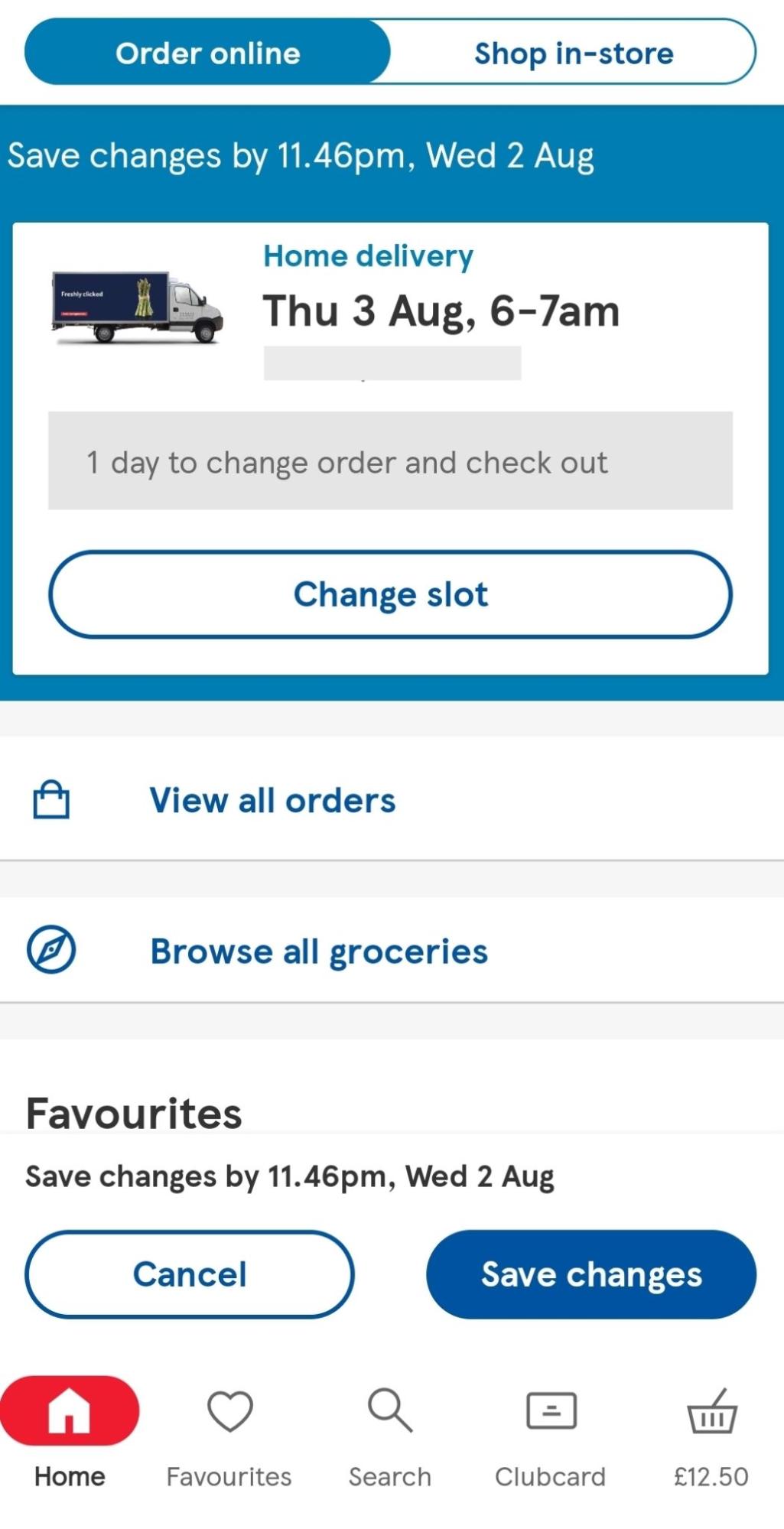
Tap ‘View all orders’ from the navigation menu on the left-hand side. You should be able to see all of your current and past orders, including the one you want to cancel.
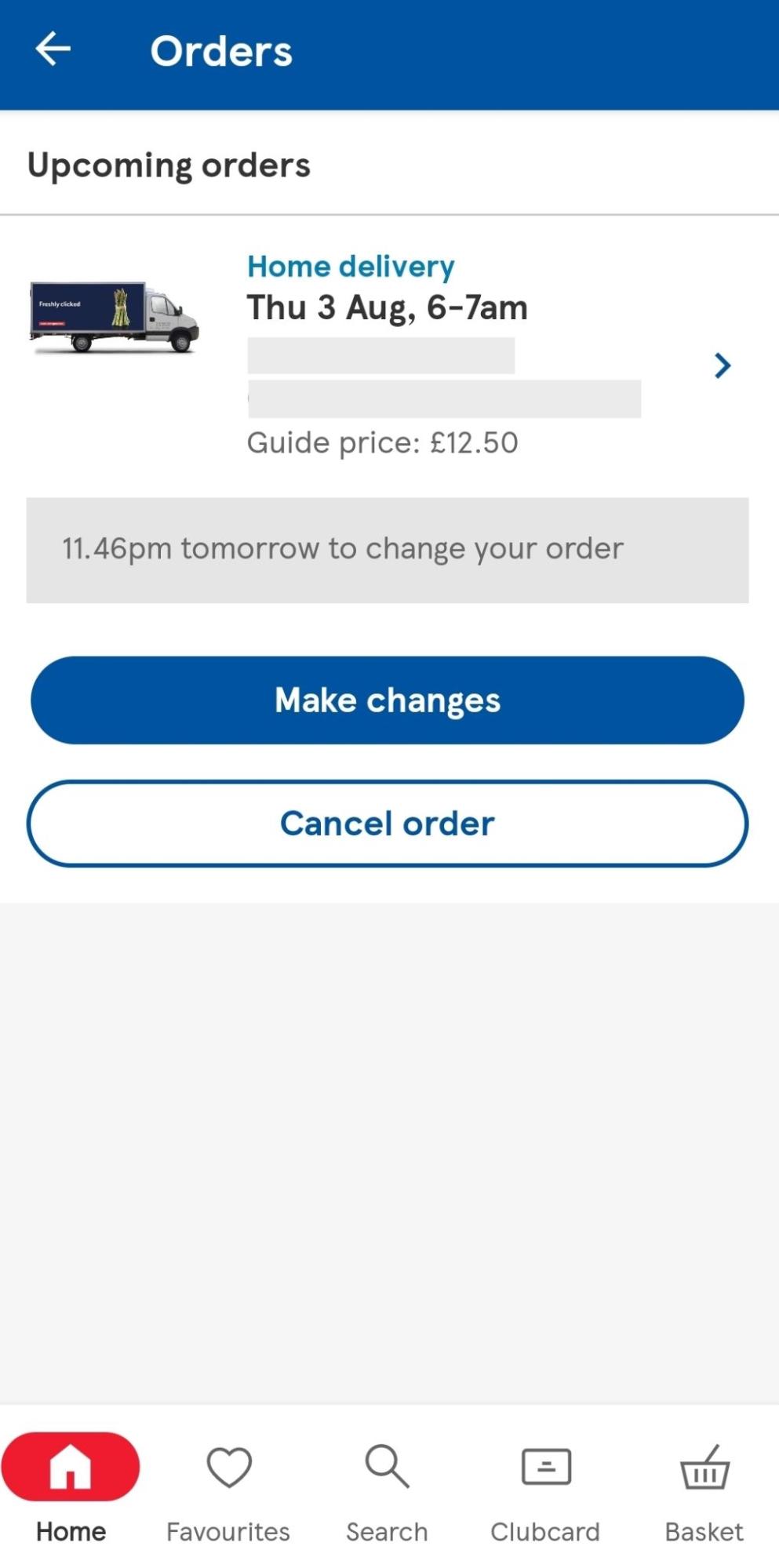
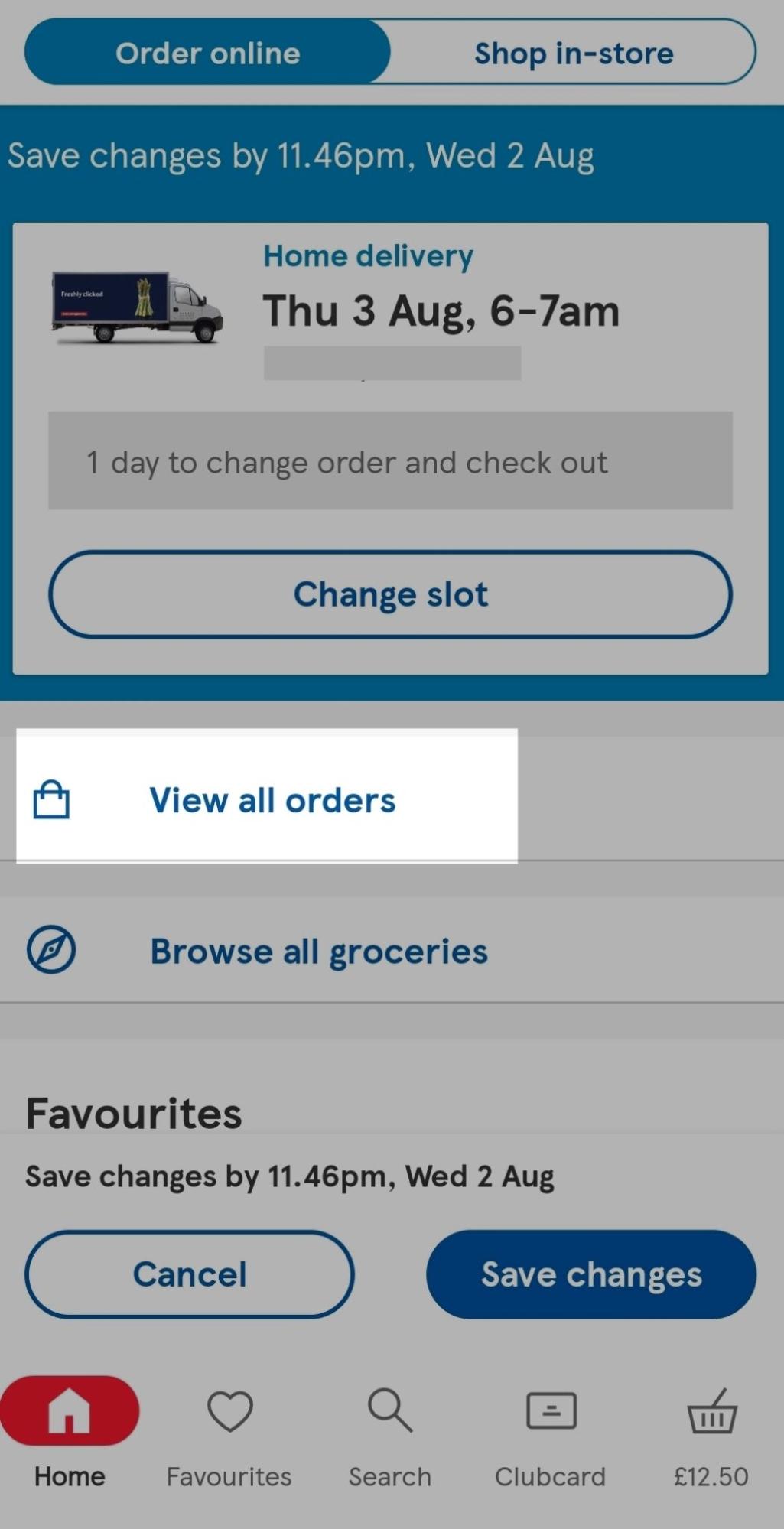
Choose the order you’d like to cancel, tap ‘Cancel order’ and follow the on-screen steps to complete the cancellation process.
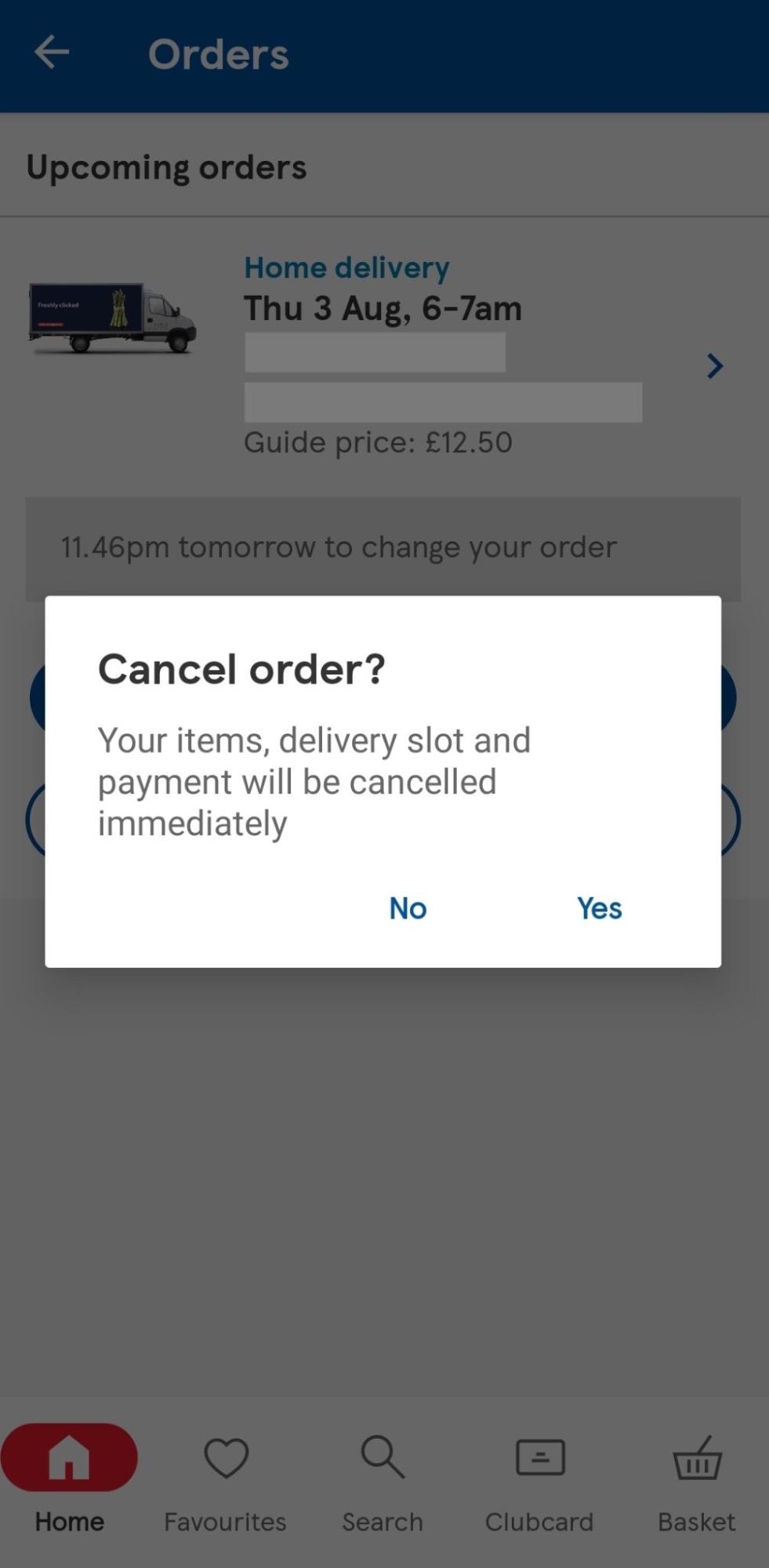
Tesco should send you a confirmation email once your order has been successfully cancelled.
Prefer doing things on a larger screen? If so, you’ll probably find it easiest to use your laptop or desktop computer to cancel your order on the Tesco website.
Here’s what you need to do, in a little more detail than before:
Go to Tesco.com and sign in to your account, if you’re not already logged in.
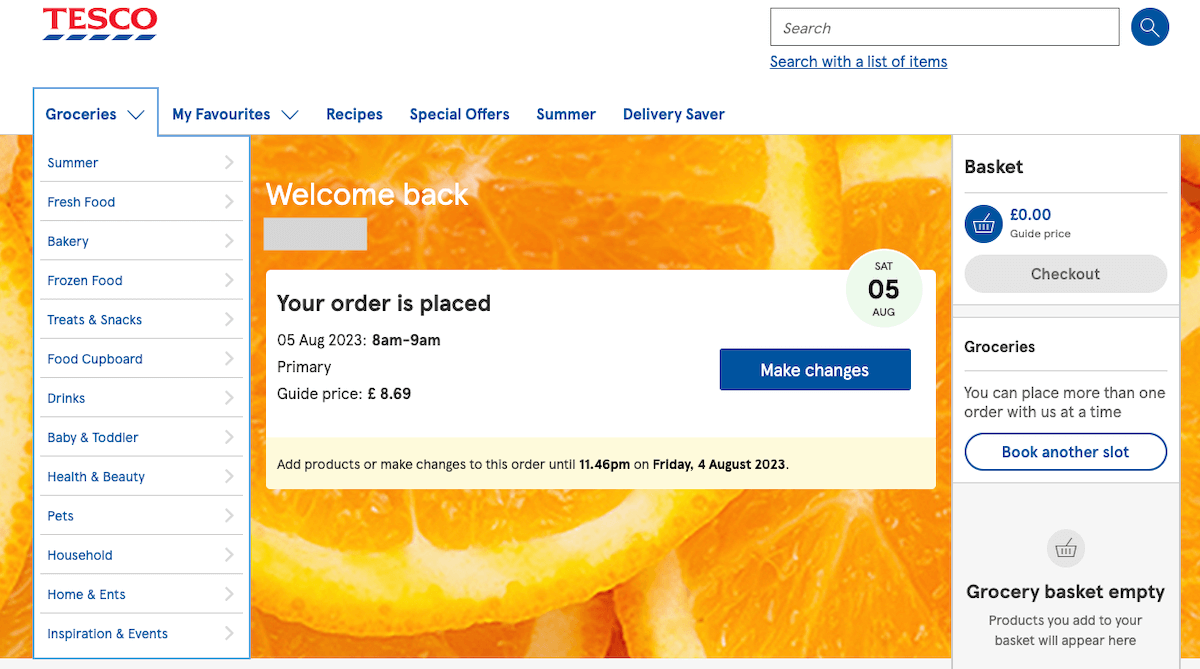
Select ‘My orders’ at the top of the page, and then click on ‘Orders due for delivery’. You should see a list of all your recent orders, including the one you’d like to cancel (and Click+Collect orders too).
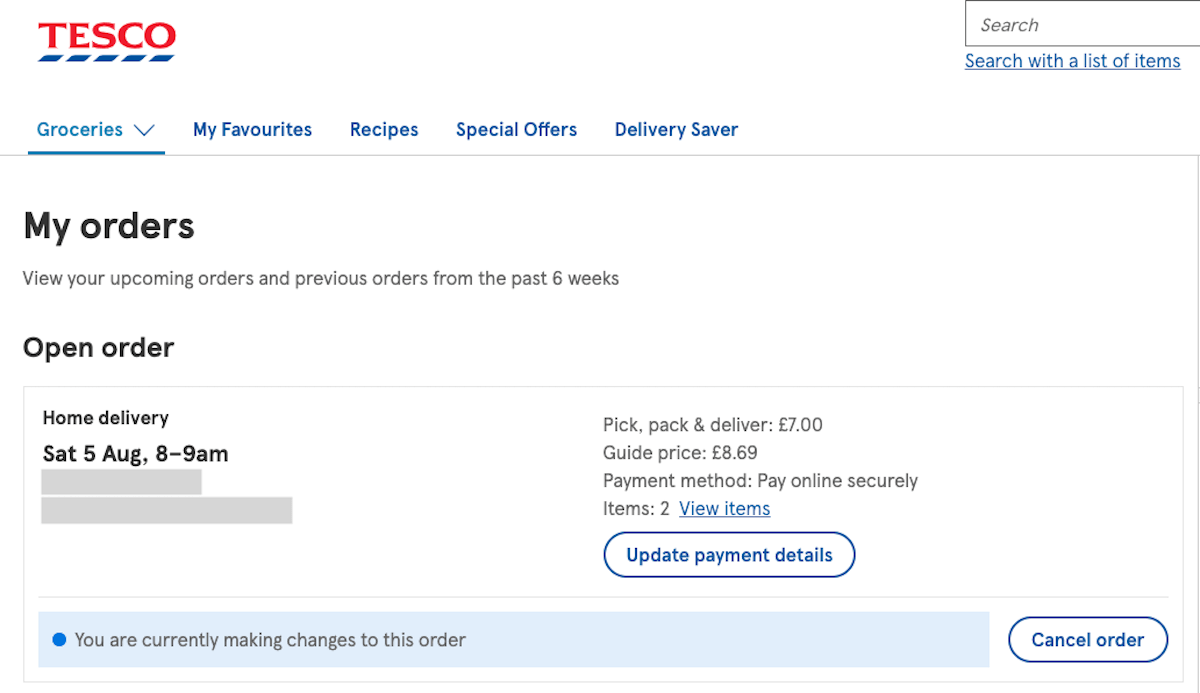
Choose the order you want to cancel and click ‘Cancel order’. You’ll then be asked to confirm, and you’ll need to click ‘Yes, cancel order’ to do so.
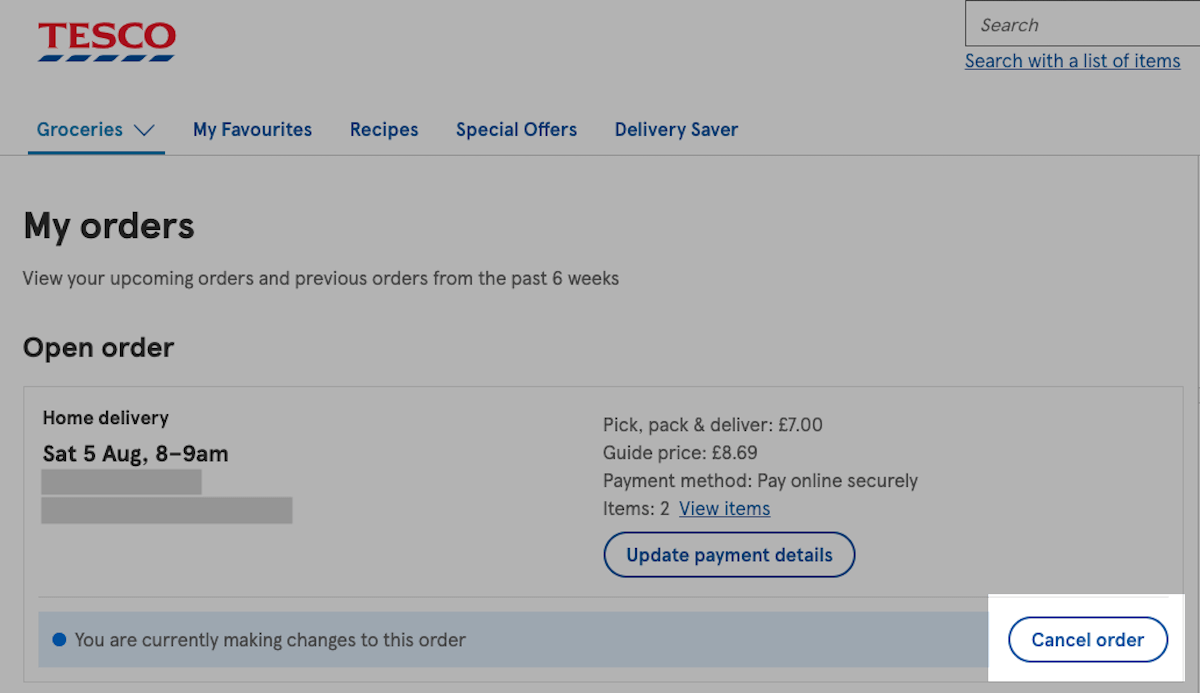
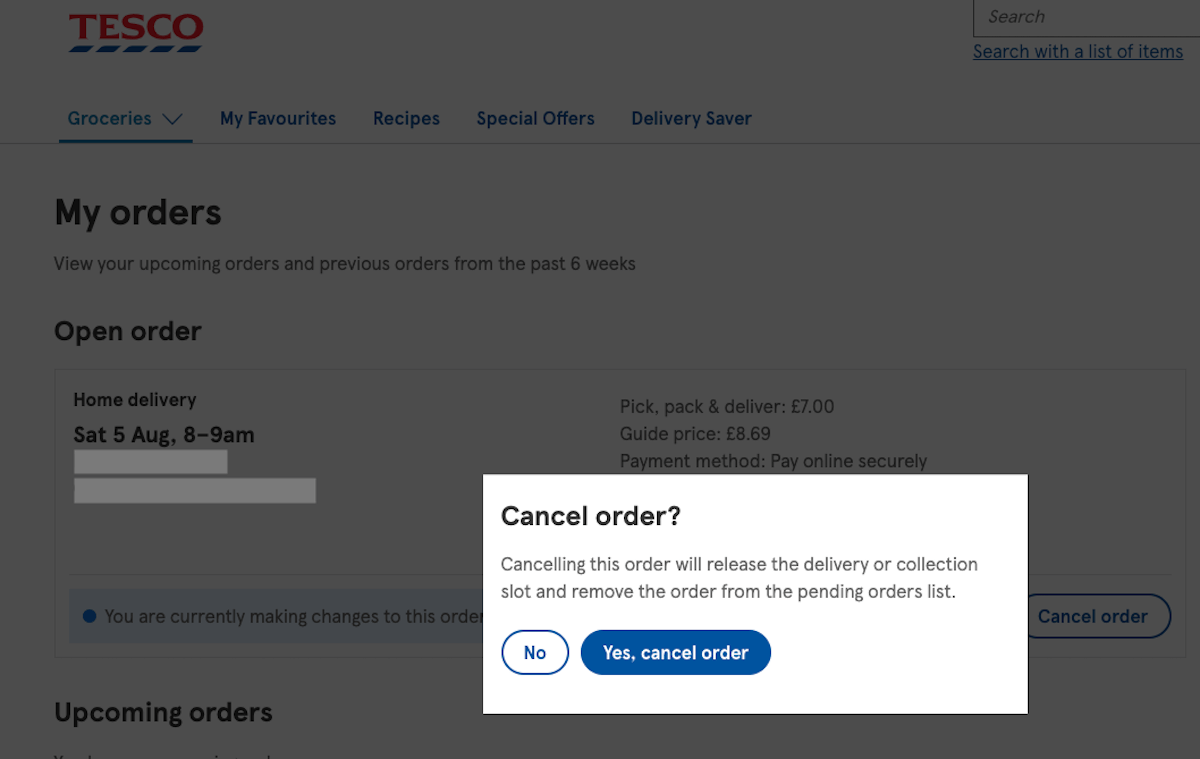
Tesco should send you a confirmation email once your order has been successfully cancelled.
If you need help at any point or are having problems cancelling your order, you can call Tesco customer services on 0800 323 4050 (or 0330 123 4050 from a mobile).²
| 📚 Read more: How to cancel a direct debit? |
|---|
You can cancel your Tesco order at any time up to the cut-off point for amendments.³ This will be provided in your confirmation email after placing the order. However, you’ll need to wait at least 15 minutes after placing your order.²
Once you cancel your order, you should receive a confirmation email from Tesco almost straight away.
It’s unlikely that you’ll be able to reinstate a Tesco order after the cancellation has been confirmed. So if you’ve changed your mind, you’ll need to place the order again.
If you cancel your order before the cut-off point for amendments, you should be able to get a refund. Your confirmation email should provide details of this.
If you’re entitled to a refund from Tesco, it should arrive within 3-5 working days. Refunds are usually sent to the original payment method, which is likely to be a credit or debit card.⁴
And that’s it - all the essential info you need to know about how to cancel a Tesco order.
We’ve covered all the steps involved, whether you choose to cancel on desktop or mobile. This includes details on whether or not you can get a refund.
Tesco makes it pretty easy to manage and cancel orders, so you should find the process straightforward. But if you get stuck, you can always contact Tesco customer services for assistance.
And the next time you’re signing up for a subscription or placing an order online, open a Wise account and create a Wise virtual card - especially if buying from overseas. It’s ideal for secure, low-cost shopping in multiple currencies (including in British pounds).
Please see the Terms of Use for your region or visit Wise fees & pricing for the most up-to-date information on pricing and fees.
Sources used:
Sources last checked on date: 24-Jul-2023
*Please see terms of use and product availability for your region or visit Wise fees and pricing for the most up to date pricing and fee information.
This publication is provided for general information purposes and does not constitute legal, tax or other professional advice from Wise Payments Limited or its subsidiaries and its affiliates, and it is not intended as a substitute for obtaining advice from a financial advisor or any other professional.
We make no representations, warranties or guarantees, whether expressed or implied, that the content in the publication is accurate, complete or up to date.

Find out more about the differences between Splitwise and Wise and how you can use both.

Compare PayPal Money Pool alternatives in the UK. Learn the best money pool apps for group payments, travel costs, and payments in different currencies.

Discover how pari passu shares ensure equal footing for UK investors. Learn how this principle affects your dividends, voting rights, and ownership protections.

A complete guide on Performance Share Units (PSU): Read our UK professional's guide to managing and maximizing your international payout value.

What you should look for in a moving company? Get expert tips on choosing reputable movers, understanding costs, and securing your items.

Explore how Stock Appreciation Rights (SARs) work for UK professionals. Learn about vesting, tax implications, and how to maximize your cash payouts.











