
How to Open an Account With Mizuho Bank: A Guide for Foreigners
Learn how to open a Mizuho Bank account for foreigners. Discover account types, requirements, and steps, plus save on international transfers with Wise.


This article was reviewed on September, 2025. Information may have changed since publication, please verify with the relevant provider. Wise Payments Japan is not affiliated with Japan Post Bank. This content is for informational purposes only and does not constitute financial advice. Please use your own judgment when making decisions. If you have any concerns, please reach contact the bank
Opening a Japan Post Bank account as a foreigner can seem complicated, but it doesn’t have to be. Japan Post Bank, also known as Yucho Bank, is a popular choice for newcomers because of its wide branch network and straightforward services.
This guide explains how to open a Japan Post Bank account for foreigners, what documents you’ll need, and what to expect at each step. You’ll also learn how Wise can help you save money when sending or receiving funds internationally, making it easier to manage your finances in Japan.
| Table of contents |
|---|
In general there are two different types of Japan Post Bank accounts. Bankbook-type general accounts where you receive a physical bankbook (通帳 tsuucho) and Yucho Direct Plus. ¹
| Bankbook-type General Account | Yucho Direct Plus | |
|---|---|---|
| Do I need a hanko? | Signature is accepted but having a hanko is recommended | No |
| Bankbook | You will receive a bankbook upon application | No physical bankbook |
| ATM Card (Cash Card) | You will receive your ATM card in about 2 weeks after application | You will receive your ATM card in about 2 weeks after application |
Based on information found on 30 September 2025.
Opening a Japan Post Bank account has some requirements and necessary documents for foreigners who wish to open a bank account.
Unfortunately, no. A resident card (在留カード zairyu card) is required to apply for an account. As such, foreign nationals without a resident card may not open a bank account with Japan Post Bank. In addition, the individuals are not eligible to open a bank account as well:
Based on information found on 30 September 2025.
The necessary documents and items you need will vary depending on if you open a Bankbook-type General Account or a Yucho Direct Plus account.
Required documents:
Residence card (在留カード)
If you wish to manage your Yucho bank account online from anywhere, Japan Post Bank offers a bankbook-free general account called “Yucho Direct+” (Yucho Direct Plus) .
You will need:
Yucho Tetsuzuki App (ゆうちょ続きアプリ)
Yucho Authentication App (ゆうちょ認証アプリ yuucho ninshou app)
A valid email address
Required documents:
Residence card (在留カード)
There is an application form in 16 different languages* including English, Vietnamese, Indonesian, Tagalog and Chinese.
※As of September 30, 2025
Find a Japan Post Bank location
Here is a table of useful phrases you can find on application forms or use to communicate at the bank counter.
| Japanese | English | Instructions |
|---|---|---|
| おところ (otokoro) | Address | Your address |
| 郵便番号 (yubin bango) | Postal code | Fill in your postal code |
| 電話番号 (denwabangou) | Phone number | Fill your Japanese phone number |
| おなまえ (onamae) | Name | Your name in alphabetic capital letters, then again in katakana in the furigana field |
| 生年月日 (seinengappi) | Date of birth | You might be required to fill in this according to the Japanese’s date format according to the bank |
| 金額 (kingaku) | Amount of money | Fill in your initial deposit amount. |
| カードの種類 (kado no shurui) | Type of card | Choose the card type you would like to apply for |
| 口座開設 (kouza kaisetsu) | Open bank account | Inform the staff that you would like to open an account |
Receiving your bankbook and ATM card (cash card)
Follow the steps below to apply for a Yucho Direct account.
Select “Open a new account”.
Enter branch code if you were introduced to the app.
Review important notices.
Select your ‘Foreign nationality’ as your nationality if you are not a Japanese citizen.
Residence Card verification
Select ‘Have it’ when asked if you have a residence card
Enter your Residence Card number
Scan the IC chip in your residence card
Take a photo of the back of your residence card
Facial verification
Take a photo of your face
Opening an account
| Japanese | Romaji (How to Read) | English |
|---|---|---|
| 口座 (こうざ) | Kouza | Account |
| 口座の種類 (こうざのしゅるい) | Kouza no Shurui | Account Type |
| 開設 (かいせつ) | Kaisetsu | Opening |
| 普通預金 (ふつうよきん) | Futsu Yokin | General Deposit Account |
| 当座 (とうざ) | Touza | Checking Account |
| 引き出し (ひきだし) | Hikidashi | Withdrawal |
| 残高照会 (ざんだかしょうかい) | Zandaka-shokai | Balance Inquiry |
| 払込用紙 (はらいこみようし) / 振込用紙 (ふりこみようし) | Haraikomi-yoshi / Furikomi-yoshi | Payment Slip |
| 口座番号 (こうざばんごう) | Kouza-bango | Account Number |
| 金額(きんがく) | Kingaku | Amount to be Transferred |
| 電話番号 (でんわばんごう) | Denwa-bango | Phone Number |
| 戻る (もどる) | Modoru | Go Back |
| 確認 (かくにん) | Kakunin | Confirm |
| 取消 (とりけし) | Torikeshi | Return |
| 料金 (りょうきん) | Ryokin | Fee |
Yucho Direct allows you to manage your finances online. All you need is a smartphone and the app to check your balances and make payments. Moreover, you can use Yucho Direct to deposit savings, make changes to your limits, and do international money transfers.
| 🌸 Learn more about using Yucho Direct |
|---|
| Japanese | Romaji (How to Read) | English |
|---|---|---|
| ゆうちょ口座へのご送金 | Remittance to Japan Post account | Yuu cho kouza e no go soukin |
| 払込専用カード | Payment card | Haraikomi senyou kaado |
| 他行口座へのご送金 | Remittance to another bank account | Takou kouza e no go soukin |
| Checking balance | Free |
|---|---|
| Transfer to Yucho account |
|
| Transfer to another bank account |
|
| International transfer | 3,000 JPY |
Notes:
You can open a Wise Account online or in the Wise app, and add funds in JPY or any of the other 20+ supported pay-in currencies.
Once you hold a currency you can spend it using a linked Wise Multi-Currency Card, send payments to others, or convert it to the currency you need, from the 40+ supported holding currency options.
To add money to your Wise Account you’ll first need to add a currency. Here’s how to add JPY or any other currencies that you may wish to add.
If it’s the first currency you've added you’ll be asked to complete a verification step, and to deposit a small amount of money to activate your account.
You’ll be guided through the process by onscreen prompts and the funds you add to your account are yours to spend or send as you like.
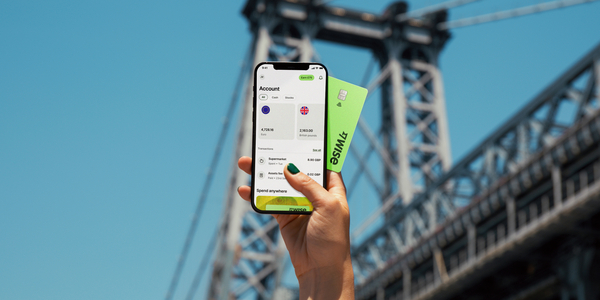
Navigating international transfers with traditional banks can be pricey and cumbersome, with hidden fees and poor exchange rates. With Wise, you can transfer money abroad quickly, at the mid-market exchange rate, and with clear, low fees.
Main characteristics of Wise
Keep more of your money and make managing your finances in Japan effortless.
No. Personal seal, also known as “inkan” or “hanko” is not required for opening an account at Japan Post Bank.
Using the Yucho Tetsuzuki App, confirmation by the Savings Administration Center takes approximately 1 week.
Customers who already have a general account of Japan Post Bank cannot apply for Yucho Direct.
Japan Post Bank offers credit cards, which are called the JP BANK VISA Card and JP Bank MasterCard. These cards combine the credit card and ATM card features. However, the service is only available in Japanese.
There is Japan Post Bank Debit Card that foreigners can apply, only if:⁵
This article was reviewed on September, 2025. Information may have changed since publication, please verify with the relevant provider. Wise Payments Japan is not affiliated with Japan Post Bank. This content is for informational purposes only and does not constitute financial advice. Please use your own judgment when making decisions. If you have any concerns, please contact the bank
Sources
*Please see terms of use and product availability for your region or visit Wise fees and pricing for the most up to date pricing and fee information.
This publication is provided for general information purposes and does not constitute legal, tax or other professional advice from Wise Payments Limited or its subsidiaries and its affiliates, and it is not intended as a substitute for obtaining advice from a financial advisor or any other professional.
We make no representations, warranties or guarantees, whether expressed or implied, that the content in the publication is accurate, complete or up to date.
Learn how to open a Mizuho Bank account for foreigners. Discover account types, requirements, and steps, plus save on international transfers with Wise.

Check eligibility for opening a MUFG Bank account. What are he required documents, standard fees, ATM fees, International transfer fees?

Sony Bank account: eligibility, required documents, standard fees, ATM fees, International transfer fees, etc. Wise is explained in the article as well.

Open a Rakuten Bank account online by checking eligibility, required documents, standard fees, ATM fees, International transfer fees.

Open a bank account with Resona Bank following these easy steps! Standard fees including ATM fees, International transfer fees, required documents explained

Step-by-step guide to applying for an SBI Bank PowerFlex account in Japan. Includes details on eligibility, documents, fees.











