
Guide on how to calculate break even point
Learn how to calculate your break-even point. Discover the standard formula, step-by-step methods, and managing global costs.



Having the right accounting software for your business can make it easier to manage your company cash flow, reconcile payments and file your taxes. It’ll free up your time, so instead of balancing the books, you can invest in activities which really help your company flourish.
This guide covers the best small business accounting software, including a rundown of free account software options, and some ideas about what to look for when selecting the right product for your company. In addition, there's more info on leveraging accounting software for international business transactions.
| Table of contents |
|---|

The market is full of accounting software for small businesses. Doing some research before selecting the right one for you is a sound investment. Here are a few things to think about.
Accounting software options range from free packages to paid products. Paid options may involve one-time fees and recurring subscription costs. It's important to consider both initial and ongoing expenses associated with any chosen software while also factoring in business needs.
Software solutions vary in their support for multiple users, and some may impose additional charges as the number of users increases. One of the considerations can be around understanding what are the limitations and additional fees involved with adding more team members as you look to scale your business
Business accounting software can differ in its compatibility with various devices, including desktops and mobile devices. Mobile accessibility may be a standard feature or an additional consideration. Consider if mobile access is important for your business needs, allowing you to manage finances on the go through dedicated apps or mobile-responsive web interfaces.
Identify the software and tools you currently use in your business operations (e.g., e-commerce platforms, payment processors, CRM systems). Check if the accounting software seamlessly integrates with these existing systems to streamline workflows and avoid manual data entry.
Think about both the integrations you use now, and others you might need to add as you look to scale your business globally. For businesses engaged in global operations, it's particularly relevant to ascertain if the software supports integration with international bank accounts and facilitates multi-currency transactions and reporting.
For instance business accounts like Wise Business have the capability to integrate with accounting softwares like Xero, QuickBooks, and more. This allows businesses to cut out manual data entry and avoid unnecessary cross checks, saving valuable time and resources.

Here are a few of the most popular accounting software options available, to help you along with your research.
Xero offers smart online accounting, secure data protection and reliable data to help you manage your books1. The product features you can access vary according to the plan you choose - which means you’ll always be able to get what you want, and you won’t need to pay for anything you don’t use.
Xero offers integration with the Wise multi-currency account for business, which makes it easier than ever to cut the costs of international transactions while avoiding unnecessary admin.
Here are the account types you can choose from,sup>2
| Xero | Ignite | Grow | Comprehensive | Ultimate10 |
| --------------- | --------------------------------------------------------------------------------------------------------------------------------------------------------------- | --------------------------------------------------------------------------------------------------------------------------------------------------------------- | --------------------------------------------------------------------------------------------------------------------------------------------------------------- |
| Monthly price | $35 | $75 | $100 | $130 |
| Features |
Intuit QuickBooks has an opening offer which means you can save 70% on the first 3 months of use. Choose from any of the 4 packages available according to the functionality you need - all accounts include automated bookkeeping, expense tracking, and AI-powered bank feeds. You can also add additional payroll to your package for $6 per person/month if you need additional capacity3.
Here’s a rundown of the key features of each package available4:
| Intuit QuickBooks | Simple Start | Essentials | Plus | Advanced |
| ----------------- | ------------------------------------------------------------------------------------------------------- | ------------------------------------------------------------------------------------------------------------------ | --------------------------------------------------------------------------------------------- |
| Monthly price | $33 ($9.90 for the first 3 months) | $60 ($18 for the first 3 months) | $84 ($25.20 for the first 3 months) | $125 ($37.50 for the first 3 months) |
| Features |
Rounded is an Australian company, which has launched to support freelancers and the self-employed, with efficient friendly customer service, and a range of support geared towards sole traders5.
Let’s take a look at the packages on offer6:
| Rounded | Starter | Pro |
|---|---|---|
| Monthly price | US$23.95/month | US$29.95/month |
| Features | All the features of Starter, plus: |
Sage Business Cloud Accounting provides accounting software with integrated payroll, which you can access from anywhere. The basic package comes with a good range of features, but you can also buy a number of other bolt-on functionalities, to make your accounting package do exactly what you need it to do7.
It offers two options for businesses evaluating accounting solutions. Sage Intacct is suited for mid-sized and growing companies that need automated accounting. Sage 3, on the other hand, is a full ERP system that supports operations across areas like supply chain and sales.
You can request a demo and pricing details from Sage.
Zoho allows users to manage everything from invoicing and expenses, order tracking and online payments, all in one place. Get a full end to end service with one of the packages available, and you’ll also be able to add on the extras you need to suit your business as it grows9.
Here’s what Zoho has to offer10:
| Zoho | Free | Standard | Professional | Premium | Elite | Ultimate |
| --------------- | ------------------------------------------------------------------------------------------------------------------------------------------------ | -------------------------------------------------------------------------------------------------------------------------------- | --------------------------------------------------------------------------------------------------------------------------------------- |
| Monthly price | $0/month | $19.80/month | $39.60/month |$59.40/month |$220/month |$385/month |
| Features |
If you’re not sure whether or not accounting software is right for your business, you might be tempted to try out one of the free accounting software products available.
This is a good way to get a feel for the type of service and product available - but it’s worth noting that free small business accounting software is usually not as robust as a paid product. You may find you don’t have all the functionality you need in a free product - so don’t give up if a free product doesn’t suit your needs. Many of the paid software products offer free trials which can be a good way to test them out for no fee.
If you’re just starting out in business, and looking for the right accounting software for your needs, investing some time in research is important. Check out a few different free and paid products to find the one which suits you.
For businesses operating globally, having a business account that handles cross-currency transactions efficiently can make a huge different when it comes to managing expenses. This is especially critical as business reporting and tax filing of foreign currency transactions can be tricky. Most regulations might require reporting to be done based on the real exchange rate.
As Wise Business offers low-cost international transfers with transparent exchange rates, it also allows businesses to connect their preferred accounting software for a more efficient international transaction accounting system.
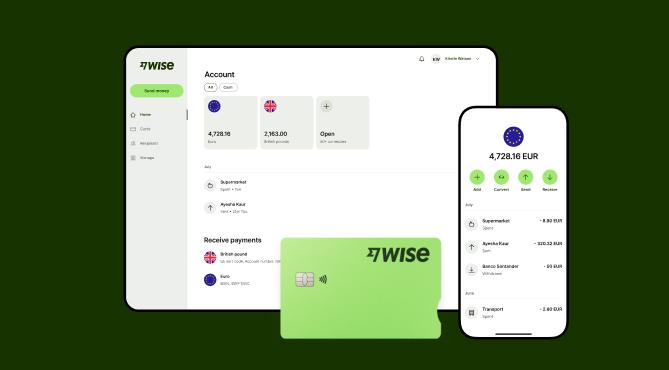
Automate your international bookkeeping by connecting your favorite bookkeeping software with Wise Business. Eliminate manual data entry and gain a clear view of your global transactions.
What's more, you'll benefit from the following with a Wise Business account:
Sign up for the Wise Business account! 🚀
Sources:
All sources accurate as of 26 April, 2026
*Please see terms of use and product availability for your region or visit Wise fees and pricing for the most up to date pricing and fee information.
This publication is provided for general information purposes and does not constitute legal, tax or other professional advice from Wise Payments Limited or its subsidiaries and its affiliates, and it is not intended as a substitute for obtaining advice from a financial advisor or any other professional.
We make no representations, warranties or guarantees, whether expressed or implied, that the content in the publication is accurate, complete or up to date.

Learn how to calculate your break-even point. Discover the standard formula, step-by-step methods, and managing global costs.

Learn about expense reimbursement in Australia. ATO rules, FBT compliance, setting up a clear policy, and streamlining business payouts.

Understand the meaning of liquid assets, how they differ from illiquid holdings. Optimizing business cash flow and global liquidity buffer. Read here

Learn how to build a global go-to-market framework. Discover step-by-step strategies, key operational components, and common financial pitfalls to avoid.

Learn the types of business liquidation, the step-by-step winding up process, asset realization, and proactive financial strategies for directors.

Discover how to build an end-to-end invoice automation workflow, avoid the pay-out gap, and scale your business with integrated payment solutions.











