
Travelling to South Korea from Australia: Visa, Flights, Tips [2026]
Travelling to South Korea from Australia? Our complete guide covers the K-ETA visa waiver, flights, finance tips, and must-know rules for your Korean adventure.




*Pricing claim based on comparative data for select airports and passes. Live pricing is subject to exchange rate fluctuations.
📱Find out how to get lounge access
Increasingly, payments by QR are the norm, allowing frictionless transactions which avoid the need to carry cash. If you’re planning a trip to South Korea, you may like to learn about how to make a South Korea QR code payment for foreigners.
This guide covers how to pay with QR code in South Korea step by step. Plus, we’ll also introduce Wise for paying in Korea with QR code or card, with the mid-market rate and low conversion fees every time.
| Table of Contents |
|---|
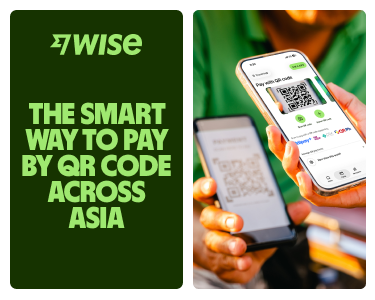

If you’re visiting or moving to South Korea, paying with QR codes is a super convenient way to handle your daily expenses. You might wonder if every QR code you see is the same. They aren't—but luckily, the country's digital payment system is dominated by just a few massive tech giants and banking networks.
While most locals use apps tied to their Korean ID numbers, things have opened up a lot for international travellers recently. Here are the main local payment names you’ll spot at shop counters everywhere:
Just scan the QR with a compatible app to pay using your preferred method. Generally, utilising local apps natively requires domestic details for sign-up—such as a local phone number or address—but foreign tourists can scan these codes through international partner networks or by using their Wise app.
QR payments are becoming easier for tourists to use in South Korea, especially through cross-border networks such as Alipay+. They are mostly used in areas such as Seoul, Incheon and Busan, and in businesses like beauty clinics, transport, cafés, and restaurants.
However, not every vendor will support cross-border QR payments, particularly smaller stalls, rural businesses or places that only accept local Korean payment apps. It is still sensible to keep a physical card and some South Korean Won (KRW) cash as a backup. Take along your Wise card for some free ATM withdrawals each month whenever you need cash on hand.
If you live in South Korea as an expat or long-term resident, setting up local payment apps is straightforward once you clear the initial hurdles. After receiving your Alien Registration Card (ARC) and linking it to a local Korean mobile phone number, you can open a local bank account.
With these credentials verified, you can link your local checking account to native wallets like Kakao Pay, Naver Pay, or Toss1,2,3. Long-term residents can easily fund their e-wallets, track local spending, pay utility bills, and scan storefront codes seamlessly across the entire domestic digital payment rail1,5.
Some Korean payment services may require local identity verification, a Korean mobile number or domestic banking details for full functionality. However, Naver has introduced passport-based verification for foreign visitors7, so travellers should check the latest eligibility rules for each app before relying on it.
Fortunately, international tourists can leverage widespread cross-border integrations to pay via merchant terminals without registering for Korean accounts. Thanks to international payment gateways, millions of merchant locations in South Korea accept cross-border payments through Alipay+ networks 5. This infrastructure enables tourists utilising various home-country digital wallets—such as Alipay, AlipayHK, Malaysia's Touch 'n Go eWallet, Japan's PayPay, or the Philippines' GCash—to scan South Korean codes directly 5.
For an easy travel solution that removes the need for you to maintain multiple regional app, using Wise for QR payments can be an ideal solution. While you could try juggling separate localised tourist apps, using the Wise app means you don’t need to sign up for multiple local financial services for your travels, and it gets you the mid-market exchange rate too. With Wise, you can seamlessly scan and pay any storefront Kakao Pay QR code that is powered by the Alipay+ network.
You can choose to hold or manage your money in your home currency and let Wise’s auto-conversion tool handle the exchange instantly to South Korean Won (KRW) right at the checkout counter.
If you are wondering how to pay with QR code in South Korea, the basic process is usually simple:
The key question is not how scanning works. It is whether your app supports the specific code in front of you. If you already have a Wise account, there’s no need to download a separate localised payment platform for your holiday. Just use the Wise QR reader to pay from your balance at Alipay+-enabled Kakao Pay points.
You can use Wise to pay without cash across South Korea where you see a Kakao Pay QR code integrated with the Alipay+ network. This is available in thousands of stores and restaurants, and local merchants.
- Log into the Wise app and open your Card tab.
- Swipe left on the image of your card to bring up Pay with QR code or Pay like a local.
- Tap Scan QR code to open your phone’s camera.
- Scan the merchant's DuitNow / Alipay+ QR code.
- Follow the steps to confirm your payment amount.
- You’ll see the transaction listed as completed in the Wise app.
It’s also possible to pay using a QR code you have saved as a photo to your phone. When you’re in the Wise app, follow the steps above, but select the option to Import QR code instead of ‘Scan QR code’ in step three. You can then open the photo of the QR you want to use, and follow the prompts to pay that way.
The exact QR payment fees and charges you pay depend on the specific service you choose, as well as your funding method.
Foreign residents using Korean payment apps linked to local bank accounts may find everyday QR payments convenient, but fees and availability depend on the wallet, funding method and merchant.
Tourists using traditional foreign bank cards via global payment links often face international transaction fees added by their home bank. In many cases, traditional card issuers will append a foreign transaction markup of around 3% to payments processed in a currency different from the underlying card account.
A good alternative here is to use Wise. Paying by QR with Wise is simple, and it allows you to skip foreign transaction fees and hidden exchange rate markups. You can spend directly from an KRW balance with no additional Wise fee, or leave your balance in whichever currency you happen to have and let the app convert to KRW at the point of payment. In this case, you get the transparent mid-market rate and low, upfront conversion fees..
Here are a few other financial applications and digital wallets which are highly popular for payments across South Korea. Some tools require a local registration status or domestic bank ties, so verify your eligibility before configuring them:
Whether you’re exploring historic palaces in Seoul, sampling fresh seafood in Busan, or relaxing on the beaches of Jeju Island, Wise gives you flexible ways to pay while you travel. With Wise, you can:
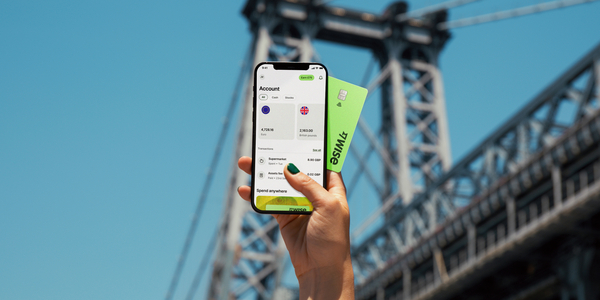
- Scan and pay via QR: Use the Wise app to scan Alipay+ enabled KakaoPay QR codes at thousands of merchants across Korea, as well as other supported QR codes across other Asian destinations.
- Tap and pay: Add your Wise card to Apple Pay or Google Pay for contactless payments.
- Make chip and PIN payments: Use your physical card to make payments.
- Withdraw cash when needed: Get free international ATM withdrawals up to $400 AUD (or equivalent) per month for those cash-only shops.
- Generate instant digital cards: Create virtual cards in seconds for safer online bookings or to use immediately with mobile wallets.
- Purchase discounted airport lounge access: Relax before your flight with access to 1,400+ lounges globally, bookable directly in the Wise app for up to 30% less than walk-in rates.
Whether you’re tapping your card in a boutique or scanning a QR code at a street stall, Wise ensures your money goes further on every Korean adventure.
Sources:
*Please see terms of use and product availability for your region or visit Wise fees and pricing for the most up to date pricing and fee information.
This publication is provided for general information purposes and does not constitute legal, tax or other professional advice from Wise Payments Limited or its subsidiaries and its affiliates, and it is not intended as a substitute for obtaining advice from a financial advisor or any other professional.
We make no representations, warranties or guarantees, whether expressed or implied, that the content in the publication is accurate, complete or up to date.

Travelling to South Korea from Australia? Our complete guide covers the K-ETA visa waiver, flights, finance tips, and must-know rules for your Korean adventure.

Wondering when the best time to visit Korea from Australia is? Learn more about weather, seasons and what to do throughout the year in Korea.
Here all you need to know about using ATMs in South Korea. The fees, ATMs that accept foreign cards and what to keep in mind before and during your stay.

*Pricing claim based on comparative data for select airports and passes. Live pricing is subject to exchange rate fluctuations. 📱Get your lounge...











