
Guide on how to calculate break even point
Learn how to calculate your break-even point. Discover the standard formula, step-by-step methods, and managing global costs.


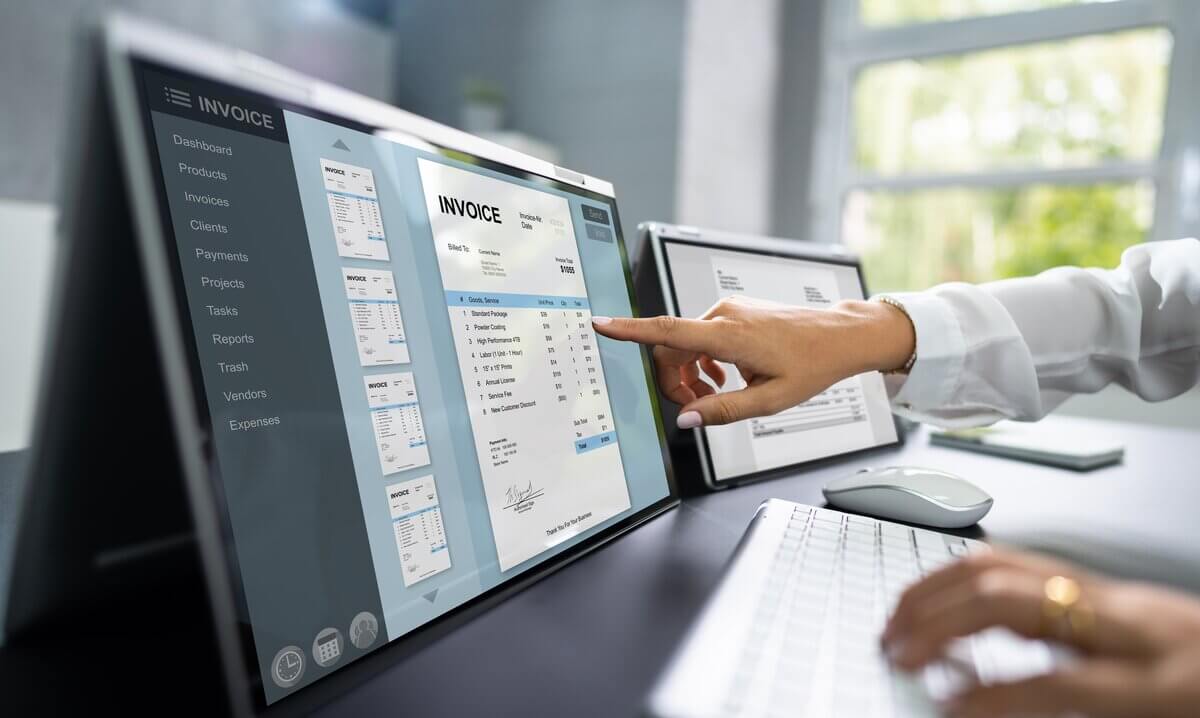
Missed invoices and late payments can have a real and lasting impact on a business. However, creating documents from scratch, tallying figures, chasing money, and double-checking records can result in hours of admin — time wasted that would be better served supporting revenue-generating activities and growth.
That’s when most businesses start looking at invoicing software. These tools make everything much simpler, helping to create professional invoices, send them quickly, and keep track of what’s been paid (and what hasn’t), while storing everything neatly in one place.
This guide walks through what invoice software actually does, which features matter most, and how some of the best options compare in 2026.
| Table of Contents |
|---|


Invoicing software streamlines the task of billing customers. At a basic level, it lets you generate digital invoices, which are formal commercial documents you send to buyers with all the details about goods or services and payment terms so you can get paid on time. It also allows you to record and follow up on sent invoices.
More advanced invoicing tools go further, though. They can automate recurring invoices every week or month, send alerts when payments are overdue, track invoice status in real time, and sync all the financial data with accounting software or business bank accounts for simpler reconciliation.
| 👆Check out our guide on e-invoicing and how it works in Australia |
|---|
While features vary by product, the purpose of invoicing software is pretty consistent: to reduce manual admin and minimise errors, while providing businesses with a much clearer picture of their cash flow and allowing them to maintain accurate financial records.
Invoicing software is particularly useful for sole traders, startups, and small businesses where one person or a tiny team is typically responsible for a wide range of financial tasks. Over time, manual invoicing can be a real burden here, taking away valuable time and energy away from other priorities.
With an invoicing software, businesses can:
When comparing the best booking and invoicing software in 2026, it’s useful to run through a list of essential features that, when present, add up to a better invoicing experience for small businesses.
Here’s what you should be on the lookout for:
Templates allow you to create professional invoices in quick time rather than starting with a blank canvas. Invoices are also essentially a proof of transaction and evidence of a formal agreement between two parties, so it’s very useful to have key details and fields like business information, payment terms, and GST fields already in place to reduce errors and speed things up.
Invoices are one of the most visible ‘touchpoints’ between the business and your customers. Customisation tools allow you to add your logo, brand colours, a bespoke layout (and other visual flourishes) so the document is easy to recognise and clearly linked to your business. This provides the recipient with instant recognition, which can reduce questions and potential payment delays.
Automation is another really handy feature that reduces admin by completing repetitive tasks without manual inputs. Most tools will let you issue recurring invoices, schedule the delivery of invoices, and send alerts when a payment is overdue.
If you’re working with international customers or looking to pay international invoices to suppliers, then you’ll probably need to bill suppliers and customers in foreign currencies. Multi-currency invoicing allows the recipient to see exactly what they owe in their own currency, which reduces confusion and delays. Having to bill everyone in AUD, for example, can be a pain, as it leads to uncertainty around exchange rates and creates friction at a point when you’re about to be paid.
Sending an invoice out with no recourse to track what happens after is a big blind spot. That’s why you should look for software that has clear status indicators showing when it has been sent, paid, or is overdue. This visibility gives peace of mind and helps you to follow up at the right time, without having to manually sift through emails or bank statements.
There are invoicing tools that work standalone, but you can get more value from a tool that connects with accounting software or business accounts. These integrations vastly reduce the chances of any data entries being duplicated, while also making reconciliation much easier.
One big upshot of all these features when combined and the structure they provide: missed invoices and late payments should be much less of an issue.
There are quite a few invoicing tools available in Australia, each designed for business use. Below is a snapshot of five popular software programs for 2026.
| Provider | Pricing structure/cost | Best for |
|---|---|---|
| Wise Business (Alternative solution) | Free to register (One-time 65 AUD fee for local account details) | International invoicing and multi-currency payments |
| QuickBooks | Included in paid monthly plan | Invoicing with payroll and reporting |
| Xero | Included in paid monthly plan | Small businesses needing invoicing and accounting |
| Square | Free + transaction fees | Service-based and retail businesses using Square’s payment system |
| Zoho | Free | Standalone invoicing or integration with a broader CRM |
Now, let’s look at each of these invoicing programs in more detail, starting with Wise Business.
Wise Business is a multi-currency business account that offers lower cost international payments. All Wise customers can create and send invoices with just a few clicks in the app, and track everything from the account dashboard.
An added advantages is that businesses can also receive payments in USD, NZD, EUR (and more) using local account details. It also has a free invoice generator available to everyone, which can be customised and downloaded as PDF, and then sent to customers.
Xero is a cloud-based accounting platform with invoicing across all its monthly paid subscriptions, though you are limited to sending 20 per month with the entry-level ‘Ignite’ plan¹. With Xero, you can customise invoice templates, automate reminders, track payment statuses, and generate a receivables report for a clear view of what’s overdue each month². Invoicing integrates with Xero’s other features.
QuickBooks also offers invoicing as part of ‘invoices and payments’ within its accounting software. It works similarly to Xero, but with unlimited access across all four of its subscription plans: Simple Start, Essentials, Plus and Advanced³. There’s an option to add card and PayPal payment details directly to invoices, and track the status and send reminders. You can also set up recurring invoices to automatically invoice regular clients.
Square offers an all-in-one invoicing tool that integrates with its payment system. You get unlimited invoices with the ‘free’ plan, and there are quite a few useful features like converting estimates you’ve sent to clients into invoices automatically⁵. You can also schedule recurring documents and set up payment reminders. Square also gives you the option to customise invoices with your logo and colours, and change layouts and text fields.
Zoho is a cloud software suite with dozens of apps covering different core processes like sales, marketing, and finance. It also has a free invoicing tool, Zoho Invoice, that lets you create a document from a basic template and send it to customers via email or as PDF⁶. With Zoho, invoices can exist on their own or integrate within its broader ecosystem of apps.
Billing customers in Australia is usually easy enough with most invoicing tools, but international payments can be more challenging. There are different currencies and slower payments to contend with, plus less transparency around FX and conversion fees.
With Wise Business, you can create, send, and track invoices in 8+ currencies, all from one easy-to-use hub. By using localised invoices and account details, international transfers are handled like domestic payments; there’s more clarity around fees, as well as payment timing and exchange rates.
This is very useful for Australian businesses working with overseas clients, exporters, agencies, digital service providers, and remote-first teams that need to bill internationally on a regular basis.
Invoicing and getting paid with Wise is designed to be simple and transparent. Businesses can create branded invoices that include clear local payment details, making it easier for customers overseas to understand when and how to pay.
Invoices can be issued in supported currencies, such as USD, EUR, NZD, and GBP. When a customer pays, funds are received into the corresponding local currency account, where they can be held or converted at a time that’s best for the business. During the process, invoice and payment status updates are always visible in one dashboard for easy tracking.
It’s effortless to send and manage your invoices through Wise Business. Here’s a quick step-by-step invoicing guide to getting started.
It’s a simple process that can be replicated across all your account details, so you can bank *and *invoice like a local with Wise. It’s then much easier to reconcile all your transactions for bookkeeping and reporting.
Expanding a business globally opens up exciting opportunities, but also new challenges like receiving payments across borders. Hidden foreign transaction fees and hefty currency conversions involved with international payments can eat into your profits and time.
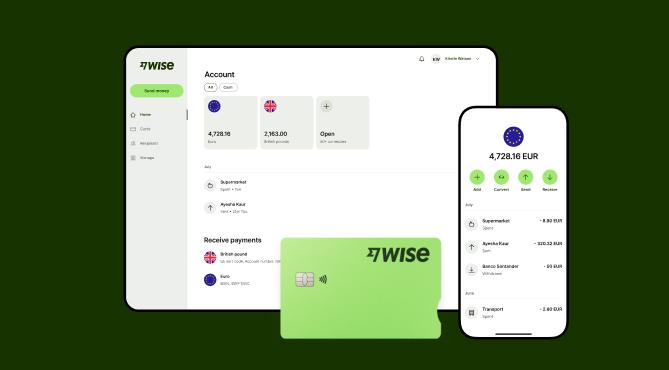
Wise Business serves as a cost-effective solution where you can receive money from around the world at the speed and price of local payments.
Transform the way you receive payments with Wise Business:
Sign up for the Wise Business account! 🚀
This general advice does not take into account your objectives, financial circumstances or needs and you should consider if it is appropriate for you.
Sources:
*Please see terms of use and product availability for your region or visit Wise fees and pricing for the most up to date pricing and fee information.
This publication is provided for general information purposes and does not constitute legal, tax or other professional advice from Wise Payments Limited or its subsidiaries and its affiliates, and it is not intended as a substitute for obtaining advice from a financial advisor or any other professional.
We make no representations, warranties or guarantees, whether expressed or implied, that the content in the publication is accurate, complete or up to date.

Learn how to calculate your break-even point. Discover the standard formula, step-by-step methods, and managing global costs.

Learn about expense reimbursement in Australia. ATO rules, FBT compliance, setting up a clear policy, and streamlining business payouts.

Understand the meaning of liquid assets, how they differ from illiquid holdings. Optimizing business cash flow and global liquidity buffer. Read here

Learn how to build a global go-to-market framework. Discover step-by-step strategies, key operational components, and common financial pitfalls to avoid.

Learn the types of business liquidation, the step-by-step winding up process, asset realization, and proactive financial strategies for directors.

Discover how to build an end-to-end invoice automation workflow, avoid the pay-out gap, and scale your business with integrated payment solutions.











