
Guide on selling a business in Australia: Tips, steps & more
Considering selling a business in Australia? From valuations to negotiating with buyers and fulfilling tax obligations, we’re covering the need-to-know info.


If you’re registered for Goods and Services Tax (GST) in Australia, you’ll need to send a tax invoice as a legal requirement. This document helps you to get paid on time and record the sale correctly for income tax, while also giving the buyer the details they need to claim GST credits.
In this blog, we’ll show you exactly how to make a tax invoice, covering the key requirements for preparing an invoice and what to include in one to make it legally compliant.
| Table of contents |
|---|


A tax invoice is an official, legal document issued by a seller to clearly signpost the amount of Goods and Services Tax (GST) payable on a transaction. It’s different from a standard invoice, which is simply a request for payment and doesn’t include any GST details.
In Australia, you’ll need to provide a tax invoice if you’re registered for GST and conclude any sale valued at $82.50 or more, including GST, which is charged at a 10% standard rate for most goods¹. You’ll also have to request one when making purchases to claim your own tax credits.
Using tax invoices to accurately record GST is important for several reasons. Firstly, it allows companies registered for GST to claim back any tax paid as credits to reduce their tax liability — the amount they owe. All companies with a turnover above $75,000 must register for GST in Australia².
In addition to calculating tax owed, these invoices are also used for record-keeping and accounting. As a seller, you’ll need tax invoices to submit your business activity statements (BAS), which are lodged either every month, quarter, or year³, and to meet other important tax obligations.
To recap, tax invoices are used to help:
Tax invoices need to include the right information to meet legal and compliance requirements set by the ATO. These ensure invoices are created to a high standard and can be used for GST and BAS reporting.
Here’s what you need to keep in mind when preparing a tax invoice:
Creating a tax invoice isn’t necessarily difficult. But there are steps you need to follow to make sure they are as accurate and detailed as they need to be — for you, your customers, and tax authorities.

Only businesses registered for GST in Australia can issue tax invoices for taxable sales. Before you start, verify that you are registered for GST. You can check your status online using the myGOV account linked to the ATO.
There are lots of ways to create and send tax invoices. The options include:
All of the above methods are fully legal and valid when all the required information is added to invoices.
Next, it’s time to gather and make sense of all the details you need to add to your tax invoice. This includes:
GST is typically charged at 10% of the sale price in Australia⁵. In your tax invoice, you should include GST as a line item for each of the goods or services you sold, and also add a total price of everything at the end, which clearly states, “including GST.”
If you sell any GST-free items, make sure to mark them clearly so there’s no confusion for the buyer.

Now it’s time to put it all together. Slowly and methodically go through each of the tax requirements outlined earlier and add the correct details using your preferred invoicing method.
When you’ve finished, double-check every line carefully for spelling and pricing. A quick review now can prevent delays and disputes later on.
Once the invoice is ready, you can send it. There’s no specific requirement for sending methods — the ATO says you can use email, post, or even hand it over to someone in person. Just make sure to speak with the buyer first to find out their preferred method.
Tax invoices are usually sent immediately after the sale. However, if your customer requests a tax invoice, you’ll need to send one within 28 days.
You should also save a copy of the tax invoice for your records. ATO says you must keep business records, including tax invoices, for at least 5 years¹, so file them digitally in cloud storage or in your accounting software for future reference.
Now, let’s look at some of the specific fields and information that must be included in a tax invoice in Australia.
For sales below $1,000, including GST, you’ll need to include:
When sales go above $1,000 including GST, you’ll have to add a couple of more details: the buyer’s identity (full name or business name) and ABN (if they have one).
Below is a simple tax invoice to use as a guide. You can create something similar by manually creating the fields in a tool like Word or Excel, or filling in a ready-made template.
Here’s what it looks like:
TAX INVOICE
Business Name: Sports Clothing Co.
ABN: 12 345 678 901
Address: 123 George Street, Sydney
Date: 2 December 2025
Invoice Number: 001
Bill to:
Bright Wholesalers
ABN: 98 765 432 109
| Description | Quantity | Unit Price | GST (10%) | Total (inc. GST) |
|---|---|---|---|---|
| Custom Team Jersey (Men’s) | 25 | $45.00 | $112.50 | $1,237.50 |
| Athletic Hoodies (Unisex) | 10 | $60 | $60 | $660.00 |
Subtotal (excl. GST): $1,350.00
GST (10%): $172.50
Total Amount Payable: $1,522.50 (inc. GST)
Payment Terms: Payment due within 14 days:
Payment Method
Bank: Wise Business
Keeping track of your tax invoices and matching them to payments is a critical part of running a compliant business. A Wise Business account helps you manage this by giving you local Australian account number details, that you can add directly to your invoice.
When a client pays you, the transaction can sync automatically with accounting software like Xero or QuickBooks. This connection reduces manual data entry and helps you maintain the accurate five-year financial records required by the ATO.
Expanding a business globally opens up exciting opportunities, but also new challenges like receiving payments across borders. Hidden foreign transaction fees and hefty currency conversions involved with international payments can eat into your profits and time.
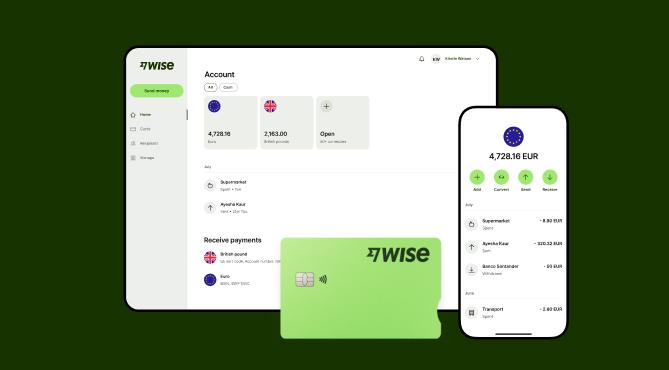
Wise Business serves as a cost-effective solution where you can receive money from around the world at the speed and price of local payments.
Transform the way you receive payments with Wise Business:
Sign up for the Wise Business account! 🚀
This general advice does not take into account your objectives, financial circumstances or needs and you should consider if it is appropriate for you.
Sources:
*Please see terms of use and product availability for your region or visit Wise fees and pricing for the most up to date pricing and fee information.
This publication is provided for general information purposes and does not constitute legal, tax or other professional advice from Wise Payments Limited or its subsidiaries and its affiliates, and it is not intended as a substitute for obtaining advice from a financial advisor or any other professional.
We make no representations, warranties or guarantees, whether expressed or implied, that the content in the publication is accurate, complete or up to date.

Considering selling a business in Australia? From valuations to negotiating with buyers and fulfilling tax obligations, we’re covering the need-to-know info.

Searching for the best small business payment gateway in Australia? We’re comparing the top options in this explainer guide.

Compare Pty Ltd vs sole trader in Australia. Learn the key differences, tax implications, and costs, and how to choose the right structure for your business.

Learn how to secure a small business loan in Australia. Explore loan types, eligibility requirements, and a guide to preparing your application and docs.

Learn about retained earnings, the formula, balance sheet impact, and how to use accumulated profits for sustainable growth. Read here.

Learn how to calculate GST in Australia. Understand inclusive vs exclusive pricing, claim GST credits, and avoid common pitfalls to ensure business compliance.











