
Guide on selling a business in Australia: Tips, steps & more
Considering selling a business in Australia? From valuations to negotiating with buyers and fulfilling tax obligations, we’re covering the need-to-know info.


Paying people shouldn’t slow you down. But it’s a common issue for many businesses to have to manually stumble through a litany of transfers — handling payroll, supplier invoices, contractor fees, overseas payouts are all a big time sink if you’re doing things one transaction at a time.
Batch payments solve this problem. Instead of trying to handle a huge number of separate transactions, you can simply group them into a single file and let your payment provider do the rest.
This guide will explain exactly what batch payments are, the benefits (and challenges) of using them, and how you can pay hundreds of recipients overseas in multiple currencies with tools like Wise Business.
| Table of Contents |
|---|

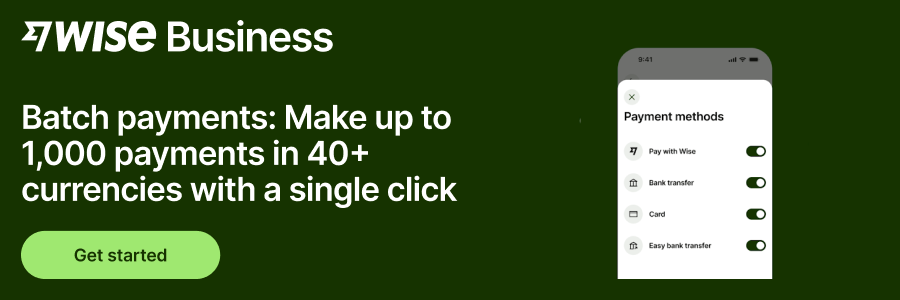
A batch payment is a feature that lets you pay multiple recipients in one go, rather than manually processing each individual transaction. The details of the recipients are all added to a single file, which is then sent to a bank via a batch payment upload flow.
Once everything is set, the payment is initiated and the bank or financial institution then completes all the transactions, sending payments to everyone listed in the batch file. With multi-currency accounts like Wise Business, you can make up to 1,000 transfers in multiple currencies with a single .xlsx or CSV file.
For businesses that have to pay employees, suppliers, or utility bills in bulk, being able to initiate dozens or hundreds of payments at the same time provides some big tangible benefits.
While batch payments are incredibly efficient for completing transfers en masse, there are a few downsides or limitations to consider.
Batch payment processing follows a simple, repeatable flow.
It’s quite straightforward, really, but there are lots of features under the hood that streamline the whole process.
These core features and capabilities all come together to make batch patch systems run smoothly.
In Australia, batch payments are usually submitted to banks or financial institutions via uploaded files. These payments can be scheduled for the same day or dates in the future, depending on the instructions provided in the file.
All batch payment administrators — banks, payment service providers, etc. — must be approved under Australian regulatory requirements, including oversight by the Reserve Bank of Australia (RBA)¹.
Some Australian banks also support batch payments for BPAY, which is a popular bill payment service, allowing businesses to process multiple BPAY transactions in one file.
Batch payments can be a real time-saver for business small and large that need to complete a myriad of transactions day-to-day. But there are few challenges to be aware of. These are an extension of some of the limitations we outlined earlier.
You might run into:
Batch payment systems are designed to reduce admin and friction, so it’s important to set up clear rules and workflows to get the most out of them.
Wise Business simplifies batch payments, particularly when money moves across borders. This allows businesses to upload a single batch file that allows making payments to 1,000 recipients at once.
There are no restrictions either: everything works the same and costs the same as our individual, international transfers. You just benefit from getting more admin done with one quick and simple file upload. There’s tracking available, too, for full visibility.
One big advantage with Wise Business is that you can pay multiple recipients globally in different currencies through the batch payments feature. With our simple templates, you can choose the recipient’s currency with ease and add more rows for as many as you need.
With Wise, multi-currency payments are all part of one upload and workflow, and for the recipient, it will feel like a local payment.
Here's an example showcasing how batch payments with Wise Business looks in practice:
With Wise batch payments, you can pay a contractor in New Zealand (NZD), a supplier in Germany (EUR), and a freelancer in the US (USD) in the same pay run without having to do three separate, manual transfers.
To make a batch payment, you first need to set up a Wise Business account. You can then make bulk transfers from the Payments section. Here’s how:
Wise Business helps streamline overseas business payments without foreign transaction fees, saving up to 3x compared to other providers.
Tired of hidden fees and complex processes when making overseas payments?
Start sending with a Wise Business account! 🚀
This general advice does not take into account your objectives, financial circumstances or needs and you should consider if it is appropriate for you.
1. How long does a batch payment take to clear?
Batch payment processing times depend on several factors, including the payment type and destination. Domestic batch payments typically clear on the same day or next business day, while international payments may take a little longer depending on the currencies and cut-off times.
2. Is batch payment processing secure?
Yes, batch payments use the same security and verification controls as individual transfers, including validating files and authenticating accounts. The exact security standards and protocols will depend on the bank or finance service processing the batch.
3. Can I send batch payments internationally?
Yes. Many banks and payment providers, including Wise, support international batch payments, so you can run international payroll and manage multiple cross-border transfers with ease. However, you should always check supported currencies, countries, and processing times before submitting your batch payment file.
4. What happens if one payment in a batch fails?
If a payment fails, the remaining payments in the batch are usually still processed. Any failed payments may be returned or flagged for correction, depending on how the provider handles transactions.
Source:
*Please see terms of use and product availability for your region or visit Wise fees and pricing for the most up to date pricing and fee information.
This publication is provided for general information purposes and does not constitute legal, tax or other professional advice from Wise Payments Limited or its subsidiaries and its affiliates, and it is not intended as a substitute for obtaining advice from a financial advisor or any other professional.
We make no representations, warranties or guarantees, whether expressed or implied, that the content in the publication is accurate, complete or up to date.

Considering selling a business in Australia? From valuations to negotiating with buyers and fulfilling tax obligations, we’re covering the need-to-know info.

Searching for the best small business payment gateway in Australia? We’re comparing the top options in this explainer guide.

Compare Pty Ltd vs sole trader in Australia. Learn the key differences, tax implications, and costs, and how to choose the right structure for your business.

Learn how to secure a small business loan in Australia. Explore loan types, eligibility requirements, and a guide to preparing your application and docs.

Learn about retained earnings, the formula, balance sheet impact, and how to use accumulated profits for sustainable growth. Read here.

Learn how to calculate GST in Australia. Understand inclusive vs exclusive pricing, claim GST credits, and avoid common pitfalls to ensure business compliance.











