
Best Wholesale eCommerce Platforms for B2B Businesses
Find the best wholesale ecommerce platform for your business. Compare top-rated B2B solutions to streamline bulk orders, pricing, and inventory management.



Payment processors are essential tools for most business owners, as they allow for seamless transaction processing.
They can impact everything from how easy it is for customers to check out, how quickly you receive payments, and how much you spend in fees each month.
In this blog post, you’ll learn more about two payment processors: Wix vs Square. You can decide which is the best fit for your business, whether you sell online or through brick-and-mortar stores.

Wix Payments is a built-in payment solution for websites built into the Wix platform. As a Wix user, you can use Wix Payments to accept a variety of payment methods. This includes credit cards, debit cards, digital wallets like Apple Pay, and other local payment methods.
You can handle all of these payment methods directly through your site without needing a third-party processor.
With full integration in the Wix dashboard, Wix Payments offers a streamlined experience for users who are already using Wix for their website and e-commerce.
Square is a standalone payment processing platform that works both online and offline.
Before it became what it is today, Square’s first payment processing solution was a mobile card reader. Now, it offers users a full suite of payment tools, which include:
You can use Square on various platforms, and as such, you’re not confined to a single website builder as you would be with Wix Payments.
Yes, you can integrate Square with Wix to process in-person payments. You can’t use Square for online transactions through your Wix store, though. You’ll need Wix Payments or another supported gateway if you want to process online sales through your Wix site.
Wix Payments: Wix Payments only works with websites built with Wix, but it supports most major cards and wallets.
Square: Square works for online transactions and in-person transactions across various platforms. You can use it to process:
Wix Payments: There is no dedicated hardware related to Wix Payments, and you can only process online payments.
Square: Square’s first product was a mobile card reader. It still offers hardware options today, which can make it a good option for the hospitality and retail industries. Hardware devices include:
Wix Payments: Wix Payments works exclusively with Wix websites and stores.
Square: Integrates with various e-commerce platforms, such as:
Wix Payments: There’s no native POS system available with Wix Payments.
Square: Square offers a comprehensive POS system, complete with features such as:
Wix Payments: Through Wix Payments, you can set up recurring payments for subscriptions and services.
Square: Square gives you access to a full invoicing suite, recurring billing, and payment reminders
| Are you looking for a hassle-free business account with free tools? Consider a Wise Business account for low-cost, multi-currency transactions, a free invoicing tool and business templates. |
|---|
| Find out more about Wise Business |
Wix Payments: You can handle basic transaction reporting within the Wix dashboard on your site.
Square: Square offers in-depth analytics covering topics such as:
Wix Payments: Wix Payments charges per-transaction fees for online transactions at a rate of around ¹2.9% + $0.30 (varies by region)
Square: With Square, you would typically pay ²2.6% + $0.15 per in-person transaction, and around 3.3% + $0.30 per online transaction
Wix Payments: There are no additional fees to use Wix Payments, but you need to be an existing Wix user, which requires signing up for a Wix website plan
Square: Square has a basic plan which you can use for free, and optional paid upgrades that offer POS and e-commerce features
Wix Payments: Since Wix Payments only offers online payment processing, there are no hardware costs.
Square: Readers for contactless and chip payments cost ³$59, while POS registers are ⁴$799.
Both Square and Wix pricing is quite transparent. There are no setup fees, cancellation fees, or PCI compliance fees with either payment processing platform.
Square may charge extra for some add-ons, though, such as payroll or advanced POS.
When it comes to Wix payment processing fees vs Square, Wix Payments is the cheaper option. If you have a physical store, though, and need POS features, Square is your only option.
Wix Payments: If you already have a Wix store, Wix Payments should only take a few minutes to set up.
Square: The onboarding process for Square is relatively straightforward and fast. Sign up online, order any hardware you need, and then you can start selling.
Wix Payments: The user experience with Wix is easy to navigate, but you are limited to Wix tools.
Square: The Square dashboard is intuitive, and there are advanced options available for growing businesses.
Wix Payments: You can get help with Wix Payments through Wix’s help center, and phone support is available for premium users.
Square: With Square, you have access to 24/7 phone lines, chat, and email support as well as a community forum.
Comparing Wix vs Square for small businesses, Square emerges as a better option in most cases. Square is an ideal payment processing solution for small businesses, whether you manage pop-ups, sell at markets, or run a physical store. Due to its low-cost hardware and free POS app, you can get started without a significant upfront investment.
You can scale with Square as your business grows, too, with its wide range of tools.
If you already run a Wix website or store, though, Wix Payments is likely your best option since you won’t have to manage two platforms.
Wix Payments is a solid option for online stores, provided it’s hosted by Wix. With a clean checkout experience and full integration with all of Wix’s tools, you can keep all your website and payment data in one place.
If you’re looking to sell across various platforms, Square offers more versatility. It integrates with third-party tools such as Shopify and WooCommerce.
Square is the suitable option for retail and restaurants since its POS systems are tailored to these industries.
You can benefit from features such as:
Plus, there’s a full range of hardware devices available to you ranging from handheld readers to full registers.
Wix Payments isn’t designed for in-person, high-volume transactions, unless your operations are fully online.
Square has more in the way of features for service providers. These include appointment scheduling and recurring payment options. This makes it a good fit for freelancers and consultants who need to send bills or manage a roster of repeat clients.
Wix Payments supports subscriptions and online booking within Wix, so if you’re already working with Wix, it can be a good solution for your service-based business.
Both Wix Payments and Square are robust payment processing platforms.
To choose between the two, it’s important to consider that Wix Payments is best if you already have a Wix site, while Square is best for in-person stores.
Managing international transactions can become costly. Wise Business helps you sidestep hidden costs and get the mid-market rates on your international payments so you can receive payments like a local. You can open account numbers for different currencies, so there is no forced conversion when you receieve payments in those currencies.
Wise is not a bank, but a Money Services Business (MSB) provider and a smart alternative to banks. The Wise Business account is designed with international business in mind, and makes it easy to send, hold, and manage business funds in multiple currencies. You can get major currency account details for a one-off fee to receive overseas payments like a local. You can also send money to 140+ countries.
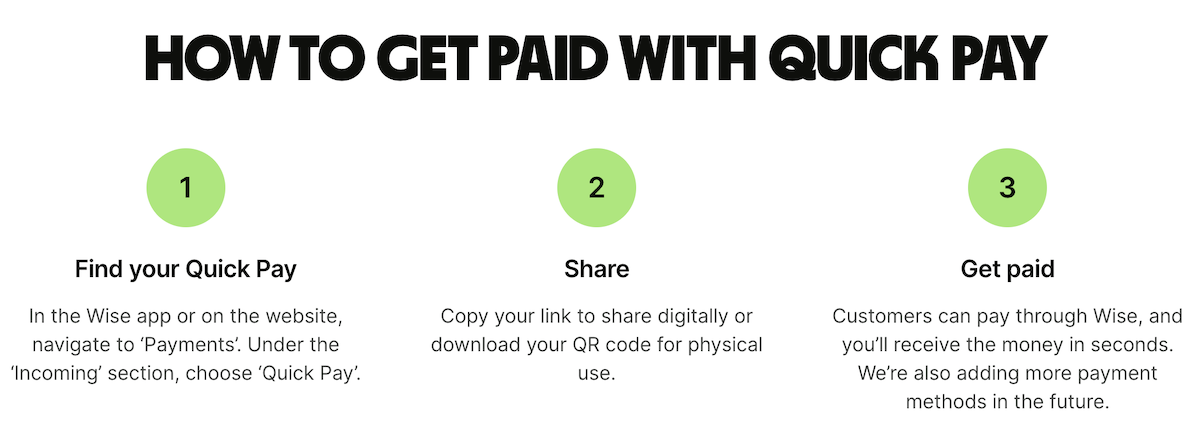
Receive payments with Wise Business
| Some key benefits of Wise Business include: |
|---|
|
Sources used:
¹ Wix
² Square
³ Square
⁴ Square
Sources last checked on 19-September- 2025.
*Please see terms of use and product availability for your region or visit Wise fees and pricing for the most up to date pricing and fee information.
This publication is provided for general information purposes and does not constitute legal, tax or other professional advice from Wise Payments Limited or its subsidiaries and its affiliates, and it is not intended as a substitute for obtaining advice from a financial advisor or any other professional.
We make no representations, warranties or guarantees, whether expressed or implied, that the content in the publication is accurate, complete or up to date.

Find the best wholesale ecommerce platform for your business. Compare top-rated B2B solutions to streamline bulk orders, pricing, and inventory management.

Choosing between an LLC and a sole proprietorship in Florida? Learn the key differences in asset protection, taxes, and FL registration.

Discover effective ways on how to reduce shipping costs for small business. Compare carriers, negotiate rates, and optimize packaging to save money today.

Choosing between an LLC and a sole proprietorship in Texas? Compare asset protection, TX franchise tax impacts, and how to launch your business.

Find the best shipping for small business. Compare top carriers, rates, and delivery options to save money and streamline your shipping logistics today.
Discover the best ecommerce platform for your business. Compare top-rated features, pricing, and scalability.











