
How to Get a Startup Business Loan: A Step-by-Step Guide
Learn how to get a startup business loan with our step-by-step guide. Compare options, prep your plan, and secure the funding you need.


Venmo QR codes simplify the process of sending and receiving funds. Instead of entering account information, you can scan a QR code to complete the payment in seconds.
As this is a new way of paying, many users wonder: is it safe to send someone your venmo qr code?
In this blog post, you’ll learn what a Venmo QR code does and the risks associated with using it to make payments.
While it’s normal to have concerns about using a new way of processing payments, Venmo QR codes are generally safe to use for transferring funds.
Someone can’t directly withdraw money from your account if they have access to your Venmo QR code.
All the code does for other users is allow them to quickly locate your account, which makes the payment process easier. You can think of it more like a unique identifier for your account than as something which contains sensitive information which would provide other users access to your account.
However, there are risks around using Venmo QR codes, since bad actors can use social engineering to trick users into approving fake payment requests, or sending funds under false pretenses.
Like having a screenshot of your account details on your phone, having a screenshot of your Venmo QR code by itself wouldn’t be a security issue necessarily.
Some users will keep a screenshot of their Venmo QR code in case they can’t get into the app due to a lack of mobile data or Wi-Fi access. This way, they can show the screenshot of the QR code to cashiers or acquaintances to process payments.
As you would with any information about your bank account, it’s important to store it as discreetly as possible to prevent it being seen by others. For example, you could store it in a hidden photo album on your phone that requires facial recognition to access.
You should generally avoid sharing the screenshot on social media, as you can open yourself up to fake payment requests and other unwanted activity. While someone won’t be able to access your account funds by scanning your Venmo QR code, you can attract impersonation attempts and overpayment scams.
If you’re a small business owner and you accept Venmo payments, you can justify sharing the QR code online if it will help customers make payment, but in most cases it’s best to be selective with who you share it with.
| More in this article: |
|---|
A Venmo QR code typically contains the following information:
Your QR code will not include your account password, bank account number, debit card details, or Social Security number. It’s simply a shortcut that takes users directly to your profile within the Venmo app.
When someone scans your Venmo QR code using the app, they will be taken directly to your Venmo profile. From there, they have the options of sending you money, requesting money, or viewing your public transaction history if your privacy settings allow for this.
The general rules of Venmo still apply when users find your account through your QR code, meaning every payment will still require confirmation within the app. Just because someone scans your Venmo QR code, it doesn’t automatically mean any activity has taken place, it just shows them your profile so they can take the next action.
While it’s generally safe to share your Venmo QR code, it’s worth paying attention to the potential risks to stay on the safe side. Though it may not be likely, it’s possible that someone could scan your QR code and make a payment to your account accidentally.
In this instance, you would then need to coordinate a refund through Venmo which can be time-consuming. Though this wouldn’t technically be considered fraud, it can be inconvenient and cause confusion.
Phishing scams are prevalent across most forms of payment, as bad actors try to trick other users through the process of social engineering to provide their account details so they can make fraudulent payments.
With the Venmo QR code, scammers can create fake payment requests once they’ve scanned it and have your account username. They might send you messages under false pretenses, claiming for example that you owe them money or that there’s an urgent issue with your account which they would use as a ruse to ask for sensitive account information.
These types of scams rely on a sense of panic or urgency, tricking users into approving transactions before they’ve had a chance to think it through. To avoid falling victim to a phishing scam, always take the time to verify payment requests before you accept or send money.
While providing your Venmo QR code to others gives them access to your Venmo profile, bad actors can’t use this information alone to steal your identity. However, if someone also knows your full name, email address, and phone number, they can try to impersonate you.
The best way to avoid any security issues or concerns around identity theft, it’s a good idea to review your Venmo privacy settings and limit what’s visible to the public.
The best way to share your Venmo QR code to keep your account information secure is to do so in person. For example, if you want to split a restaurant bill among your group of friends or you’re receiving payment for goods. If the person who’s scanning your Venmo QR code is physically present, then you can confirm the transaction straight away.
While you can send your Venmo QR code directly through an online messaging platform, it’s best to do this only with individuals who you know and trust. This might include close friends and family members.
It’s not uncommon for small businesses in retail to print out their Venmo QR codes so they can place them at checkout points to facilitate fast, easy payment for their customers. Alternatively, cafe and restaurant owners might decide to place these QR codes on menus or tables to make it easy for customers to pay after their meal. Sharing a QR code in these cases can be safe when paired with solid privacy settings.
If you run a business, and share your QR code in this way, make sure you review your privacy settings and make a point to regularly review transactions. To make it clear that the QR code belongs to your business, which helps avoid confusion, you can customize it in the app so it more closely represents your brand.
To keep every transaction you make through Venmo QR secure, your first step should always be to double-check the recipient’s details to make sure you’re sending funds to the right account.
Be sure to check:
Sometimes, scammers can imitate other users with similar-sounding usernames or subtle misspellings to try and catch people out, so it’s important to review information carefully before you approve a transaction.
Two-factor authentication (2FA) is an effective way to bolster the security of your Venmo account as it requires anyone who tries to access it to click a link that they can only access through a text message to your phone.
By using strong, unique passwords, which are long and include a combination of text, numbers, and special characters, you reduce the likelihood that someone can access your account.
Avoid reusing passwords from other accounts as if this information is compromised, bad actors might be able to use that password to access your Venmo account.
Never send money to someone who:
Venmo will never ask you to send money to handle an account issue.
If there’s suspicious activity on your account or you believe someone is trying to scam you using your Venmo QR code, you should reach out to Venmo customer support through the app as soon as possible.
When reaching out, provide as much detail as you can about the transaction, making sure to include information such as involved usernames, with screenshots if possible.
Venmo’s support team can investigate the issue and can freeze suspicious accounts.
If you suspect your password has been involved in a data leak, or someone may have access to it, it’s important to change your password straight away. If you use the same password on other accounts, it’s a good idea to change your password on those accounts too.
The best way to stay safe when using any payment processing app is to regularly monitor your account activity, noting down any activity that you don’t remember or that seems suspicious.
In the event that you notice unauthorised charges, you should reach out to Venmo and your bank as soon as possible.
Wise Business is the fast, secure way to make and receive payments internationally as if you were a local.
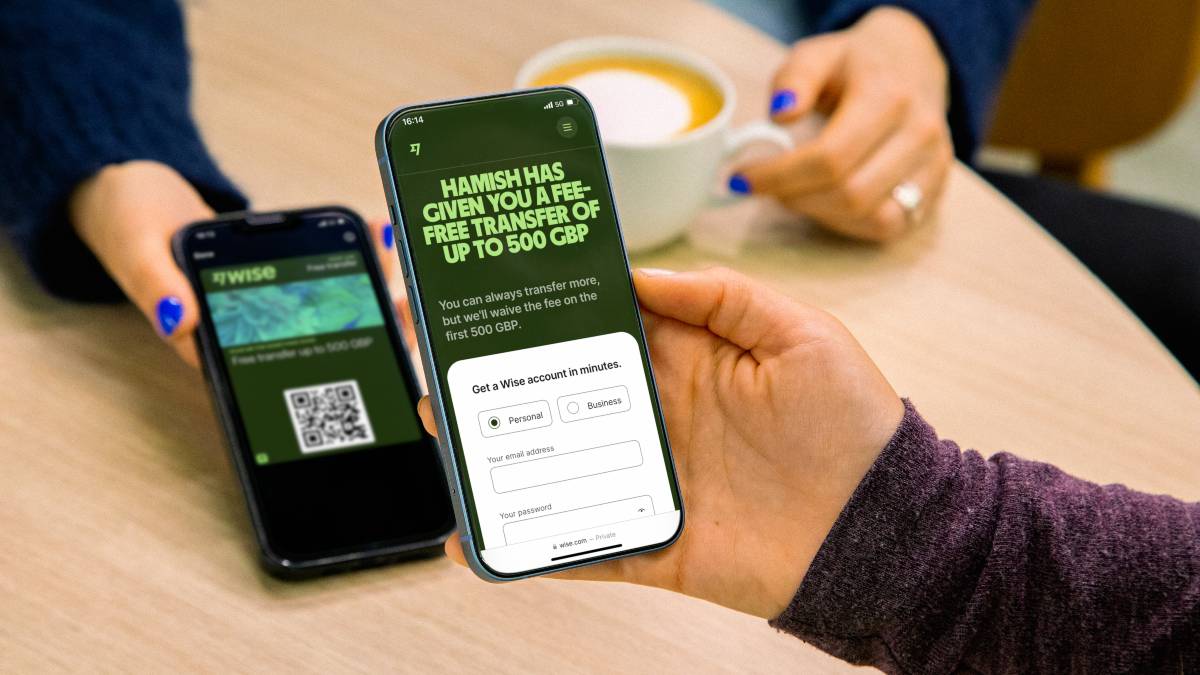
Wise is not a bank, but a Money Services Business (MSB) provider and a smart alternative to banks. The Wise Business account is designed with international business in mind, and makes it easy to send, hold, and manage business funds in multiple currencies. You can get major currency account details for a one-off fee to receive overseas payments like a local. You can also send money to 140+ countries.
You also get a QR code within the Wise app that you can use to receive payments with ease - in multiple currencies.
Receive payments with Wise Business
⭐️ Trustpilot: Excellent 4.3 out of 5 stars
| Some key benefits of Wise Business include: |
|---|
|
| Editor & Business Expert: | ||
|---|---|---|
 | Panna is an expert in US business finance, covering topics from invoicing to international expansion. | You can read more useful business articles on her author profile. |
| Author: | ||
|---|---|---|
 | Sam is a UK-based copywriter with 4+ years of experience writing for SaaS and eCommerce brands. | He creates comparison guides, informative blog posts, and covers other finance-based topics. |
*Please see terms of use and product availability for your region or visit Wise fees and pricing for the most up to date pricing and fee information.
This publication is provided for general information purposes and does not constitute legal, tax or other professional advice from Wise Payments Limited or its subsidiaries and its affiliates, and it is not intended as a substitute for obtaining advice from a financial advisor or any other professional.
We make no representations, warranties or guarantees, whether expressed or implied, that the content in the publication is accurate, complete or up to date.

Learn how to get a startup business loan with our step-by-step guide. Compare options, prep your plan, and secure the funding you need.

Looking for a Philippines Business Visa? Our guide for US citizens covers requirements, fees, and processing steps for a smooth trip.

Wise Business vs Sokin: Compare features, fees, and exchange rates to find the best international business account for your global payment needs.

Understand WooPayments: its features, US pricing, and how it compares. Discover a more cost-effective alternative for your financial transactions with Wise.

Learn how to register a US business in Australia. Navigate legal requirements, foreign company registration with ASIC, and the Australian tax system.
Get essential small business shipping tips to save money and streamline operations. Optimize your shipping strategy today!











