
Wise Business Pricing Explained (US)
Having trouble deciding which Wise Business account is best for your business? We’re breaking down the differences between the ‘Essential’ and ‘Advanced’...


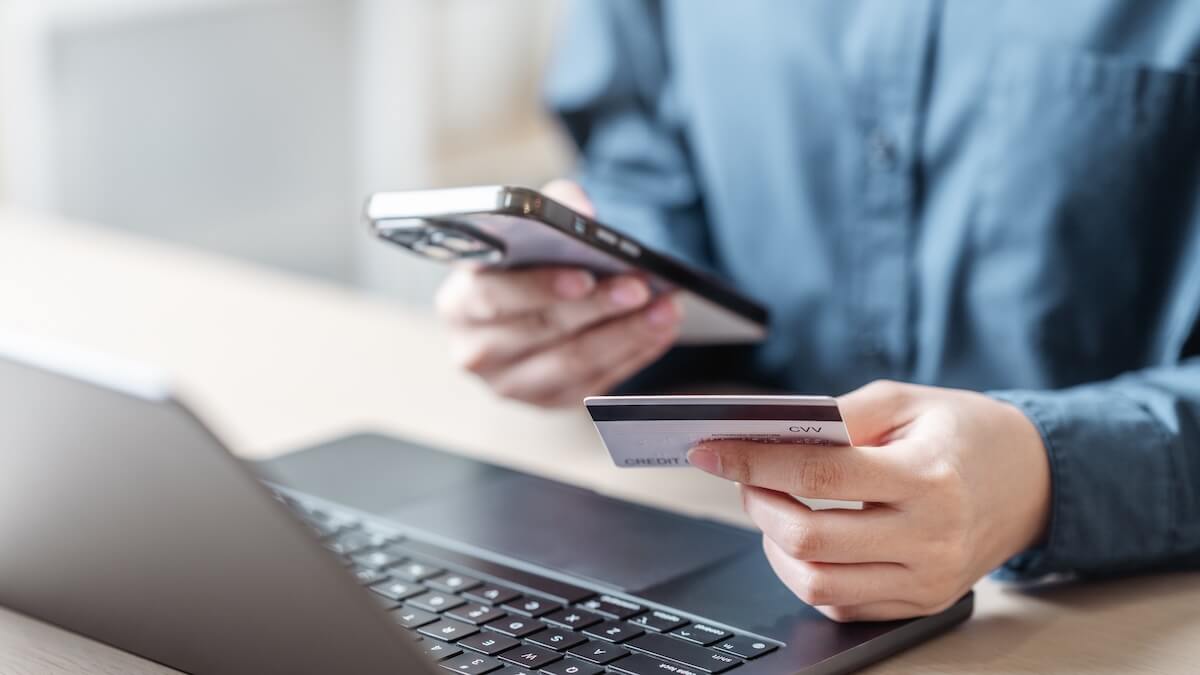
When managing your finances online, it’s convenient to find ways to simplify fund management and how you process transfers. One way to do this if you use the payment processing platform PayPal is to link your bank account directly to PayPal.
Linking your bank account can feel like a risk, though, so in this guide we’ll take you through how PayPal protects your financial information, what the risks could be, and how you can stay secure.

Linking your bank account to PayPal is generally safe. Just as you might save your credit card information in your browser to process online transactions faster, you can also link your bank account to PayPal to transfer funds.
Provided you take the relevant safety precautions when linking your bank account you can keep your funds secure when linking your bank account to PayPal.
As one of the largest payment platforms worldwide, PayPal uses multiple layers of security to keep user accounts and data safe as they use the platform. When you link your bank account, and make transactions through it, your details won’t be shown to sellers or websites through which you make payments. You can think of PayPal more as the intermediary or going between your bank and the merchant.
While linking your bank account to PayPal is considered generally safe, it’s not without risks. Some of the more common risks of linking your bank account to PayPal include:
You can avoid the most significant risks by applying best practices and taking the relevant precautions with important online accounts.
Since PayPal is a large platform with complex security architecture, there are various robust measures in place to keep your funds safe.
PayPal uses encryption as a way to keep sensitive data safe while it’s in transit from one account to another. By obscuring the real data, it makes it difficult for outsiders to read.
One positive of linking your bank account to PayPal is that instead of entering sensitive information into a series of checkout pages online, you are only providing it to one source, PayPal, which will handle your transactions securely.
PayPal has measures in place to protect users from fraud, and can step in to resolve disputes, clear up unauthorized transaction claims, and if necessary, carry out fraud investigations.
As such, making your payments through PayPal means that you will always have some recourse if you fall foul of fraud or an online scam. However, if you’re tricked into sending money and approve the transfer yourself, it’s less likely that PayPal will be able to intervene and refund the payment.
Two-factor authentication is a simple yet effective online security best practice you can take to secure your information online. By enabling two-factor authentication, you can prevent bad actors from accessing your account with the password alone.
Typically, this means you will need to either provide a code that’s sent to your phone after entering your credentials, or one that has been generated in an authentication app.
Phishing scams are one of the most common tactics to deceive users into disclosing sensitive information over email or SMS text message. Phishing is when someone pretends to represent a well-known company, such as PayPal, in the interest of getting you to reveal information that will allow them to access your account or steal funds.
This might look like clicking an unsecure link in an email, providing your login details, or downloading a malicious file. Unfortunately many of these messages can appear real, so it’s best practice to only log in to PayPal through the platform itself, and never provide your bank details in an email or SMS text message.
If a bad actor hacks into your PayPal account, they can use it to make payments from your linked bank account, and to prevent you getting in they might also change your account information.
In the case that you suspect your account is being used for unauthorized transactions, you should reach out to PayPal’s customer support immediately so they can prevent any further activity from the account.
As with any website you use a password to access, there are several best practices to follow to keep your account secure.
Make sure to enable two-factor authentication and any additional login security measures on mobile devices, such as fingerprint or face scanning, as these measures combined with a strong password makes for a secure account.
It’s also a good idea to avoid accessing your PayPal account from public Wi-Fi where possible, as this can be less secure than logging in with your home Wi-Fi, opening you up to risk.
One of the easiest ways to keep your PayPal account safe when your bank account is linked is to regularly monitor both your bank account and PayPal account. This puts you in a great position to know whether your account has been compromised, so you can react quickly in the case that a bad actor has access to it.
As a general rule of thumb for creating passwords for online accounts, it should always be long, unique, and feature a variety of special characters and numbers so it’s much harder for someone to guess. You could also use a password manager which will store your passwords securely so you don’t have to remember them.
Always enable security features for your account to keep it secure. These include activating two-factor authentication, enabling login alerts or security notifications, and making sure your recovery information such as your email address and phone number are kept up to date.
The first thing to do should you find out your PayPal account has been compromised is to contact PayPal support as soon as possible. If you’re still able to access the account, the best way to do this is to log in and use the customer support service through the platform.
If you no longer have access to the compromised account, you can go through the official customer support channels on the PayPal website to report the suspicious activity.
If you ever see a transaction that you don’t remember authorizing, it’s always best to report it rather than putting it down to bad memory. Take a screenshot of the transaction and note down important information such as the date and the amount, then raise the issue with PayPal customer support.
Also, if you do notice suspicious activity on your account, it’s a good idea to check that your email address and phone number are still the same, and nothing has been changed.
In the case that your PayPal-linked bank account is compromised or you notice suspicious activity, there are several steps you can take to protect your funds through the linked account. For example, you can log into your account directly and review recent activity for anything that doesn’t look right. You can also freeze or pause cards if necessary, or reach out to the bank directly if you’re concerned about suspicious activity.
Whether you link a bank account or debit card to PayPal mostly comes down to what you’re looking for.
Linking a bank account:
Linking a debit card:
It’s possible to keep your bank account separate from PayPal and only use your PayPal Balance to make payments through the platform. This means you would only send money to PayPal as and when you needed to. While this adds a layer of separation, storing funds in PayPal instead of directly in your bank account can be risky.
For some bank-funded payments PayPal might use e-Checks which generally take longer to clear than card payments.
For the most separation between your bank account and online payments, you can use PayPal’s prepaid cards. With a prepaid card you can limit how much money you’re exposing at once, avoid linking your main bank account and create a spending buffer for online purchases.
If you link your bank account to PayPal, you connect the two, authorizing PayPal to act as an intermediary between your bank and the merchant you’re paying for each transaction you make. Once your account is linked, you can take actions such as transferring money into PayPal, withdrawing money from PayPal to your bank, and funding purchases directly from your bank.
No, PayPal can’t take money from your bank account unless you authorize it. However, if you inadvertently authorize a transaction due to a phishing scam, for example, that payment will go through and require you to seek out customer support. That’s why it’s important to note any suspicious activity and report it the moment you notice it.
If you’re looking for a secure way to manage your finances online, and make international payments, Wise Business could be a great fit for you. With Wise Business, you can make and receive secure transactions anywhere around the world as if you were a local. You can even get access to multiple currency accounts all in one place.
Wise is not a bank, but a Money Services Business (MSB) provider and a smart alternative to banks. The Wise Business account is designed with international business in mind, and makes it easy to send, hold, and manage business funds in multiple currencies. You can get major currency account details for a one-off fee to receive overseas payments like a local. You can also send money to 140+ countries.
Receive payments with Wise Business
⭐️ Trustpilot: Excellent 4.3 out of 5 stars
| Some key benefits of Wise Business include: |
|---|
|
| Author: | |
|---|---|
 | Sam is a UK-based copywriter with 4+ years of experience writing for SaaS and eCommerce brands. He creates comparison guides, informative blog posts, and covers other finance-based topics. |
*Please see terms of use and product availability for your region or visit Wise fees and pricing for the most up to date pricing and fee information.
This publication is provided for general information purposes and does not constitute legal, tax or other professional advice from Wise Payments Limited or its subsidiaries and its affiliates, and it is not intended as a substitute for obtaining advice from a financial advisor or any other professional.
We make no representations, warranties or guarantees, whether expressed or implied, that the content in the publication is accurate, complete or up to date.

Having trouble deciding which Wise Business account is best for your business? We’re breaking down the differences between the ‘Essential’ and ‘Advanced’...
Compare Klarna vs. Affirm to help you decide which is a better fit for your business. Explore fees, features, products, and more.

Get a comprehensive review of Shopify Plus for global expansion, including key features, pricing, and best practices

Compare Quickbooks and Xero. We'll look at their features, costs, and what makes each one stand out. Find out the best fit for your business needs.

Discover the best corporate card options in fintech. Modern, flexible cards with advanced expense management and security features.

Explore Revolut Business integrations: connect your account with popular accounting and business software to automate workflows and save time.









