
Wells Fargo Merchant Services: A Small Business Guide
Thinking about Wells Fargo merchant services? This guide breaks down the costs, contract pitfalls, and features to help your small business make a wise choice.


Invoice payment is money exchanged for a service or product sold. The seller issues an invoice, and the customer pays the bill. It is part of the accounts payable process, and is also often referred to as bill pay.
While this sounds simple, figuring out how to pay an invoice can still be tricky.
This article will cover how to pay domestic and international invoices on time, using different methods.
| 📝This article will cover: |
|---|
| This piece has been written in collaboration with Esther Friedberg Karp, an esteemed bookkeeper and QuickBooks ProAdvisor. |
|---|
An invoice payment is money sent to a vendor, supplier, or service provider after they've delivered goods or services and issued a bill. It's part of the accounts payable process, and it's how most business-to-business transactions work.
There are generally two ways businesses pay for things:
Most businesses prefer invoice-based payments because they offer short-term flexibility. You can use the goods or services before the bill is due, which helps with cash flow management.
Paying an invoice is straightforward when you follow a consistent process. Here are six steps to keep things organized:
When it comes to paying invoices, you need to select the right payment method.
The method you choose can make a difference in fees, speed, and practicality. Here's a quick overview:
| Payment type | Typical processing time | Cost | Best for |
|---|---|---|---|
| Credit/debit card | Instant to 1 day | 2–3% processing fee | Small to mid-size invoices |
| ACH transfer | 1–3 business days | Low or free | Recurring B2B payments |
| Wire transfer | Same day (domestic) | $25–$50+ | High-value or urgent payments |
| Check | 3–7+ business days | Postage cost | Industries where checks are standard |
| Bill pay service | 1–3 business days | Varies | Scheduled and recurring invoices |
| Digital wallet | Instant to 1 day | Varies | Small, informal invoices |
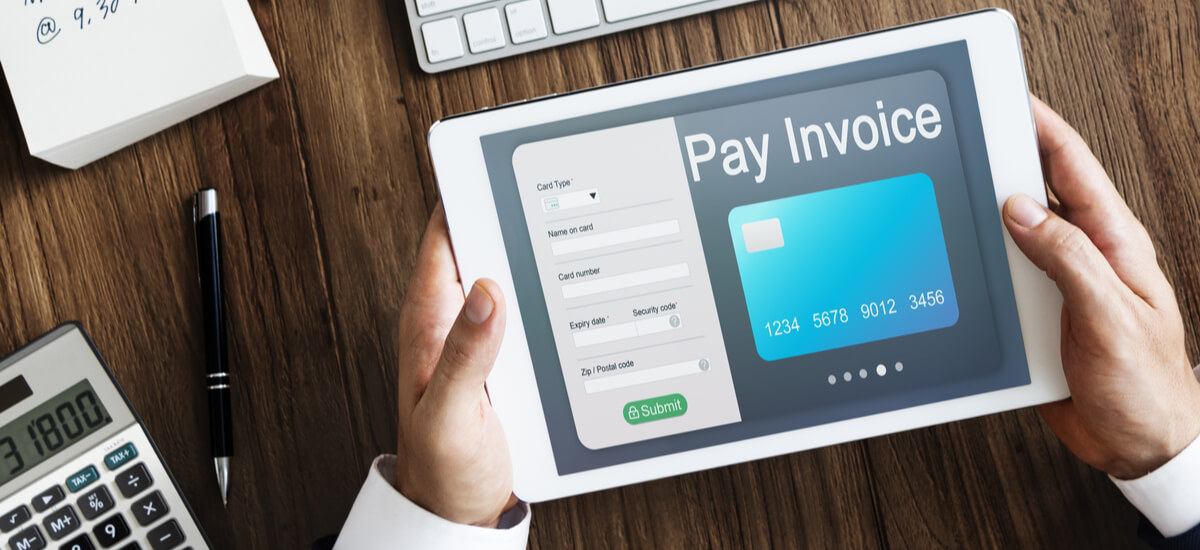
To pay an invoice online, have your debit or credit card details on hand and enter them when prompted. There may be the extra step of authenticating the payment through a third-party security platform, too.
If you choose to pay an invoice online, the payment should go through swiftly. You won’t have to rely on slow and expensive postage, as you may with a check - especially if it’s an international invoice.
With some banks, such as US Bank, you have an online Bill Pay option to pay all your invoices and bills online in a single place.¹ This way, you won’t be pulling your hair out tracking down invoices to pay across various websites and platforms.
|
|---|
If you have international bills to pay, not only can you pay them at the mid-market rate with Wise, but now you can also sync Wise with QuickBooks. This can help you have a clear overview of your unpaid bills.
You can see your unpaid bills in real time and pay them seamlessly from your ‘Bills’ page on Wise.
Your bill payments and any other Wise transactions will be synced, matched and categorized in QuickBooks for simple reconciliation.
Once connected, all bills you create in QuickBooks Online will automatically sync in real time to Wise, where you can choose which ones to pay.
| Sound amazing? Join Wise Business and see for yourself how much time and hassle you can save. |
|---|
While it may seem old-fashioned to some, it’s still possible to pay an invoice by check.
With this method, you must remember to dot the i’s and cross the t’s, since there’s no taking it back once you’ve sent it. You’ll want to include a copy of the invoice you’re paying and the invoice number, too. This helps the recipient identify the payment.
The other factor to consider with paying by check is the time it takes to reach its destination. If you fail to factor in postage time, then you may have to pay a late fee.
If you choose to pay an invoice with a credit card, you need to make sure that you have enough funds and don’t end up in debt.
If you pay an invoice that’s issued in a different currency, you could pay a hefty currency conversion fee. This can be higher than the mid-market rate, at times.
It often works out cheaper to use a service such as Wise - which can save you time and money.
Services like PayPal, Venmo, and Apple Pay are growing in popularity, but they're less common for B2B transactions. They can work for smaller, informal invoices — just make sure both parties agree on the method.
If you need to pay an international invoice, you might ask yourself which method is best.
Any of the methods listed above can work, but they will often involve fees and take a long time to process.
Even for online invoice payments.
While paying invoices online is one of the most convenient methods, you still might end up with unexpected bank fees.
You can set up a local account to avoid conversion fees. This isn’t without its complications, especially if you aren't a dual citizen of the country in question.
Luckily, there’s a solution that can save you money.
Wise is here to equip you for business on an international scale. You can get local account details (routing number, IBAN, sort codes and more) in 8+ countries and pay like a local.


Payment terms tell you when and how a vendor expects to be paid. They're usually printed on the invoice itself. Here are the most common ones:
| Payment terms | Requirements |
|---|---|
| Net 7 / Net 15 / Net 30 / Net 60 | Payment due in 7, 15, 30, or 60 calendar days from the invoice date |
| Due on receipt | Payment expected immediately or the next business day |
| 2/10 Net 30 | 2% discount if paid within 10 days; full amount due in 30 days |
| EOM (End of Month) | Payment due at the end of the month the invoice was issued |
| MFI (Month Following Invoice) | Payment due in the month after the invoice date |
| PIA / CIA (Payment/Cash in Advance) | Payment required before work begins or goods ship |
| COD (Cash on Delivery) | Payment due when goods are delivered |
Net 30 is the most widely used term in B2B transactions, but shorter terms like Net 7 or Net 15 are becoming more common — especially for small businesses looking to improve cash flow.³
It’s essential for your reputation that you pay invoices promptly.
It demonstrates professionalism and will always be appreciated on the other end. If that isn’t enough motivation to pay an invoice on time, there is also the threat of late fees affecting you and your supplier’s or contractor’s cash flow.
Here are some tips for paying your invoices on time:
Invoices are a vital part of any business’ day-to-day, so try to develop a schedule that keeps you accountable for invoice payments.
It’s ok if you don’t have the organizational skills to do this yourself. Most businesses today use invoicing software like QuickBooks or an invoicing app. This can help make the process easier.
Most of these tools send you automatic reminders and payment links meaning you’ll be able to complete the payment on time, in one click.
If you need to pay regular invoices, it can be a good idea to set up recurring payments.
If the amount you need to pay a supplier each month, for example, is fixed, then a recurring payment will take care of your payments to that supplier in an arrangement that suits you both.
Some businesses even incentivize early payments with discounts. You could schedule your payments a day or two before the deadline to save some money.
For international payments, you can also set up recurring payments in over 70 countries with Wise.

The moment you pay in a currency other than that specified in the invoice, you will incur currency conversion fees. These can be significant, as you don’t always get the mid-market rate.
As such, you should try to pay in the agreed currency by using a multi-currency provider, such as Wise.
With Wise, it’s possible to create local account details for different currencies, so you can pay invoices like a local.
| 🔍 Did you know? |
|---|
| Research shows that companies are 30% more likely to get paid if they offer easy online invoice payment.² |
If you’re on the other side of the invoice process, and you struggle with how to get a customer to pay an invoice, here are some things you can do.
Firstly, establish a clear payment date on the invoice you send.
There’s evidence from a study carried out by Xero that adding a shorter payment deadline can motivate customers to pay faster, even if they miss that deadline.³ Customers paid in 13 days on average when an invoice was sent with a one-week due date. With a three-week due date, payment was only received on day 25.
Another good idea is to provide the customer with various payment method options.
Electric invoices, for example, can help speed up invoice payments.
The issuing of electronic invoices can help guarantee prompt payment in a few ways:
Sending the invoice online means the customer gets the invoice immediately;
Offering online payment methods make the process as seamless as possible.
You can also include the option to pay in the local currency if you use a flexible international payment service such as Wise.
If payments are still arriving late, why not incentivize early payments by offering discounts if the customer can pay within 14 days, for example?
You could also go the other way and include late payment fees in your payment terms for past due invoices. Though of course this approach can be perceived as hostile by some, and could even cost you a customer or two.
| 💡Using a Free invoicing tool to generate and send invoices can save you time and make life easier. You can also use the invoice template or invoice generator if you’re unsure how to lay out your invoices. |
|---|
With the Wise Business account, you can get local account details in multiple currencies to streamline the international payment process. Wise can also save you money.
Register a Wise Business account
in minutes!
Having the option to pay invoices in the local currency makes things more convenient for your suppliers or contractors. It also makes it easier to pay your invoices on time.
You can see all your currencies in one place and move money around easily for international payments.
| 💡 For all you need to know about invoices, don't forget to read and bookmark the ultimate guide to invoicing from Wise! |
|---|
Review the invoice details, choose a payment method accepted by the vendor (such as ACH, card, or check), and submit the payment before the due date. Keep a confirmation for your records.
It depends on the amount, urgency, and whether the payment is domestic or international. ACH is a good default for US B2B payments. For urgent or high-value invoices, a wire transfer may be more appropriate. For international invoices, consider a multi-currency provider to avoid high conversion fees.
Use invoicing software or a free tool like the Wise invoice generator to create a professional invoice. Include your business details, the client's information, a description of goods or services, the total amount due, payment terms, and accepted payment methods. For more detail, check out the ultimate guide to invoicing.
Once an invoice has been issued for goods or services you've received, the vendor has a legal right to payment. If you're unhappy with what was delivered, communicate with the vendor directly to resolve the issue. Ignoring the invoice can lead to legal action.
 |
Sources:
Sources checked 19 March 2026.
*Please see terms of use and product availability for your region or visit Wise fees and pricing for the most up to date pricing and fee information.
This publication is provided for general information purposes and does not constitute legal, tax or other professional advice from Wise Payments Limited or its subsidiaries and its affiliates, and it is not intended as a substitute for obtaining advice from a financial advisor or any other professional.
We make no representations, warranties or guarantees, whether expressed or implied, that the content in the publication is accurate, complete or up to date.

Thinking about Wells Fargo merchant services? This guide breaks down the costs, contract pitfalls, and features to help your small business make a wise choice.

Streamline your Amazon business with a reliable 3PL for FBA sellers. Improve shipping speed, reduce costs, and scale your operations with expert logistics.

Learn how to use Square as a US sole proprietor. Discover how to accept payments, set up your account without an LLC, and manage your taxes.

Need a business loan with no credit check? Quick funding explained. Learn costs, risks, and alternatives to secure capital for your small business.

Ready to use Stripe as a sole proprietor in the US? Learn how to set up your account, handle taxes, and accept payments without an LLC.

Discover which US banks offer Zelle for business accounts. Learn about the benefits and understand its limitations for your growing business.











