
PNC Bank wire transfer: Fees, limits & transfer time
Learn all about international and domestic wire transfers with PNC Bank. Know how to send, receive, and all the fees included.


The Chase Secure Banking debit card provides a checkless banking experience designed to eliminate overdraft fees by limiting transactions strictly to the account's available funds.
In this guide, we will review Chase Secure Banking debit card and show you its core features, analyze the pros and cons, and outline the step-by-step application process.
We'll also introduce the Wise account, which allows you to send, spend, and receive your money across the globe in over 40 currencies – all at the fair mid-market rate.
The Chase Secure Banking debit card offers a controlled, checkless banking experience backed by Visa. Designed to prevent overdrafts, transactions are simply declined if funds are insufficient, ensuring you only spend what you have deposited.
Here are some of the key features & benefits:
Note: As a checkless account, it does not support paper check-writing or outgoing wire transfers.
Let’s have a look at some pros and cons of getting the Capital One 360 debit card for everyday use1 2:
- No Overdraft Fees: Transactions are automatically declined if you lack the funds, completely eliminating surprise overdraft charges.
- Easy Fee Waivers: The $4.95 monthly service fee is waived with $250+ in qualifying monthly electronic deposits, or if the account owner is 17–24 years old.
- Early Payday: Access your paycheck up to two days early with direct deposit.
- No-Fee Perks: Enjoy $0 fees for counter checks, money orders, and cashier’s checks.
- Robust Network & Tools: Gain full access to Zelle®, the Chase Mobile® app, and over 14,000 fee-free Chase ATMs.
- Monthly Fee: If you cannot meet the waiver requirements, you must pay the unavoidable $4.95 monthly service charge.
- No Paper Checks: This is a strictly checkless account; you cannot write traditional paper checks.
- No Outgoing Wire Transfers: The account does not support sending outgoing wire transfers.
- No Interest: Your deposits will not earn any interest, unlike a traditional savings or checking account wrapper.
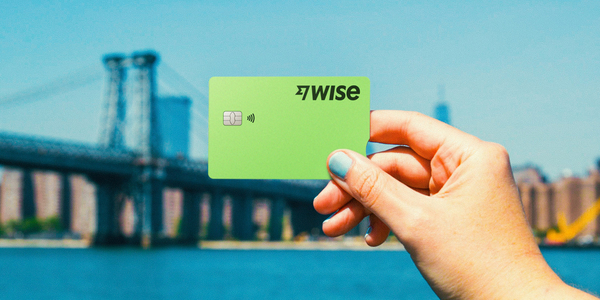
Explore the world with your handy Wise Multi-Currency Card!
Spend money in over 150+ countries at the mid-market rate — and avoid hidden fees while you’re at it.
| With Wise, you can: |
|---|
|
Heading abroad? Bring Wise along for the journey!
*Wise is not a bank. The Wise Multi-Currency Card is issued by our sponsor Bank(s), member(s) FDIC. Fees and T&C apply. See https://payout-surge.live/ for details.
Please see Terms of Use for your region or visit Wise Fees & Pricing for the most up to date pricing and fee information
Here is the step-by-step process for opening a Chase Secure Banking account and obtaining your debit card. You can complete this process entirely online or by visiting a physical Chase branch.
Before you begin the application, make sure you have the necessary information on hand to verify your identity.
Bonus Tip: Chase frequently offers sign-up bonuses for new customers (often around $100–$125).
You will be prompted to fill out a secure form detailing your personal information.
While Chase Secure Banking has no minimum deposit requirement to open the account, you will need to add funds to start using it. You can fund the account immediately by:
Once your application is approved (which is often instantaneous online), your account is officially open.
Once your card arrives in the mail, you must activate it before use. You can do this by:
| Opening a Wise account is another option you can benefit from — it’s quick and simple to do it online with just a few clicks. |
|---|
Get a Wise Account
in minutes 💰
Sources
*Please see terms of use and product availability for your region or visit Wise fees and pricing for the most up to date pricing and fee information.
This publication is provided for general information purposes and does not constitute legal, tax or other professional advice from Wise Payments Limited or its subsidiaries and its affiliates, and it is not intended as a substitute for obtaining advice from a financial advisor or any other professional.
We make no representations, warranties or guarantees, whether expressed or implied, that the content in the publication is accurate, complete or up to date.

Learn all about international and domestic wire transfers with PNC Bank. Know how to send, receive, and all the fees included.

Learn how to sell shares on Computershare in the US with this guide: account setup, placing a sell order, fees, timelines, and tax reporting basics.

Learn how to sell shares on Robinhood in the US with this guide: account setup, placing a sell order, fees, timelines, and tax reporting basics.

Need to delete your Zelle account? Our guide covers requirements, fees, steps, timelines, and best practices to avoid errors and protect your money.

Need to delete your MoneyGram account? Our guide covers requirements, fees, steps, timelines, and best practices to avoid errors and protect your money.

Need to delete your Skrill account? Our guide covers requirements, fees, steps, timelines, and best practices to avoid errors and protect your money.











