
Best SIM Card for Europe: Prepaid SIMs and eSIMs for Kiwis
Planning a trip from NZ to Europe? Discover the best prepaid SIM cards and eSIMs. Compare plans from Vodafone, Orange, Holafly, and more.



Pricing claim based on comparative data for select airports and passes. Live pricing is subject to exchange rate fluctuations.
📱Find out how to get lounge access
If you have a trip coming up you’ll want to think about how to stay connected as you travel. We rely on our smart devices for so many things these days - from translation to navigation and ride hailing, not to mention messaging friends - so it’s well worth having a plan so you can continue to use your phone when away from home.
This guide walks through how to get data overseas and examines the best way to use mobile data overseas without hassle or high bills. You can also learn more about the Wise card, an easy way to stretch your dollars when paying in foreign currencies.
| Table of contents |
|---|


Generally you’ll be able to use your phone overseas to make calls, send messages, and access data. However, the costs of overseas data roaming can be high if you’ve not planned ahead.
Before you travel, make sure your phone is running the latest version of its operating system, and download your telco’s app to keep an eye on your bills and data usage. Often the casual use plans for roaming charge according to data usage - so you’ll want to avoid using data hungry services like streaming videos, and consider turning off your roaming data when you’re not using it¹.
Other factors can also impact how easy it is to use your phone when you travel. If you’re planning on using a local SIM for example, you’ll need to make sure your phone is not network locked, and if you’re planning on using an eSIM you’ll need to check your phone is eSIM compatible before you leave home.
You may also find it harder to use your phone abroad if you have an old device. Many countries are turning off 3G services, which means your phone needs VoLTE roaming to function. Your telco will be able to help you check if your device is suitable for use abroad.
There are several popular ways to continue to use your smartphone while you travel. Each has their own pros and cons - the right one for you may depend on your preferences, where you’re travelling to and how long you’ll be away for. Here’s a closer look at your options.
One option is to simply continue to use your existing NZ SIM overseas. This is low hassle as there’s no need to buy or install a new SIM. However, it can end up being pretty pricey depending on the network you’re with and the specific service you pick.
All of the major New Zealand telcos offer roaming services, although the way they work does vary. 2 Degrees has roaming for 8 NZD/day which covers over 100 destinations², with additional plans for other destinations which aren’t included in this pack. Or you could choose Spark roaming which costs 30 NZD for 14 days of coverage³, or One NZ which has both daily prepaid roaming options and bundle deals depending on your phone contract⁴.
Another option is to buy a local SIM card when you arrive at your destination. In this case you’ll need to physically install your new card and activate it on arrival. Many airports offer SIM services which makes it pretty easy to buy your new SIM, but it does have the drawback that you’ll then need to spend a bit of time setting up your new card.
Costs of local SIMs vary a lot depending on the country you're heading to. To give an example, if you’re heading off to Australia, you could buy a Telstra SIM on a casual plan, for 7 days, 28 days or a longer term agreement, with costs from 39 AUD a month⁵.
An eSIM is an electronic SIM. With an eSIM you’ll not need to physically install a new SIM to access roaming - instead you sign up for a service like Holafly⁶ or Nomad eSIM⁷, and then activate the eSIM on arrival to continue using your phone. Not all phones are eSIM compatible - you’ll need to double check if you can use this before you travel, particularly if you have an older device.
Costs and package types for eSIMs vary a lot depending on the provider you pick. Holafly for example offers unlimited data which you pay for according to the number of days you'll be travelling for, while other providers like Nomad may offer data packages which are priced by the volume of data usage needed.
A final option is to turn off your phone’s roaming services and instead rely on either public wifi services or hotspots. Using public wifi will usually work well if you’re only going to need your phone while in your hotel for example, but can be pretty inconvenient if you’re out and about as you may find you need to hunt for a free wifi service to access your phone. Public wifi is also not very secure, which means this isn’t a good option for doing things like managing your banking.
If you’re traveling with others you could also consider sharing a hotspot to minimise the costs of using data overseas. With a hotspot you can connect (or tether) one device to another, to piggy back off the data service on one device. This can be handy if you're travelling with family or friends for example, allowing you to buy roaming for one device and then connect other devices as needed.
The best way to use mobile data overseas will depend a lot on where you’re going, how long you’ll be away for, and how much data you’re likely to need.
Sticking with your New Zealand telco’s roaming plan is probably the most straightforward option - but the costs and package arrangements do vary a lot. You’ll need to check when your telco offers and decide if it’s suitable for your trip before you sign up.
An alternative is to buy a local SIM on arrival at your destination - this is a bit more of a hassle as you’ll need to install your new physical SIM before you can use your phone. Costs depend on the destination, but in many countries a local SIM can be a pretty cheap option. To avoid needing to install a physical SIM you could choose an eSIM instead, as long as your phone is eSIM compatible. There are many providers and packages which means you’ll be able to pick a service which suits your specific trip, but data speeds and limits may be restricted in some cases.
If you’re looking for the lowest cost solution, using public wifi or sharing a hotspot with a friend may suit you. However, this can be unreliable and may not offer the security needed to allow you to continue using your phone as normal. Compare the options of how to get data overseas before you travel, to pick the best balance of costs and convenience for your trip.
If you're heading abroad, here's a smart way to spend overseas to keep costs down. The Wise card is a simple way to save up to 8x when you're spending internationally. You can spend in 150+ countries at mid-market rate — basically the rate you see on Google. With no foreign transaction fees and low, transparent pricing, Wise usually gives you the best value for your money.
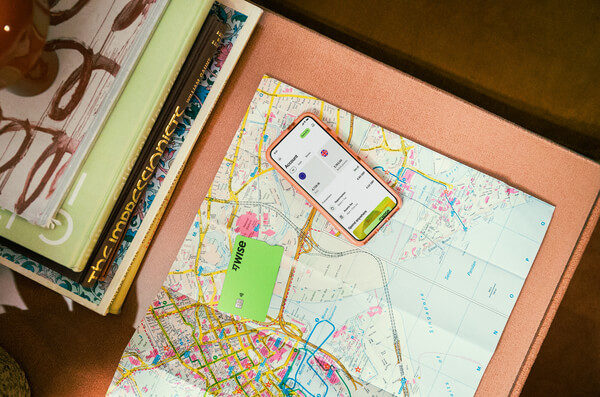
Simply create a Wise account for free, order a card and top-up NZD to get started. Having a physical Wise card allows you to make chip and pin payments, as well as make some free ATM withdrawals each month for when you're abroad. You can get digital cards and add to your Google or Apple Pay wallet for instant use. Spend directly with the Wise account in NZD and let auto-conversion do the trick or convert in advance to your desired currency. You can hold and exchange 40+ currencies in your Wise account and spend the currencies you hold for free.
Wherever your travel takes you, the Wise card makes spending money abroad cheaper and easier.
This general advice does not take into account your objectives, financial circumstances or needs and you should consider if it is appropriate for you. Savings claim based on our rates vs. selected New Zealand banks and other similar providers in Jan 2025. To learn more please visit https://payout-surge.live/nz/compare%3C/a%3E%3C/p%3E
Please see Terms of Use and product availability for your region or visit Wise Fees & Pricing for the most up to date pricing and fee information.
*Please see terms of use and product availability for your region or visit Wise fees and pricing for the most up to date pricing and fee information.
This publication is provided for general information purposes and does not constitute legal, tax or other professional advice from Wise Payments Limited or its subsidiaries and its affiliates, and it is not intended as a substitute for obtaining advice from a financial advisor or any other professional.
We make no representations, warranties or guarantees, whether expressed or implied, that the content in the publication is accurate, complete or up to date.
Planning a trip from NZ to Europe? Discover the best prepaid SIM cards and eSIMs. Compare plans from Vodafone, Orange, Holafly, and more.

Learn how to earn Air New Zealand Status Points. Earn faster with flights and credit cards to unlock lounge access and upgrades.
Compare the best roaming plans from top providers like Spark, One NZ, 2degrees, and more. Find the cheapest plans for your next trip.

Discover cheap places to travel from New Zealand, with a guide to budget-friendly destinations in Australia, Asia, and beyond.

A complete guide on how to get an Airpoints card for Kiwis. Learn how to earn Airpoints, what you can do with them and more.

Planning your trip with Qatar Airways? Understand their baggage allowance rules for hand luggage, checked bags, and unique items with this guide.











