


How to accept online payments

Kiwis spent a whopping $6.09 billion online in 2024, up 5% from the previous year.1 As e-commerce expands, digital businesses must learn how to accept online payments securely and efficiently.
But with challenges like compliance, fraud, clunky checkouts, and pricey foreign exchange fees, that’s easier said than done. In this guide, we’re covering the most common online payment methods and practical strategies to streamline payment flows.
We’ll also introduce Wise Business, a cost-effective solution for accepting online payments from New Zealand and abroad.
| Table of Contents |
|---|


Common methods for accepting online payments in New Zealand
To add convenience and improve conversion rates, savvy Kiwi traders offer a range of payment options.
Cards and e-wallets via a payment gateway
Almost all Kiwis have a credit or debit card. Moreover, modern web browsers store their digits for quick access, making cards convenient and accessible for everyone.
But the method requires some effort from the seller. A merchant account with your bank may be needed. You may also need a payment gateway, a third-party portal that temporarily redirects customers and handles compliance and security.
Consumer convenience comes at the cost of payment gateway and merchant service fees (MSF). Rates vary between providers, but you can expect the following per-transaction card fees for a low-risk category:
- Credit cards: 2.5% to 3.5%
- Debit cards: 1.5% to 2.5%
- Plus a fixed fee of approximately $0.30
Popular digital wallets, such as Apple Pay, Google Pay, Samsung Pay, and PayPal, facilitate secure card payments at similar rates through payment gateways.
Direct Bank Transfers
Receiving payments from a local New Zealand bank account is free. Same-bank transfers generally arrive instantly, while most interbank transfers finalise within an hour. The downside is that bank transfers require more effort for customers, and you may need a system to monitor and reconcile incoming payments.
Zero fees mean domestic bank transfers are popular for larger, high-value orders. Online service providers, such as accountants and designers, also commonly use them to bill clients.
International transfers can be pricey. Most banks charge between $5 and $35 per overseas transfer and mark up the foreign exchange rate by 1-2%. Banking alternatives, like Wise Business, use the mid-market exchange rate to offer a lower price.
Buy Now Pay Later
Buy Now, Pay Later (BNPL) services, such as Afterpay, allow consumers to purchase an item and pay it off in installments. The BNLP provider pays the retailer in full upfront and collects payments from the customer at pre-determined times. The buyer generally won’t pay interest, but may be subject to various fees.
BNPL services appeal to customers who don’t want to pay for an item upfront, or simply can’t afford to. Offering this payment method may improve conversion rates.
The catch for merchants is that fees are a fair bit higher than cards or e-wallets. Most BNPL services charge 4-7% of the total order value plus a fixed fee of approximately $0.30.
Like cards, BNPL is often processed through a third-party payment gateway.
Strategies for accepting online payments quickly and securely
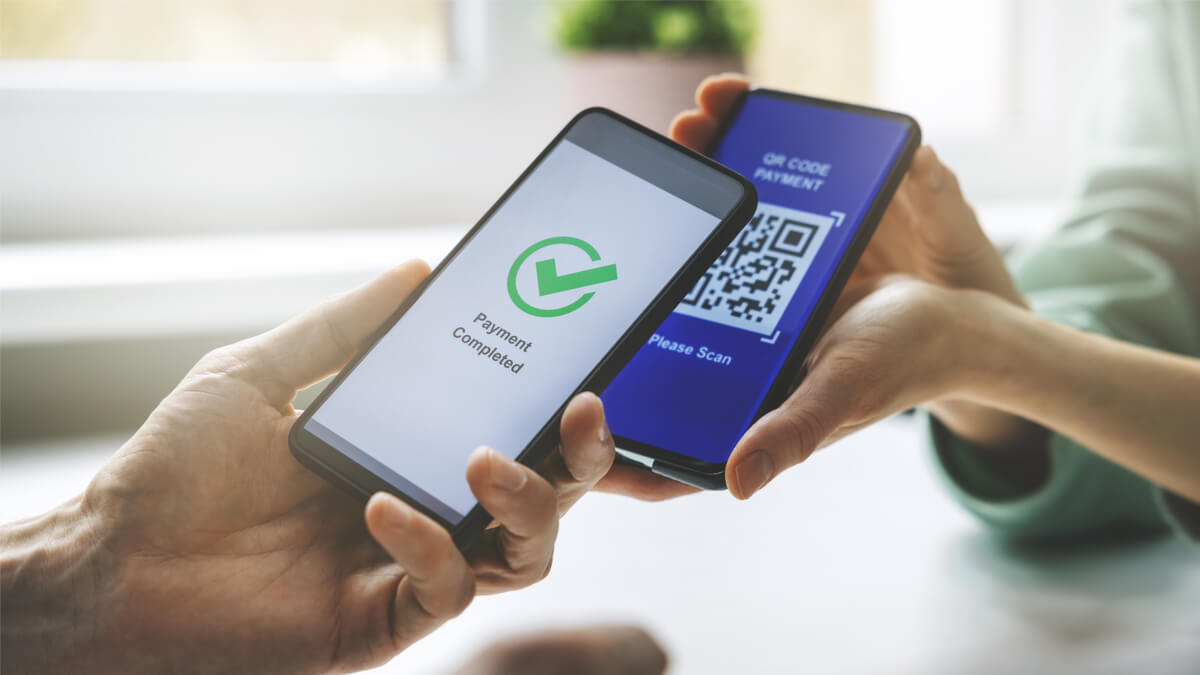
A little strategic thinking goes a long way for reducing friction and minimising cart abandonment.
- One-page checkouts: Customers are more likely to click through a shorter payment page.
- Guest checkouts: Don’t force buyers to create an account to purchase your product – many will look elsewhere.
- Diversify payment methods: Customers prefer companies that offer multiple payment options, such as cards, digital wallets, BNPL, and bank transfers.
- Real-time confirmations: Buyers want to see their transactions processed in real time, not hours or days later.
- Inline validation: Buyers want to know why a transaction was denied. Highlight errors such as incorrect card numbers.
- Localise: New Zealand-only services like POLi have a well-established track record in the community.
- Enable autofill: Switching on smart forms means customers don’t need to enter card details manually.
- Lower loading times: Slow-loading checkout pages will turn customers away.
- Compare prices: Costs vary widely. Merchants should shop around to find the best rates.
- Outsource gateways: Only large, well-established enterprises have the resources to handle payments on-site. Kiwi SMBs usually outsource.
- Mobile-first design: Kiwis use their phones for online shopping. Ensure your checkout is touch-screen-friendly, with large buttons and minimal scrolling.
- Stay Compliant: While third-party payment gateways handle most compliance matters, the merchant still needs to consider their own obligations.
- Strengthen security: Tools such as multi-factor authentication (MFA) and 3D secure authentication reduce the risk of online fraud.
Importance of security & compliance when accepting online payments
The internet is brimming with fraudsters wielding stolen credit card numbers and hackers scoping their next data breach. Adopting best practices can help avoid costly losses.
Online businesses may wish to partner with PCI DSS-compliant (Payment Card Industry Data Security Standard) providers, implement MFA, set strong, unique passwords, and adopt HTTPS and the latest SSL security protocols. Web app firewalls, anti-virus software, regular monitoring, and external vulnerability scans also strengthen security.
Consider running a background check on select personnel and providing basic cybersecurity training. Some financial service providers offer fraud-monitoring tools to stop fraudulent transactions in their tracks.
Kiwi companies must comply with New Zealand legal requirements when trading online. The Privacy Act 2020 sets guidelines for handling personal information. Requirements include only collecting what you need, explaining how, why, and when data is collected, and keeping personal information safe.3
The Fair Trading Act 1986 prohibits misleading pricing, hidden fees, inaccurate descriptions, sneaky surcharges, and unfair contractual terms.4
Steps on how to accept online payments
Here’s a step-by-step breakdown on how to accept payments online, regardless of your chosen method.
- Evaluate needs: Consider domestic or international customers, one-off or recurring payments, and high or low-value or volume transactions.
- Compare providers: Review the cost, speed, security, integration, and reputation of the leading third-party services.
- Create a merchant account: Register with your chosen provider and set up the services you need.
- Review security & compliance: Double-check your payment method and pricing pages meet security and regulatory requirements.
- Test & launch:. Run a test transaction to ensure everything works as intended.
Challenges involved with accepting online payments
There are some hurdles to consider when accepting online payments.
- Fraudulent transactions may result in disputes or chargebacks, potentially causing significant financial losses.
- Technical woes such as website downtime, slow loading, and display issues can spur customers to shop elsewhere.
- Difficulty in designing a mobile- and desktop-friendly checkout interface that entices customers to finalise the sale.
- Compliance and security requirements can complicate proceedings, especially when using a payment gateway.
- International transactions may incur high fees and inflated foreign exchange rates.
Wise Business: Secure way to accept payments across borders
For New Zealand-based online businesses trading abroad, Wise Business offers a cost-effective alternative to payment gateways. Our low, transparent international transfer fees let you pay suppliers at the mid-market exchange rate and see exactly what you’ll pay upfront – no hidden markups.
Wise Business also provides useful tools for receiving online payments, including cross-currency accounts, automated invoices, and QR codes.
Cross-currency accounts
A one-off $40 fee lets you open a multi-currency account to move funds in 21+ currencies just like a local. Send invoices to overseas clients that they can pay in their own currency. The mid-market exchange rate applies when converting currencies.
Accepting card payments
While it’s not a payment gateway, Wise Business offers a range of tools for receiving card payments at reasonable rates – no coding required. Domestic and international customers can pay by card through invoices, QR codes, or payment links.
QR codes & payment links
Send a secure QR code that opens a payment link customers can use to settle their bill instantly by card. Alternatively, send through a simplified payment link instead.
Invoices
Generate polished, professional-looking invoices with a few clicks. Clients can choose to pay them by card or through a localised bank transfer directly into your Wise account. Invoices automatically calculate GST to make tax time easier.
Software integrations
Wise Business integrates with the top accounting programs, including QuickBooks, Xero, and Zoho Books. Freelancers and e-Commerce entrepreneurs can trade on big global marketplaces – Amazon, Etsy, and Upwork – without inflated FOREX fees.
Wise Business: Accept global online payments with ease
Expanding a business globally opens up exciting opportunities, but also new challenges like receiving payments across borders. Hidden foreign transaction fees and hefty currency conversions involved with international payments can eat into your profits and time.
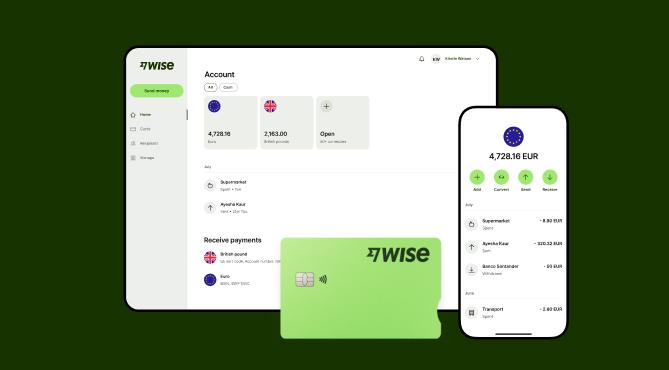
Wise Business serves as a cost-effective solution where you can receive money from around the world at the speed and price of local payments.
Transform the way you receive payments with Wise Business:
- One-time fee of 40 NZD for local account details in 8+ currencies, including AUD, NZD, USD, and more—no recurring fees
- One account to hold, send, and convert money with no hidden fees or exchange rate markups
- Create and send professional invoices directly to your customers through Wise Business
- Create payment links to request money in specific currencies
- Seamlessly receive payments from customers, online sales, or PSPs like Stripe and Amazon.
- Wise is safe and secure - Trusted by 13 million people and counting
Sign up for the Wise Business account! 🚀
This general advice does not take into account your objectives, financial circumstances or needs and you should consider if it is appropriate for you.
FAQs
1. How can businesses in New Zealand best accept payments online?
New Zealand businesses can receive funds through payment portals; or QR codes and payment links from alternatives like Wise Business.
2. What are the safest ways for New Zealand businesses to accept payments from international customers?
One of the safest ways to accept overseas payments is through a bank transfer where PCI compliance and fraud detection are in place.
Sources:
- NZ Post: Record online shopping growth
- Westpac: Accepting card payments
- Consumer Protection: Privacy Act
- Commerce Commission: Your rights as a consumer
*Please see terms of use and product availability for your region or visit Wise fees and pricing for the most up to date pricing and fee information.
This publication is provided for general information purposes and does not constitute legal, tax or other professional advice from Wise Payments Limited or its subsidiaries and its affiliates, and it is not intended as a substitute for obtaining advice from a financial advisor or any other professional.
We make no representations, warranties or guarantees, whether expressed or implied, that the content in the publication is accurate, complete or up to date.











