
Best Business Accounts for Freelancers in Germany
Learn about the best business accounts for freelancers in Germany. Our guide covers features and fees of each provider to help you make an informed decision.


Keeping track of business expenses can quickly become overwhelming when you're balancing HMRC requirements, cash flow, and day-to-day operations. Without a clear system, it’s easy for small businesses and freelancers to lose visibility over spending or make costly mistakes at tax time.
In this guide, we've outlined practical steps to help UK small businesses and freelancers track expenses accurately, stay organised, reduce admin, and maintain compliant financial records with confidence.
We've also explained how Wise Business can support expense management, particularly if you handle transactions across 40+ currencies.

| Step | Summary |
| Step 1. Open a separate business account | Separating personal and business finances makes bookkeeping, reconciliation, and tax reporting much easier. |
| Step 2. Choose a tracking method | Select a system that matches your business size and complexity, from spreadsheets to automated accounting software. |
| Step 3. Capture receipts and invoices | Store digital copies of receipts and invoices to support expense claims and maintain accurate financial records. |
| Step 4. Categorise your expenses | Organising transactions into categories simplifies budgeting, tax filing, and financial analysis. |
| Step 5. Automate where possible | Automation tools can reduce manual admin, improve accuracy, and help track expenses in real time. |
| Step 6. Review expenses regularly | Regular reviews help identify unusual spending, improve cash flow visibility, and prepare for tax deadlines. |
One of the most important foundations of expense tracking is keeping your business finances separate from your personal finances. Using a dedicated business account helps create a clear audit trail, simplifies bookkeeping, and reduces the risk of misclassifying transactions.
For freelancers and sole traders especially, mixing personal and business spending can quickly become confusing during tax season. It also makes it harder to track profitability, monitor cash flow, and prepare accurate financial statements.
A dedicated account also helps when:
If your business operates internationally, a multi-currency account can also reduce the complexity of tracking overseas expenses and payments.
💡 With Wise Business, you can hold money in 40+ currencies, convert funds anytime at the mid-market exchange rate with low, transparent fees, and get local account details for currencies including USD and EUR.
*Disclaimer: The UK Wise Business pricing structure is changing with effect from 26/11/2025 date. Receiving money, direct debits and getting paid features are not available with the Essential Plan which you can open for free. Pay a one-time set up fee of £50 to unlock Advanced features including account details to receive payments in 22+ currencies or 8+ currencies for non-swift payments. You’ll also get access to our invoice generating tool, payment links, QuickPay QR codes and the ability to set up direct debits all within one account. Please check our website for the latest pricing information.
The right expense tracking method depends on your business size, transaction volume, and how much automation you need.
Smaller freelancers or sole traders may find spreadsheets sufficient in the early stages, while growing businesses often benefit from accounting software that automates categorisation, reporting, and reconciliation.
Here are some common options:
| Method | Best for | Pros | Cons |
| Spreadsheet (Excel/Google Sheets) | Freelancers | Free, simple | Manual work |
| Accounting software | Growing businesses | Automation, reporting | Monthly cost |
| Expense cards | Teams | Real-time tracking | Requires setup |
When comparing tools, consider features like:
If you regularly handle overseas payments or supplier invoices, it's also worth choosing software that supports multi-currency transactions.
💡 Wise Business can connect and sync every business transaction to your favourite accounting software, including Xero, QuickBooks, FreeAgent, FreshBooks, Odoo, Zoho Books and more — helping reduce manual admin and reconciliation work.
*Disclaimer: The UK Wise Business pricing structure is changing with effect from 26/11/2025 date. Receiving money, direct debits and getting paid features are not available with the Essential Plan which you can open for free. Pay a one-time set up fee of £50 to unlock Advanced features including account details to receive payments in 22+ currencies or 8+ currencies for non-swift payments. You’ll also get access to our invoice generating tool, payment links, QuickPay QR codes and the ability to set up direct debits all within one account. Please check our website for the latest pricing information.
Keeping proof of every transaction is essential for accurate record-keeping and tax compliance.
HMRC may currently request evidence to support expense claims, so businesses should keep organised copies of receipts, invoices, and payment confirmations.1
Good habits include:
Digital records are usually easier to search, organise, and retrieve compared to paper copies. They also reduce the risk of losing important documentation over time.
If your business works with overseas suppliers or international freelancers, storing invoices alongside payment confirmations can also simplify reconciliation.
💡 With Wise Business, you can create custom professional invoices, generate payment links and QR codes, and receive payments in multiple currencies from one account.
*Disclaimer: The UK Wise Business pricing structure is changing with effect from 26/11/2025 date. Receiving money, direct debits and getting paid features are not available with the Essential Plan which you can open for free. Pay a one-time set up fee of £50 to unlock Advanced features including account details to receive payments in 22+ currencies or 8+ currencies for non-swift payments. You’ll also get access to our invoice generating tool, payment links, QuickPay QR codes and the ability to set up direct debits all within one account. Please check our website for the latest pricing information.

Categorising expenses consistently makes it easier to analyse spending, prepare tax returns, and identify opportunities to reduce costs.
Most businesses create categories based on HMRC allowable expense groupings, such as:
Consistent categorisation can help you:
Many accounting platforms allow you to automate recurring categories using rules or transaction matching.
If you work internationally, separating expenses by currency or supplier region can also improve visibility over foreign exchange costs and overseas operations.
💡 Wise Business allows you to hold and manage money in 40+ currencies and connect directly with accounting software to help categorise and reconcile international transactions more efficiently.
*Disclaimer: The UK Wise Business pricing structure is changing with effect from 26/11/2025 date. Receiving money, direct debits and getting paid features are not available with the Essential Plan which you can open for free. Pay a one-time set up fee of £50 to unlock Advanced features including account details to receive payments in 22+ currencies or 8+ currencies for non-swift payments. You’ll also get access to our invoice generating tool, payment links, QuickPay QR codes and the ability to set up direct debits all within one account. Please check our website for the latest pricing information.
Automation can significantly reduce the amount of time spent on manual bookkeeping and expense administration.
Instead of entering every transaction manually, businesses can use tools that automatically import bank transactions, scan receipts, categorise spending, and sync data with accounting software.
Common automation tools include:
Automation can help:
For businesses with employees or contractors, expense cards can also simplify team spending management while maintaining central oversight.
💡 The business debit cards from Wise let you track spending in real time, set limits for team members, and earn 0.5% cashback on eligible card spending. You can also create your own payment approvals process with customised team permissions.
*Disclaimer: The UK Wise Business pricing structure is changing with effect from 26/11/2025 date. Receiving money, direct debits and getting paid features are not available with the Essential Plan which you can open for free. Pay a one-time set up fee of £50 to unlock Advanced features including account details to receive payments in 22+ currencies or 8+ currencies for non-swift payments. You’ll also get access to our invoice generating tool, payment links, QuickPay QR codes and the ability to set up direct debits all within one account. Please check our website for the latest pricing information.
*Please see Terms of Use for your region or visit Wise Fees & Pricing for the most up-to-date pricing and fee information.
Even with a strong system in place, expense tracking only works effectively if records are reviewed regularly.
Many businesses leave reviews until the end of the quarter or tax year, which increases the risk of errors, duplicate transactions, or missing records.
A regular review process can help you:
A simple review schedule might look like:
Regular reviews also make it easier to forecast future spending and improve overall financial planning.
💡 Wise Business gives you real-time visibility over transactions, lets you manage cash across 55+ currencies, and syncs transactions automatically with leading accounting platforms for faster reconciliation.
*Disclaimer: The UK Wise Business pricing structure is changing with effect from 26/11/2025 date. Receiving money, direct debits and getting paid features are not available with the Essential Plan which you can open for free. Pay a one-time set up fee of £50 to unlock Advanced features including account details to receive payments in 22+ currencies or 8+ currencies for non-swift payments. You’ll also get access to our invoice generating tool, payment links, QuickPay QR codes and the ability to set up direct debits all within one account. Please check our website for the latest pricing information.
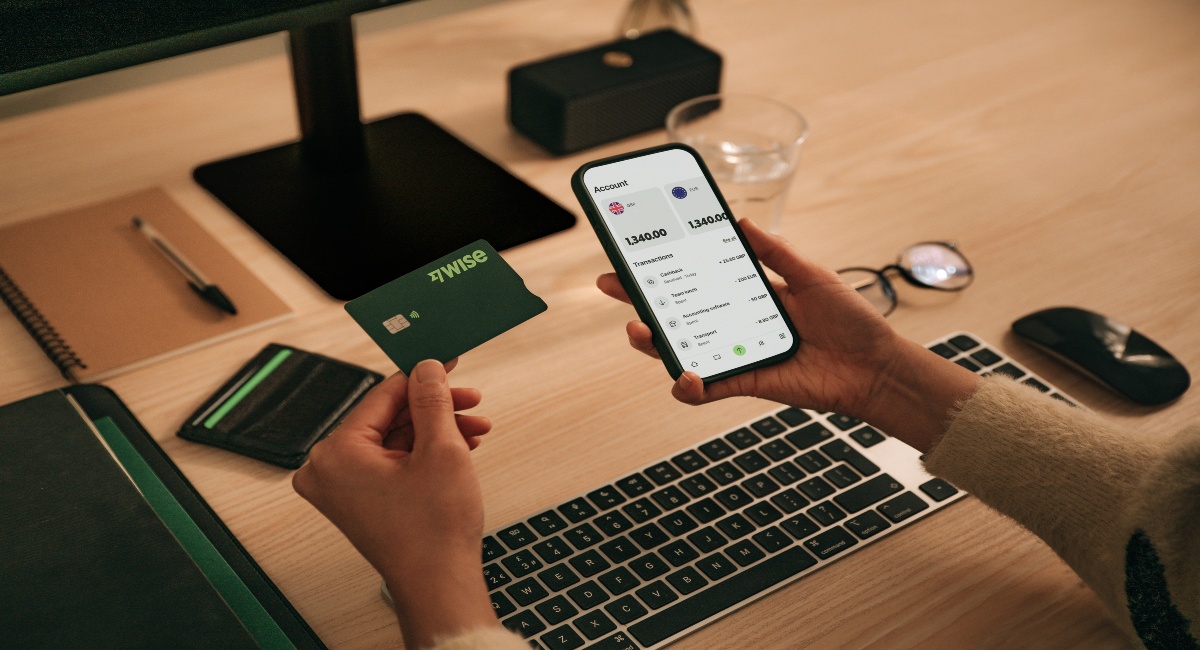
Managing expenses — especially across currencies — can become more time-consuming as your business grows.
Wise Business offers tools like multi-currency accounts, expense cards, invoicing tools, and accounting software integrations to help businesses manage spending and payments more efficiently.
With Wise Business, you can:
Make the wise choice when selecting a business account for all your domestic and global needs.
Be Smart, Get Wise.
*Disclaimer: The UK Wise Business pricing structure is changing with effect from 26/11/2025 date. Receiving money, direct debits and getting paid features are not available with the Essential Plan which you can open for free. Pay a one-time set up fee of £50 to unlock Advanced features including account details to receive payments in 22+ currencies or 8+ currencies for non-swift payments. You’ll also get access to our invoice generating tool, payment links, QuickPay QR codes and the ability to set up direct debits all within one account. Please check our website for the latest pricing information.
Keeping accurate records isn’t just good practice, it’s essential for running a compliant, efficient, and financially healthy business in the UK. Beyond tax obligations, it gives you better visibility and control over your day-to-day operations.
HMRC currently requires businesses to keep accurate records of income and expenses. Businesses must usually keep these records for at least 5 years after the January submission deadline.3
Failing to separate personal and business expenses, misclassifying costs, or missing receipts can lead to incorrect filings, penalties, or overpaying taxes.2
This publication is provided for general information purposes and does not constitute legal, tax or other professional advice from Wise Payments Limited, its subsidiaries or affiliates. It should not be treated as advice from, or a communication with, HMRC, and it is not intended as a substitute for obtaining business advice from a tax advisor or any other professional.
Regular expense tracking helps monitor cash outflows, spot patterns, and maintain enough liquidity to cover essential costs like rent, payroll, and supplier payments.
It also helps you understand where your money is going, identify unnecessary spending, improve margins, and make more informed budgeting and business decisions.
Well-organised records make it easier to produce reports, apply for funding, work with an accountant, and prepare for year-end reporting or business growth.
Common UK business expenses include office costs, travel expenses, staff costs, marketing and advertising, professional fees, equipment, and software.
If you’re a sole trader or partnership, you may currently be able to use HMRC’s simplified expenses — a method that lets you calculate certain business costs using flat rates instead of tracking actual costs and receipts.5
This approach is designed to reduce admin, particularly for small businesses with straightforward expenses, while still allowing you to claim allowable costs in a compliant way.
HMRC currently allows simplified expenses for specific categories where calculating exact usage can be complex or time-consuming5:
👉 Check eligibility using the official tool: Simplified expenses checker - Check if simplified expenses could save your business money5
These categories are included because they often involve shared personal and business use, require ongoing detailed record-keeping, or are difficult to calculate precisely.
By using simplified expenses, you trade some level of precision for ease, speed, and reduced paperwork — which can be especially useful for freelancers and sole traders managing their own finances.
Common mistakes include:
Not separating personal and business finances is one of the most common and costly mistakes.
Sources:
Expenses and benefits for employers: Keeping records - GOV.UK
Self-employed records: How long to keep your records - GOV.UK
Expenses and benefits: business travel mileage for employees' own vehicles - GOV.UK
Sources last checked on 12 May 2026
*Please see terms of use and product availability for your region or visit Wise fees and pricing for the most up to date pricing and fee information.
This publication is provided for general information purposes and does not constitute legal, tax or other professional advice from Wise Payments Limited or its subsidiaries and its affiliates, and it is not intended as a substitute for obtaining advice from a financial advisor or any other professional.
We make no representations, warranties or guarantees, whether expressed or implied, that the content in the publication is accurate, complete or up to date.

Learn about the best business accounts for freelancers in Germany. Our guide covers features and fees of each provider to help you make an informed decision.

A comprehensive guide to employee relocation, including how relocation packages work, UK costs, tax considerations and best practices for staff support.

Learn a few quick tips to improve and maintain accounting accuracy, from choosing the right software, managing FX and more.

Learn how to structure and manage relocation packages, including costs, policies, implementation steps and global considerations for employers in the UK.

An essential guide to sending bulk payments internationally as a UK business, including best providers, fees, and steps to send your first bulk transfer.
Learn how invoicing management works, how to optimise it, and how Wise Business can help you streamline international payments.











