
EastWest Credit Card Review: Features, Fees, and How to Apply
A detailed review of EastWest credit cards, covering travel features, fees, foreign transaction costs, rewards, and how to apply.



Maya offers both a digital wallet and a digital bank, which often causes some confusion, since they are two distinct products with different purposes and regulatory statuses, yet presented and accessed within a single app under one brand.
In this article, we’ll explain what each product is and how they serve different user needs. We’ll outline their key features and fees, show you how to get set up with both, and answer some frequently asked questions. We'll also introduce the Wise account, a handy companion to make your money go further with low, transparent fees.
| Table of contents |
|---|
Maya Wallet, operated by Maya Philippines, Inc., is a feature-rich digital wallet that lets users send and receive money, pay bills, buy load, trade crypto, make QR payments, and more.
Maya Philippines, Inc. is licensed by the Bangko Sentral ng Pilipinas (BSP) as an electronic money issuer and virtual asset service provider.¹ However, it is not licensed as a bank. Banking services are therefore offered through its partner, Maya Bank.
The core services and features of Maya Wallet include:
Some wallet features are available with a basic Maya account, while others require an upgraded account. Upgrading involves additional verification and also opens a Maya Bank account. The upgrade is free and typically only takes a short time.
Maya Bank, operated by Maya Bank, Inc., is a digital-only bank that allows users to save money, transfer funds, and access credit and loan products through the Maya app.
It is licensed by the Bangko Sentral ng Pilipinas (BSP), and deposits are insured by the Philippine Deposit Insurance Corporation (PDIC) for up to 1,000,000 PHP, providing bank-level protection for users’ funds.⁴
Its main features and benefits include:
Maya Wallet and Maya Bank are linked but not the same. Both are accessed in the Maya app, but serve different purposes and operate under separate licenses.
The table below highlights their key differences:⁵
| Feature | Maya Wallet | Maya Bank |
|---|---|---|
| Primary purpose | Everyday e-wallet for payments and spending | Digital bank for savings, borrowing, and credit cards |
| Interest | None | 3.5% p.a. base rate, can be boosted up to 15% |
| Fees | Free Maya-to-Maya transfers | ₱15 via InstaPay; free via PesoNet |
| Transfers | Maya-to-Maya, QR code payments | Manual bank and e-wallet transfers |
| Account setup | Minimal details required for basic use | Requires ID verification, selfie, and additional personal details |
| Account number | Uses your registered mobile number | A unique 12-digit bank account number |
| Best for | Daily spending, payments, and quick transfers | Saving money, earning interest, bank transfers, loans, and credit cards |
With an upgraded account, you’ll receive a My Savings account that earns a base interest rate of 3.5% p.a., credited daily. You can then boost your interest rate up to a maximum of 15% p.a. by completing various missions, such as:
Keep in mind that boosts are temporary and reset at the start of every month, meaning you must continuously complete missions to maintain a higher interest rate.
Within the app, you can also open up to five of each of the following additional savings accounts:
The BSP regulates Maya Savings accounts, and PDIC insures deposits for up to 1,000,000 PHP per depositor. There are no minimum balance or maintenance balance requirements for Maya Savings accounts.
Below is a quick overview of the most common fees associated with using Maya Wallet and Maya Bank:
| Transaction | Fee |
|---|---|
| Account Opening | Free for both Maya Wallet and Maya Bank |
| Send Money (Maya to Maya) | Free |
| Bank Transfer via InstaPay | 15 PHP |
| Bank Transfer via PESONet | Waived⁷ |
| Cash In | 0 PHP to up to 3% of the transaction amount |
| Cash In via Linked Bank Account | 5 PHP per transaction |
| International Card Transactions | 1.75% foreign exchange conversion fee; 2% for Maya credit cards⁸ |
| International ATM Withdrawal | 200 PHP fixed fee, plus 1.75% foreign exchange conversion fee |
| Bills Payment | 0 PHP to up to 1% of the transaction amount |
| Maintaining Balance | None |
| Savings Account Closure | Waived |
Maya Wallet is designed for everyday transactions such as QR payments, purchasing mobile load, paying bills, and easily sending or receiving money from other Maya users. You can also use your Maya Wallet-linked debit card for online and in-store purchases.
Maya Bank, on the other hand, is used for manual bank and e-wallet transfers where recipient details are entered in the app via InstaPay or PESONet, as well as for Maya credit card spending.
Daily transfer limits by account type include:
Basic: 50,000 PHP daily via Maya Wallet⁹
Upgraded: 100,000 PHP daily via Maya Wallet; 1,000,000 PHP daily via PESONet; 50,000 PHP daily via InstaPay¹⁰
Your Maya Wallet and Maya Savings account numbers are different, so be sure to use the correct one when making transactions.
Maya Wallet number: Your 11-digit mobile number used to create your Maya account.
Maya Savings number: 12 digits long and can only be used for bank transactions.
You can find your Maya Savings account number in the app under “My Savings” or “Deposit via other banks.”¹¹ These sections also show your account name and bank name (Maya Bank, Inc.).
Setting up a Maya account is quick and simple. To get started with a Basic wallet account, follow these steps:
That’s all it takes to set up a Basic account. When you’re ready to open a Maya bank account and unlock all features with an upgraded account, follow these steps:¹²
You can move funds from your Maya Wallet to your Maya Savings instantly and at no cost. Just follow these steps:
Maya Wallet and Maya Bank work well for everyday payments and savings in the Philippines, but they have limits when it comes to sending money internationally.
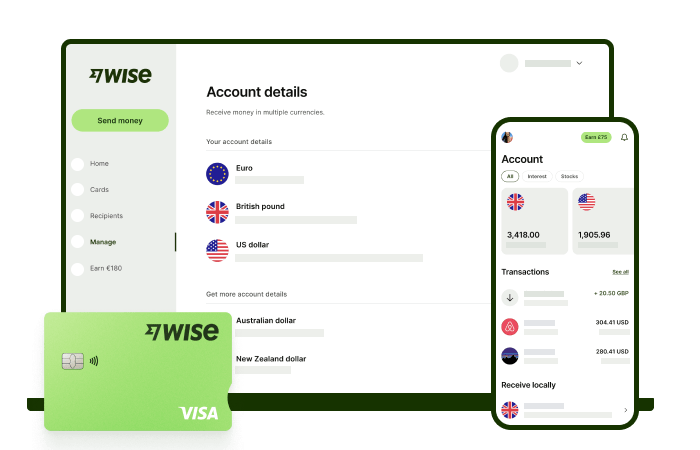
The Wise account is an easy way to hold and exchange 40+ currencies, including PHP, USD, CNY, and more. All you need to do is create a free account to get started.
With Wise, you can exchange currencies at the mid-market rate each time, with low, transparent conversion fees from 0.57% and absolutely no markups. Plus, you can order a Wise card for convenient spending at the same great rate, without any foreign transaction fees. At times you need cash, you can also make up to 2 free ATM withdrawals to the value of 12,000 PHP when you're overseas. You'll even get 8+ local account details to get paid conveniently to your Wise account in PHP and a selection of other major global currencies.
Sending money or making payments abroad? Wise also offers fast, low cost transfers to 140+ countries - you can track your transfer in your account and your recipient will also be notified when a transfer reaches them.
✍️ Sign up for a free account now
Can I use a Maya wallet without opening a Maya Bank account?
Yes. You can open a Basic account and use the Maya Wallet for simple transactions, such as scanning a Maya QR to pay merchants. However, Basic accounts have a 50,000 PHP monthly wallet limit, and some wallet features are not available. To access all wallet features and increase your monthly limit, you’ll need to upgrade your account.
Does a Maya Wallet earn interest?
No. A Maya Wallet does not earn interest on the money you hold in it. To earn interest, you need to transfer your funds to a Maya Savings account.
Can Maya be used for international transfers?
Maya lets you receive money from abroad through remittance partners like Western Union and Remitly. However, you can’t send international bank transfers directly from the Maya app.
Maya debit and credit cards work overseas for shopping and ATM withdrawals. Foreign currency transactions are converted at Mastercard or Visa’s prevailing exchange rate, and a foreign exchange conversion fee of up to around 2% may apply.
*Please see terms of use and product availability for your region or visit Wise fees and pricing for the most up to date pricing and fee information.
This publication is provided for general information purposes and does not constitute legal, tax or other professional advice from Wise Payments Limited or its subsidiaries and its affiliates, and it is not intended as a substitute for obtaining advice from a financial advisor or any other professional.
We make no representations, warranties or guarantees, whether expressed or implied, that the content in the publication is accurate, complete or up to date.
A detailed review of EastWest credit cards, covering travel features, fees, foreign transaction costs, rewards, and how to apply.

Find out more about the UnionBank Miles+ Visa Signature card for Filipinos - including fees, requirements and how to redeem miles.

Learn more about how to make money online in the Philippines through platforms like YouTube, TikTok, and more.

Find out what the best PAL Mabuhay credit cards are in the Philippines. More on redemption, fees, and requirements to decide which card is for you.

Learn how to transfer money from UnionBank to GCash with our 2025 guide. We cover the step-by-step process, transfer fees, and how long it takes.

PayPal¹ is a globally popular provider which offers accounts to send, receive and spend in many currencies and countries. In the Philippines you can open a...









